# Brennenstuhl on Security: full corpus
> Every entry on https://www.janbrennenstuhl.eu/ as Markdown, newest first. Original writing is CC BY 4.0 unless an entry says otherwise; cite the canonical URL given for each entry. Generated from the same source as the HTML.
================================================================================
# Glossary
- URL: https://www.janbrennenstuhl.eu/glossary/
- Type: glossary; topics:
- Published: 2026-10-13; modified: 2026-10-13; reviewed: not yet reviewed
Short definitions of the identity, token, password and agent terms used across the site.
I keep this list of the terms I use in essays about OAuth, OpenID Connect, JSON Web Tokens, passwords and agent identity, with a one-line meaning for each and the RFC or specification that defines it where there is one. When an essay uses an acronym such as OIDC or PKCE for the first time, it links to the entry here.
**Access token**: A credential the client presents to a resource server to access protected resources. It stands for a specific scope and lifetime, and the client should treat it as opaque, even when it's a JWT (RFC 6749, section 1.4).
**Account pre-hijacking**: An attack class described by Sudhodanan and Paverd in which the attacker acts before the victim creates an account, for example by registering with the victim's email address, and gains access once the victim signs up or recovers the account.
**Account takeover**: An attacker gains control of someone else's account, for example through credential stuffing, phishing, session theft or a weak account recovery flow.
**ACR** (Authentication Context Class Reference): An OpenID Connect claim (`acr`) that names the assurance level of the user's authentication. Clients request a level with the `acr_values` parameter, and the values themselves are agreed between the provider and the client.
**AMR** (Authentication Methods References): An OpenID Connect claim (`amr`) that lists the methods the user authenticated with, such as `pwd`, `otp`, `hwk` or `mfa`. RFC 8176 registers the standard values.
**Audience**: The recipient a token is meant for, carried in the JWT `aud` claim. A resource server must reject a token whose audience doesn't name it, otherwise a token issued for one API works at another.
**Authorization code flow**: The OAuth flow for apps with a user present (RFC 6749, section 4.1). The browser takes the user to the authorization server, which redirects back with a short-lived code, and the client exchanges that code for tokens over a direct back-channel request. Combine it with PKCE.
**Bearer token**: An access token that anyone who holds it can use, with no proof that they're the client it was issued to (RFC 6750). Most OAuth access tokens are bearer tokens, so a leaked token is as good as a stolen key until it expires. DPoP and mTLS-bound tokens close that gap.
**Brute-force attack**: Guessing a password by trying many candidates against one account, either online against the login form or offline against a stolen hash. Rate limiting stops the online variant; slow password hashing slows the offline one.
**Claim**: A name/value pair in a JWT that asserts something about the subject, such as `sub` for the user ID or `exp` for the expiry time (RFC 7519). Registered claims have fixed meanings; anything else is a public or private claim.
**Client credentials grant**: The OAuth grant a client uses to get an access token for itself, with no user involved (RFC 6749, section 4.4). It's the usual choice for service-to-service calls, and the token carries the client's own permissions.
**Coding agent**: A language model run in a loop with tools to read, edit and run code in a repository, such as a shell and a file editor. It acts with whatever credentials and permissions its environment gives it.
**Consent**: The user's explicit approval for a specific client to access specific scopes on their behalf, usually on a screen the authorization server shows. A good consent grant names the client, the access and the duration, and the user can withdraw it later.
**Credential stuffing**: An attacker takes username and password pairs leaked from one site and tries them automatically on other sites. It works because people reuse passwords.
**DAST** (Dynamic Application Security Testing): Tools that look for vulnerabilities by sending requests to a running application from the outside, without access to its source.
**Delegation**: One principal acts on behalf of another while keeping its own identity. RFC 8693 expresses this with the `act` claim, so a resource server can see both the user and the agent acting for them.
**DPoP** (Demonstrating Proof of Possession): A way to bind access and refresh tokens to a key pair the client holds (RFC 9449). The client signs a short JWT proof for every request and sends it in the `DPoP` header, so a stolen token is useless without the private key.
**FIDO2**: The FIDO Alliance's name for WebAuthn together with CTAP (Client to Authenticator Protocol), which lets a browser talk to a security key or phone. Passkeys are FIDO2 credentials.
**Honeytoken**: A decoy credential or account that no legitimate user or process ever uses. Any attempt to log in with it means someone has access to data they shouldn't, so it triggers an alert. Honeytokens detect breaches; they don't prevent them.
**ID token**: A signed JWT that an OpenID Connect provider issues to the client after the user authenticates. It must carry `iss`, `sub`, `aud`, `exp` and `iat`, and can carry `acr`, `amr` and `auth_time`. The client reads it to log the user in; it isn't meant for calling APIs.
**Impersonation**: One principal gets all the rights of another and is indistinguishable from them in the issued token (RFC 8693, section 1.1). Downstream services can't tell who actually made the request.
**Issuer**: The party that created and signed a token, carried in the JWT `iss` claim as a URL. A verifier checks that the issuer is one it trusts and fetches that issuer's signing keys from its JWKS.
**JOSE** (JSON Object Signing and Encryption): The IETF family of specifications for signing and encrypting JSON: JWS, JWE, JWK and JWA, with JWT built on top. The name comes from the IETF working group that wrote them.
**JWA** (JSON Web Algorithms): The registry of algorithm identifiers that JWS, JWE and JWK use, such as `RS256`, `ES256`, `RSA-OAEP` and `A256GCM` (RFC 7518). A verifier should accept only the algorithms it expects, never whatever the token header claims.
**JWE** (JSON Web Encryption): A format for encrypted content (RFC 7516). The compact form has five parts: header, encrypted key, initialization vector, ciphertext and authentication tag.
**JWK** (JSON Web Key): A JSON representation of a cryptographic key, with members such as `kty`, `kid` and `use` (RFC 7517).
**JWKS** (JSON Web Key Set): A JSON object whose `keys` member holds a list of JWKs (RFC 7517, section 5). Issuers publish their public signing keys as a JWKS at a URL, and verifiers pick the right key by its `kid`, which lets the issuer rotate keys without breaking clients.
**JWS** (JSON Web Signature): A format for content protected with a digital signature or a MAC (RFC 7515). The compact form is three base64url parts separated by dots: header, payload and signature. Anyone can read the payload, so a JWS doesn't hide data.
**JWT** (JSON Web Token): A compact, URL-safe format for claims, packaged as a JWS (signed) or a JWE (encrypted) (RFC 7519). A verifier must check the signature, the algorithm, `iss`, `aud` and `exp` before trusting any claim; RFC 8725 lists the current best practices.
**Least privilege**: Saltzer and Schroeder's 1975 design principle that every program and user should operate with the least set of privileges necessary to complete the job. For tokens, that means narrow scopes, a single audience and short lifetimes.
**MCP** (Model Context Protocol): An open protocol, introduced by Anthropic in November 2024, that connects AI applications to servers exposing tools, resources and prompts. Authorization is optional; HTTP-based servers that use it act as OAuth resource servers, publish protected resource metadata (RFC 9728) and must reject tokens issued for other audiences.
**MFA** (Multi-factor authentication): Authentication that requires factors from at least 2 different categories: something you know, something you have, something you are. A password plus a one-time code is MFA; 2 passwords are not.
**mTLS certificate-bound token**: An access token tied to the client's TLS certificate (RFC 8705). The authorization server puts the certificate's SHA-256 thumbprint in the token's `cnf` claim, and the resource server only accepts the token over a mutual TLS connection that presents the same certificate.
**NIST SP 800-63B**: The US National Institute of Standards and Technology guideline for authentication and authenticator management. Revision 4 (2025) requires at least 15 characters for passwords used as a single factor, says verifiers should allow at least 64, forbids composition rules and periodic changes, and requires a blocklist check.
**OAuth 2.0**: An authorization framework that lets a client application get limited access to an HTTP service, either for a user or for itself, without seeing the user's password. The authorization server issues tokens and the resource server accepts them. Defined in RFC 6749; the IETF is consolidating it with its security best practices as the OAuth 2.1 draft.
**OIDC** (OpenID Connect): An identity layer on top of OAuth 2.0. The client receives an ID token that tells it who the user is and how they authenticated. Defined in OpenID Connect Core 1.0 by the OpenID Foundation.
**Passkey**: A FIDO credential that replaces a password with a key pair: the private key stays with the user, the site stores only the public key. The FIDO Alliance distinguishes synced passkeys, which a cloud service copies across the user's devices, from device-bound passkeys, which never leave one device or security key.
**Password hashing**: Storing a password as the output of a deliberately slow, salted function, so a stolen database is expensive to crack. Argon2id (RFC 9106), which won the 2015 Password Hashing Competition, is the usual first choice; bcrypt and scrypt are older options. Fast hashes such as SHA-256 are not suitable.
**Password manager**: Software that generates, stores and fills a unique password for each site. Because it fills by domain, it also refuses to fill on a look-alike phishing domain. Login forms with standard `autocomplete` attributes make it work reliably.
**Password reuse**: Using the same password, or a small variation of it, on more than one site. A breach at one site then exposes the user's accounts everywhere else.
**Password spraying**: An attacker tries a few common passwords against many accounts, slowly enough that no single account hits its lockout threshold.
**Password strength meter**: A widget that rates a password as the user types it. Meters that estimate guessability, for example with a dictionary-based estimator, help users; meters that only count character classes reward predictable passwords like `Password1!`.
**Phishing**: Tricking someone into handing over credentials, approving a login or running something, usually with a message or site that imitates one they trust. Passkeys and password managers resist it because they check the domain; people can't do that reliably.
**PKCE** (Proof Key for Code Exchange): An extension to the authorization code flow (RFC 7636). The client sends a hash of a random `code_verifier` with the authorization request and the verifier itself with the token request, so an attacker who intercepts the code can't redeem it. OAuth 2.1 requires it.
**Prompt injection**: An attack in which text the model reads, such as a web page, an issue comment or a tool result, contains instructions the model then follows as if they came from the user. The model can't reliably tell data from instructions, so limiting what the agent can reach is the main defence.
**Protected resource metadata**: A JSON document a resource server publishes at `/.well-known/oauth-protected-resource` to say which authorization servers it accepts tokens from (RFC 9728). A `401` response can point to it with a `resource_metadata` parameter in the `WWW-Authenticate` header. MCP servers must publish it.
**Refresh token**: A long-lived credential the client sends only to the authorization server to get new access tokens when the current ones expire (RFC 6749, section 1.5). The resource server never sees it. OAuth 2.1 requires public clients to use sender-constrained or rotating refresh tokens.
**Resource indicators**: The `resource` parameter a client adds to authorization and token requests to name the API it wants the token for (RFC 8707). The authorization server can then restrict the token's audience to that one resource. MCP clients must send it.
**Robot account**: A non-human account, also called a service account, with its own long-lived credential. When an agent uses one for many people, it acts with the combined permissions of all of them and the audit log can't tell whose request was whose.
**Salt**: A random value generated per password and stored next to its hash. It makes identical passwords hash differently and stops attackers from using precomputed tables. A salt isn't secret.
**SAML** (Security Assertion Markup Language): An XML-based OASIS standard for exchanging signed authentication and attribute assertions between an identity provider and a service provider. Enterprises still use SAML 2.0 widely for single sign-on, and its XML signature handling has caused repeated vulnerabilities.
**SAST** (Static Application Security Testing): Tools that look for vulnerabilities in source code or binaries without running them.
**SBOM** (Software Bill of Materials): A machine-readable inventory of the components and dependencies that make up a piece of software. SPDX and CycloneDX are the common formats.
**Scope**: A space-separated list of strings in an OAuth request that says what access the client asks for, such as `repo:read` (RFC 6749, section 3.3). The authorization server can grant fewer scopes than requested and must tell the client when it does.
**Shift down**: Moving security decisions into the platform, so teams get secure defaults such as a standard pipeline or workload credentials instead of building and securing them themselves. Shift-left, by comparison, moves checks earlier in each team's workflow.
**Step-up authentication**: Asking a logged-in user to authenticate again, or with a stronger method, before a sensitive action. In OAuth, a resource server signals this with the `insufficient_user_authentication` error and the required `acr_values` or `max_age` (RFC 9470).
**Threat modeling**: Analysing a model of a system to find security and privacy concerns. The Threat Modeling Manifesto frames it as 4 questions: what are we working on, what can go wrong, what are we going to do about it, and did we do a good enough job.
**Token exchange**: A grant in which a client hands the authorization server one token (`subject_token`, optionally with an `actor_token`) and gets back a different token, for example one with a narrower audience or one for another service (RFC 8693). The issued token can record delegation in an `act` claim.
**Token revocation**: A client tells the authorization server that a refresh or access token is no longer needed, through the revocation endpoint (RFC 7009). Revoking a refresh token should also invalidate the access tokens from the same grant, but a self-contained JWT access token stays valid at resource servers until it expires unless they check its status.
**Trust boundary**: A line in a system where data or control passes between parts with different levels of trust, such as from the internet to an API or from a tool result into an agent's context. Every input that crosses it needs validation.
**WebAuthn** (Web Authentication): The W3C browser API that lets a website create and use public-key credentials. The browser scopes each credential to the site's domain, which is why a phishing site can't use it.
**Whaling**: Phishing aimed at senior executives, usually to get them to approve payments or share sensitive data.
================================================================================
# How does authorization work for MCP servers?
- URL: https://www.janbrennenstuhl.eu/knowledge-base/agent-identity/mcp-authorization/
- Type: guide; topics: agentic-engineering, identity-authentication
- Published: 2026-10-13; modified: 2026-10-13; reviewed: not yet reviewed
**Short answer:** In the MCP authorization specification (revision 2026-07-28), a protected MCP server over HTTP is an OAuth 2.1 resource server: it publishes Protected Resource Metadata that points clients to its authorization server and accepts only tokens issued for itself. MCP clients discover that authorization server, run the authorization code flow with PKCE, and name the MCP server in a resource parameter on every authorization and token request.
This entry describes the Model Context Protocol (MCP) [authorization specification](https://modelcontextprotocol.io/specification/2026-07-28/basic/authorization) as of revision 2026-07-28, which the MCP versioning page listed as the current revision on 13 October 2026. Later revisions may change these requirements.
## Key findings
> **Finding f-agent-mcp-protected-resource-metadata:** As of MCP revision 2026-07-28, MCP servers must implement OAuth 2.0 Protected Resource Metadata (RFC 9728), and MCP clients must use it to discover the authorization server.
>
> Source: [Model Context Protocol, Authorization, revision 2026-07-28](https://modelcontextprotocol.io/specification/2026-07-28/basic/authorization)
> Link: https://www.janbrennenstuhl.eu/knowledge-base/agent-identity/mcp-authorization/#f-agent-mcp-protected-resource-metadata
> **Finding f-agent-mcp-resource-parameter:** MCP clients must send the RFC 8707 resource parameter with the MCP server's canonical URI in both authorization and token requests, whether or not the authorization server supports it.
>
> Source: [Model Context Protocol, Authorization, revision 2026-07-28](https://modelcontextprotocol.io/specification/2026-07-28/basic/authorization)
> Link: https://www.janbrennenstuhl.eu/knowledge-base/agent-identity/mcp-authorization/#f-agent-mcp-resource-parameter
> **Finding f-agent-mcp-audience-validation:** MCP servers must validate that an access token was issued specifically for them as the intended audience and must not accept or transit any other tokens.
>
> Source: [Model Context Protocol, Authorization, revision 2026-07-28](https://modelcontextprotocol.io/specification/2026-07-28/basic/authorization)
> Link: https://www.janbrennenstuhl.eu/knowledge-base/agent-identity/mcp-authorization/#f-agent-mcp-audience-validation
> **Finding f-agent-mcp-no-token-passthrough:** An MCP server that calls upstream APIs must use a separate token from the upstream authorization server and must not pass through the token it received from the MCP client.
>
> Source: [Model Context Protocol, Authorization Security Considerations, revision 2026-07-28](https://modelcontextprotocol.io/specification/2026-07-28/basic/authorization/security-considerations)
> Link: https://www.janbrennenstuhl.eu/knowledge-base/agent-identity/mcp-authorization/#f-agent-mcp-no-token-passthrough
## Evidence
**Primary sources on MCP authorization**
| Study | Year | Sample | Method | Finding |
| --- | --- | --- | --- | --- |
| [Model Context Protocol: Authorization (revision 2026-07-28)](https://modelcontextprotocol.io/specification/2026-07-28/basic/authorization) (Model Context Protocol) | 2026 | n/a | Specification | Defines roles, discovery, the authorization flow, the resource parameter, token handling and step-up authorization for HTTP transports. |
| [Model Context Protocol: Authorization Security Considerations (revision 2026-07-28)](https://modelcontextprotocol.io/specification/2026-07-28/basic/authorization/security-considerations) (Model Context Protocol) | 2026 | n/a | Specification | Requires audience binding, PKCE, exact redirect URI matching and a ban on token passthrough. |
| [OAuth 2.0 Protected Resource Metadata (RFC 9728)](https://www.rfc-editor.org/rfc/rfc9728) (IETF) | 2025 | n/a | Specification | Defines the metadata document and the WWW-Authenticate parameter that point a client to a resource's authorization servers. |
| [Resource Indicators for OAuth 2.0 (RFC 8707)](https://www.rfc-editor.org/rfc/rfc8707) (IETF) | 2020 | n/a | Specification | Defines the resource parameter and asks authorization servers to audience-restrict tokens to it. |
| [Economies of Scale for MCP and Agents](https://www.janbrennenstuhl.eu/talks/economies-of-scale-for-mcp/) (this site) | 2026 | n/a | Talk | States that an agent should not hold a shared, long-lived provider credential and presents the broker's delegation model. |
## What to do
### For engineers
For an MCP server over HTTP, publish Protected Resource Metadata, answer unauthenticated requests with a 401 that points to it, and check the audience of every token. Put the scopes an operation needs in the `WWW-Authenticate` challenge, all at once. If the server calls other APIs, get its own token for each of them. The [token exchange entry](https://www.janbrennenstuhl.eu/knowledge-base/agent-identity/token-exchange/) shows one way to do that.
For an MCP client, implement both discovery mechanisms, PKCE with `S256`, the `resource` parameter, and the issuer check. Never put tokens in the query string.
An MCP server on the STDIO transport is outside this specification, which says such servers should take credentials from the environment. Keep those credentials short-lived and task-scoped, as my [AppSec essay](https://www.janbrennenstuhl.eu/appsec-agentic-engineering/) recommends for coding agents.
### For product and UX
Start with the minimal scopes and ask for more only when an operation needs them. The specification warns that misconfigured scopes may require frequent user interaction, and that challenging one scope at a time forces several authorization round-trips for one operation.
## How it works
The specification defines 3 roles. The MCP server is an OAuth 2.1 resource server, the MCP client is an OAuth 2.1 client acting for a resource owner, and the authorization server issues the tokens. Authorization is optional for MCP implementations. Implementations on HTTP-based transports should conform to the specification, and STDIO implementations should not.
A first connection follows these steps:
1. The client sends an MCP request without a token. The server answers with HTTP 401 and a `WWW-Authenticate` header that carries the `resource_metadata` URL from RFC 9728 and, as the specification recommends, the required `scope`.
2. The client fetches the Protected Resource Metadata and picks an authorization server from it. It then reads that server's metadata through OAuth 2.0 Authorization Server Metadata (RFC 8414) or OpenID Connect Discovery. Clients must support both, and if the metadata doesn't list `code_challenge_methods_supported`, the client must refuse to proceed.
3. The client gets a client ID. It uses pre-registered client information if it has some, then Client ID Metadata Documents if the authorization server supports them. Dynamic Client Registration is deprecated and kept only as a fallback for backwards compatibility.
4. The client starts the authorization code flow with PKCE, the `resource` parameter and the selected scopes, and records the expected issuer. When the response comes back, it validates the `iss` parameter (RFC 9207) before it redeems the code.
5. The client redeems the code with the `code_verifier` and the `resource` parameter, then sends the access token in the `Authorization: Bearer` header on every request.
When a token lacks a scope at runtime, the server answers with 403 and `error="insufficient_scope"`. The client then runs a step-up flow with the union of its previous scopes and the new ones.
Revision 2026-07-28 doesn't cover token exchange in its core authorization pages. Optional authorization extensions live in a separate repository. In the Agentic Identity Broker, which Magnus Jungsbluth and I built, an MCP gateway exchanges the agent's token for the matching provider token through RFC 8693, so the provider token never reaches the agent. I describe that design in the [retrospective](https://www.janbrennenstuhl.eu/agentic-identity-broker/), and we presented it in our [AGNTCon + MCPCon talk](https://www.janbrennenstuhl.eu/talks/economies-of-scale-for-mcp/).
## Related
- [Should an agent use a robot account or delegated access?](https://www.janbrennenstuhl.eu/knowledge-base/agent-identity/delegation-vs-robot-accounts/)
- [How should people grant and revoke an agent's access?](https://www.janbrennenstuhl.eu/knowledge-base/agent-identity/consent-and-revocation/)
- [Agentic Identity Broker](https://www.janbrennenstuhl.eu/projects/agentic-identity-broker/)
================================================================================
# How should people grant and revoke an agent's access?
- URL: https://www.janbrennenstuhl.eu/knowledge-base/agent-identity/consent-and-revocation/
- Type: guide; topics: agentic-engineering, identity-authentication
- Published: 2026-10-13; modified: 2026-10-13; reviewed: not yet reviewed
**Short answer:** Let people grant each agent access per service, with a permission set they choose and an expiry, and let them revoke that grant at any time. Revoking the grant has to stop every token derived from it, so keep issued tokens short-lived and check the grant whenever a new token is issued.
## Key findings
> **Finding f-agent-grant-scope-expiry-revoke:** In the Agentic Identity Broker, a user grants an agent access to a service with a chosen permission set and an optional expiry, and can revoke that grant at any time.
>
> Source: [What I Learned Building an Identity Broker With Coding Agents (janbrennenstuhl.eu, 2026)](https://www.janbrennenstuhl.eu/agentic-identity-broker/)
> Link: https://www.janbrennenstuhl.eu/knowledge-base/agent-identity/consent-and-revocation/#f-agent-grant-scope-expiry-revoke
> **Finding f-agent-revocation-cascades-to-grant:** Under RFC 7009, revoking a refresh token should also invalidate all access tokens based on the same authorization grant if the authorization server supports access token revocation.
>
> Source: [RFC 7009, OAuth 2.0 Token Revocation (IETF, 2013), Section 2.1](https://www.rfc-editor.org/rfc/rfc7009#section-2.1)
> Link: https://www.janbrennenstuhl.eu/knowledge-base/agent-identity/consent-and-revocation/#f-agent-revocation-cascades-to-grant
> **Finding f-agent-self-contained-token-revocation:** Immediate revocation of self-contained access tokens needs backend coordination that RFC 7009 calls non-standardized, and short-lived access tokens limit how long a revoked token stays in use.
>
> Source: [RFC 7009, OAuth 2.0 Token Revocation (IETF, 2013), Section 3](https://www.rfc-editor.org/rfc/rfc7009#section-3)
> Link: https://www.janbrennenstuhl.eu/knowledge-base/agent-identity/consent-and-revocation/#f-agent-self-contained-token-revocation
> **Finding f-agent-refresh-token-bound-to-consent:** Refresh tokens must be bound to the scope and resource servers the resource owner consented to.
>
> Source: [RFC 9700, Best Current Practice for OAuth 2.0 Security (IETF, 2025), Section 4.14.2](https://www.rfc-editor.org/rfc/rfc9700#section-4.14.2)
> Link: https://www.janbrennenstuhl.eu/knowledge-base/agent-identity/consent-and-revocation/#f-agent-refresh-token-bound-to-consent
## Evidence
**Primary sources on agent consent and revocation**
| Study | Year | Sample | Method | Finding |
| --- | --- | --- | --- | --- |
| [OAuth 2.0 Token Revocation (RFC 7009)](https://www.rfc-editor.org/rfc/rfc7009) (IETF) | 2013 | n/a | Specification | Defines a revocation endpoint and how revoking one token can revoke related tokens and the grant. |
| [Best Current Practice for OAuth 2.0 Security (RFC 9700)](https://www.rfc-editor.org/rfc/rfc9700) (IETF) | 2025 | n/a | Specification | Binds refresh tokens to the consented scope and resources and lets them expire after inactivity. |
| [Resource Indicators for OAuth 2.0 (RFC 8707)](https://www.rfc-editor.org/rfc/rfc8707) (IETF) | 2020 | n/a | Specification | Lets the authorization server tell the user which resources a client will access on their behalf. |
| [OAuth 2.0 Token Exchange (RFC 8693)](https://www.rfc-editor.org/rfc/rfc8693) (IETF) | 2020 | n/a | Specification | Leaves revocation of tokens issued by an exchange to the implementation. |
| [Model Context Protocol: Authorization (revision 2026-07-28)](https://modelcontextprotocol.io/specification/2026-07-28/basic/authorization) (Model Context Protocol) | 2026 | n/a | Specification | Asks clients to request minimal scopes first and add scopes through step-up authorization. |
| [What I Learned Building an Identity Broker With Coding Agents](https://www.janbrennenstuhl.eu/agentic-identity-broker/) (this site) | 2026 | n/a | Field report | Describes per-agent grants with chosen permissions, optional expiry and revocation at any time. |
## What to do
### For engineers
Model the grant as a record of its own that names the person, the agent, the service, the permissions and the expiry, and issue every token from it. Check that record whenever you issue or exchange a token, so a revocation takes effect at the next tool call. Expiring tokens are the fallback for tokens you can't recall.
Wire revocation through every layer you control. Call the [RFC 7009](https://www.rfc-editor.org/rfc/rfc7009) revocation endpoint where the provider offers one, and don't stop at the first token. RFC 8693 says tokens issued by a [token exchange](https://www.janbrennenstuhl.eu/knowledge-base/agent-identity/token-exchange/) aren't linked to their input token, so revoking one doesn't reach the other unless you build that.
Ask for the least access first. The [MCP authorization specification](https://www.janbrennenstuhl.eu/knowledge-base/agent-identity/mcp-authorization/) describes this as step-up authorization: request minimal scopes and add more when a server asks for them.
### For product and UX
Show each grant with the agent, the service, the permissions and the expiry in plain words, and put the revoke action next to it. Default to an expiry instead of open-ended access. When an agent needs more access, ask at that moment for that specific permission.
## How it works
Granting access in OAuth starts with an authorization request. The client names the access it wants in `scope` and, with [RFC 8707](https://www.rfc-editor.org/rfc/rfc8707#section-2.1), the resources in `resource`. RFC 8707 notes that the authorization server can use those resource values to inform the user about the resources the client will access on their behalf. The consent screen can then name the service, not only a list of scopes.
In the Agentic Identity Broker, which Magnus Jungsbluth and I built, a user grants an agent access to a service with a chosen permission set and an optional expiry. The broker keeps both the user and the agent in every authorization decision. I describe the design in the [retrospective](https://www.janbrennenstuhl.eu/agentic-identity-broker/), and my [AppSec essay](https://www.janbrennenstuhl.eu/appsec-agentic-engineering/) argues for narrow, time-limited permissions that the user can revoke at any moment.
Revoking access in OAuth uses the revocation endpoint from RFC 7009. A client sends the token it wants revoked, and the server invalidates it and, depending on policy, related tokens and the grant itself. RFC 7009 gives 2 reasons this matters for people: it stops a grant from staying valid without the user's knowledge, and revoked grants disappear from any list of grants the authorization server shows the user. The server answers with HTTP 200 even for an invalid token. A 503 means the client must assume the token still exists.
Self-contained tokens make revocation harder. A resource server can check a self-contained token, such as a JSON Web Token (JWT), without asking the authorization server, so it won't learn about a revocation on its own. RFC 7009 names short-lived access tokens with refresh tokens as one alternative. RFC 9700 adds that refresh tokens must stay bound to the consented scope and resources, should expire after a period of inactivity, and may be revoked on security events such as a password change or logout.
## Related
- [Should an agent use a robot account or delegated access?](https://www.janbrennenstuhl.eu/knowledge-base/agent-identity/delegation-vs-robot-accounts/)
- [How does OAuth 2.0 Token Exchange keep provider tokens away from agents?](https://www.janbrennenstuhl.eu/knowledge-base/agent-identity/token-exchange/)
- [Economies of Scale for MCP and Agents](https://www.janbrennenstuhl.eu/talks/economies-of-scale-for-mcp/)
- [Agentic Identity Broker](https://www.janbrennenstuhl.eu/projects/agentic-identity-broker/)
================================================================================
# How does OAuth 2.0 Token Exchange keep provider tokens away from agents?
- URL: https://www.janbrennenstuhl.eu/knowledge-base/agent-identity/token-exchange/
- Type: guide; topics: agentic-engineering, identity-authentication
- Published: 2026-10-13; modified: 2026-10-13; reviewed: not yet reviewed
**Short answer:** OAuth 2.0 Token Exchange (RFC 8693) lets a client trade one token for another token meant for a specific target service. When a gateway runs that exchange on each tool call, as in the Agentic Identity Broker, the provider token stays between the broker, the gateway and the provider and never reaches the agent.
## Key findings
> **Finding f-agent-rfc8693-security-token-service:** RFC 8693 lets a client present a security token to an OAuth 2.0 authorization server acting as a Security Token Service and receive a new token, for example one scoped more narrowly for a downstream service.
>
> Source: [RFC 8693, OAuth 2.0 Token Exchange (IETF, 2020), Section 1](https://www.rfc-editor.org/rfc/rfc8693#section-1)
> Link: https://www.janbrennenstuhl.eu/knowledge-base/agent-identity/token-exchange/#f-agent-rfc8693-security-token-service
> **Finding f-agent-broker-provider-token-stays-out:** In the Agentic Identity Broker, an MCP gateway exchanges the agent's token for the matching provider token through RFC 8693 on each tool call, so the provider token never reaches the agent.
>
> Source: [What I Learned Building an Identity Broker With Coding Agents (janbrennenstuhl.eu, 2026)](https://www.janbrennenstuhl.eu/agentic-identity-broker/)
> Link: https://www.janbrennenstuhl.eu/knowledge-base/agent-identity/token-exchange/#f-agent-broker-provider-token-stays-out
> **Finding f-agent-exchange-client-authentication:** RFC 8693 warns that without client authentication at the token endpoint, anyone holding a compromised token can trade it for other tokens.
>
> Source: [RFC 8693, OAuth 2.0 Token Exchange (IETF, 2020), Section 2.1](https://www.rfc-editor.org/rfc/rfc8693#section-2.1)
> Link: https://www.janbrennenstuhl.eu/knowledge-base/agent-identity/token-exchange/#f-agent-exchange-client-authentication
> **Finding f-agent-act-claim-current-actor:** In a JWT issued through token exchange, access control decisions must consider only the top-level claims and the current actor named in the act claim, while nested prior actors are informational.
>
> Source: [RFC 8693, OAuth 2.0 Token Exchange (IETF, 2020), Section 4.1](https://www.rfc-editor.org/rfc/rfc8693#section-4.1)
> Link: https://www.janbrennenstuhl.eu/knowledge-base/agent-identity/token-exchange/#f-agent-act-claim-current-actor
> **Finding f-agent-exchange-no-revocation-link:** A token exchange creates no tight link between the input and output tokens, so passing revocation from one to the other depends on the implementation and isn't a property of the protocol.
>
> Source: [RFC 8693, OAuth 2.0 Token Exchange (IETF, 2020), Section 2.1](https://www.rfc-editor.org/rfc/rfc8693#section-2.1)
> Link: https://www.janbrennenstuhl.eu/knowledge-base/agent-identity/token-exchange/#f-agent-exchange-no-revocation-link
## Evidence
**Primary sources on token exchange for agents**
| Study | Year | Sample | Method | Finding |
| --- | --- | --- | --- | --- |
| [OAuth 2.0 Token Exchange (RFC 8693)](https://www.rfc-editor.org/rfc/rfc8693) (IETF) | 2020 | n/a | Specification | Defines the token exchange grant, its request and response parameters, and the act and may_act claims. |
| [Resource Indicators for OAuth 2.0 (RFC 8707)](https://www.rfc-editor.org/rfc/rfc8707) (IETF) | 2020 | n/a | Specification | Defines the resource parameter that tells the authorization server where a token will be used. |
| [What I Learned Building an Identity Broker With Coding Agents](https://www.janbrennenstuhl.eu/agentic-identity-broker/) (this site) | 2026 | n/a | Field report | Describes how a gateway exchanges the agent's token for the matching provider token on each tool call. |
| [Economies of Scale for MCP and Agents](https://www.janbrennenstuhl.eu/talks/economies-of-scale-for-mcp/) (this site) | 2026 | n/a | Talk | Presents the broker's delegation model at AGNTCon + MCPCon Europe 2026. |
## What to do
### For engineers
Put the exchange in a component the agent can't control, such as a gateway, and authenticate that component at the token endpoint. Name the target with `resource` or `audience` and ask for the smallest `scope` the tool call needs. RFC 8693 points out that broad requests across many target services are more likely to be refused.
Treat revocation as your own job. The RFC leaves it to the implementation whether revoking a grant or an input token affects tokens already issued, so keep issued tokens short-lived and check the grant at exchange time. [Consent and revocation](https://www.janbrennenstuhl.eu/knowledge-base/agent-identity/consent-and-revocation/) covers the rest.
If an agent's token can travel further, use the `act` claim to record the agent as the actor and the `may_act` claim to state who may act for the subject.
### For product and UX
Users don't see the exchange, but they see its effects. When a tool call fails because a grant expired or was revoked, tell the user which service and which agent were affected and how to grant access again.
## How it works
RFC 8693 defines the exchange as 1 request and 1 response at an authorization server's token endpoint. With a gateway between an agent and its tools, the exchange runs like this:
**Step through the exchange** (interactive on the web page; static explanation follows)
1. The agent calls a tool through the gateway and presents its own token.
2. The gateway acts as the RFC 8693 client. It sends a `POST` to the token endpoint with `grant_type=urn:ietf:params:oauth:grant-type:token-exchange`, a `subject_token` that represents the person on whose behalf the request is made, and its `subject_token_type`. Optional parameters name the target (`resource`, `audience`), the access wanted (`scope`), and the token type wanted (`requested_token_type`).
3. The gateway authenticates with the normal OAuth 2.0 client authentication methods.
4. The authorization server validates the presented tokens and decides by policy whether to issue a token for the named target. If it refuses, it answers with `invalid_request`, or with `invalid_target` when it won't issue a token for the requested target.
5. A successful response is a normal OAuth token response: `access_token` carries the issued token, together with `issued_token_type`, `token_type`, and, as recommended, `expires_in`. The issued token doesn't have to be an OAuth access token.
6. The gateway calls the target service with the issued token and returns only the result to the agent.
The following request shows step 2 with placeholder hosts and tokens. It illustrates the RFC parameters and isn't the broker's API. I've left the values unencoded and added line breaks for readability; a real request URL-encodes the form body.
```http {filename="token-exchange.http"}
POST /token HTTP/1.1
Host: broker.example.com
Authorization: Basic
Content-Type: application/x-www-form-urlencoded
grant_type=urn:ietf:params:oauth:grant-type:token-exchange
&subject_token=
&subject_token_type=urn:ietf:params:oauth:token-type:access_token
&resource=https://api.provider.example/
&scope=
```
The Agentic Identity Broker that Magnus Jungsbluth and I built uses this pattern, as I describe in the [retrospective](https://www.janbrennenstuhl.eu/agentic-identity-broker/). A user grants an agent access to a service, such as GitHub, with a chosen permission set and an optional expiry, and the broker stores the provider tokens encrypted. On each tool call, an MCP gateway such as agentgateway exchanges the agent's token for the matching provider token, so the provider token never reaches the agent.
RFC 8693 also defines an optional `actor_token` for the party that will act on behalf of the subject. In the issued JWT, the `act` claim can record that actor, and nested `act` claims record a chain of earlier actors. The [broker roadmap](https://github.com/zalando-incubator/agentic-identity-broker#roadmap "Agentic Identity Broker roadmap") lists token exchange for agent-to-agent calls as planned work.
## Related
- [Should an agent use a robot account or delegated access?](https://www.janbrennenstuhl.eu/knowledge-base/agent-identity/delegation-vs-robot-accounts/)
- [How does authorization work for MCP servers?](https://www.janbrennenstuhl.eu/knowledge-base/agent-identity/mcp-authorization/)
- [Economies of Scale for MCP and Agents](https://www.janbrennenstuhl.eu/talks/economies-of-scale-for-mcp/)
- [Agentic Identity Broker](https://www.janbrennenstuhl.eu/projects/agentic-identity-broker/)
================================================================================
# What is inside a JWT?
- URL: https://www.janbrennenstuhl.eu/knowledge-base/oidc/jwt-anatomy/
- Type: guide; topics: tokens-jwt, identity-authentication
- Published: 2026-10-13; modified: 2026-10-13; reviewed: not yet reviewed
**Short answer:** A signed JWT is 3 base64url-encoded parts joined by dots: a header that names the algorithm, a payload of claims, and a signature over both. The payload is encoded, not encrypted, so anyone holding the token can read it; only a signature check with a key you trust tells you whether to believe it.
## Key findings
> **Finding f-jwt-claims-in-jws-or-jwe:** A JWT is a set of claims encoded as a JSON object inside a JWS or a JWE, so the same token format can be signed, encrypted, or both.
>
> Source: [RFC 7519, JSON Web Token (JWT), Section 2](https://www.rfc-editor.org/rfc/rfc7519#section-2)
> Link: https://www.janbrennenstuhl.eu/knowledge-base/oidc/jwt-anatomy/#f-jwt-claims-in-jws-or-jwe
> **Finding f-jwt-payload-is-readable:** The payload of a signed JWT is only base64url-encoded, so a token that carries privacy-sensitive claims needs encryption or must not reach parties who should not read it.
>
> Source: [RFC 7519, Section 12, Privacy Considerations](https://www.rfc-editor.org/rfc/rfc7519#section-12)
> Link: https://www.janbrennenstuhl.eu/knowledge-base/oidc/jwt-anatomy/#f-jwt-payload-is-readable
> **Finding f-jwt-registered-claims-optional:** RFC 7519 registers 7 claim names, iss, sub, aud, exp, nbf, iat and jti, and none of them is mandatory in every case; each application profile decides which it requires.
>
> Source: [RFC 7519, Section 4.1](https://www.rfc-editor.org/rfc/rfc7519#section-4.1)
> Link: https://www.janbrennenstuhl.eu/knowledge-base/oidc/jwt-anatomy/#f-jwt-registered-claims-optional
> **Finding f-jwt-allowlist-algorithms:** JWT libraries must let the caller specify the supported algorithms and must not use any other algorithm, which closes the door on tokens whose header was changed to "none".
>
> Source: [RFC 8725, JSON Web Token Best Current Practices, Section 3.1](https://www.rfc-editor.org/rfc/rfc8725#section-3.1)
> Link: https://www.janbrennenstuhl.eu/knowledge-base/oidc/jwt-anatomy/#f-jwt-allowlist-algorithms
## Evidence
**Specifications**
| Study | Year | Sample | Method | Finding |
| --- | --- | --- | --- | --- |
| [RFC 7519: JSON Web Token (JWT)](https://www.rfc-editor.org/rfc/rfc7519) (IETF) | 2015 | n/a | Specification | Defines the JWT format, the registered claim names and the privacy considerations for claims. |
| [RFC 7515: JSON Web Signature (JWS)](https://www.rfc-editor.org/rfc/rfc7515) (IETF) | 2015 | n/a | Specification | Defines the compact serialization: base64url header, payload and signature joined by dots. |
| [RFC 8725: JSON Web Token Best Current Practices](https://www.rfc-editor.org/rfc/rfc8725) (IETF (BCP 225)) | 2020 | n/a | Best current practice | Requires algorithm allowlists in libraries and audience, issuer and key validation in applications. |
## What to do
### For engineers
- Treat a decoded payload as untrusted input until the signature verifies. Pin the algorithms you accept instead of reading `alg` from the token, and resolve the key by `kid` only from a key set you trust, such as the issuer's [JWKS](https://www.janbrennenstuhl.eu/jwks/).
- After the signature, check `exp`, `nbf`, `iss` and `aud`. RFC 8725 makes audience validation a must whenever one issuer serves several relying parties.
- Keep secrets and personal data out of signed tokens. If a token has to carry them, use [JWE](https://www.janbrennenstuhl.eu/jwe/) or keep the data on the server and put a reference in the token.
### For product and UX
- Tokens end up in logs, browser storage and support tickets. Anything in the payload should be safe to show to whoever might see it there.
- Short token lifetimes are a product decision as much as a security one: they decide how often a session has to be refreshed.
## Try it
**Decode a token in your browser** (interactive on the web page; static explanation follows)
The example token below has 3 parts. Paste your own token into the decoder to split and decode it. Decoding happens only in your browser; nothing is sent anywhere, and the signature is not verified.
`eyJhbGciOiJFUzI1NiIsInR5cCI6IkpXVCIsImtpZCI6IjIwMjYtMTAifQ.eyJpc3MiOiJodHRwczovL2lkLmV4YW1wbGUuY29tIiwic3ViIjoidXNlci0xMjMiLCJhdWQiOiJodHRwczovL2FwaS5leGFtcGxlLmNvbSIsImV4cCI6MTc5MTkwMDAwMCwiaWF0IjoxNzkxODk2NDAwLCJqdGkiOiI3ZjNjOWEifQ.cGxhY2Vob2xkZXIgc2lnbmF0dXJlLCBub3QgdmFsaWQ`
- **Header** decodes to `{"alg":"ES256","typ":"JWT","kid":"2026-10"}`: an ECDSA P-256 signature, and the ID of the key that made it.
- **Payload** decodes to `{"iss":"https://id.example.com","sub":"user-123","aud":"https://api.example.com","exp":1791900000,"iat":1791896400,"jti":"7f3c9a"}`: issued at 13:00 UTC on 13 October 2026, expiring 1 hour later.
- **Signature** is a placeholder in this example. In a real token it is the ES256 signature over the encoded header and payload, checked with the issuer's public key from its JWKS.
## How the parts fit together
The header and payload are JSON objects. Each is encoded with base64url, a URL-safe variant of base64 without padding, and the two results are joined with a dot. The signer signs that string with the algorithm named in the header and appends the base64url-encoded signature after a second dot. That is the JWS compact serialization from RFC 7515.
A verifier reverses the steps: split at the dots, decode the header, pick the key and algorithm it allows, and verify the signature over the first 2 parts exactly as received. Only then does it decode the payload and evaluate the claims. The essays on [the purpose of JWT](https://www.janbrennenstuhl.eu/jwt-stateless-authentication/), [JSON Web Algorithms](https://www.janbrennenstuhl.eu/jwa/) and [JWT versus OAuth 2.0](https://www.janbrennenstuhl.eu/jwt-vs-oauth/) go deeper.
## Related
- [How does OAuth 2.0 Token Exchange keep provider tokens away from agents?](https://www.janbrennenstuhl.eu/knowledge-base/agent-identity/token-exchange/)
- [Where do OpenID Connect implementations break?](https://www.janbrennenstuhl.eu/knowledge-base/oidc/openid-connect-security/)
================================================================================
# What should a password policy require?
- URL: https://www.janbrennenstuhl.eu/knowledge-base/account-security/password-policy-requirements/
- Type: guide; topics: passwords
- Published: 2026-10-13; modified: 2026-10-13; reviewed: not yet reviewed
**Short answer:** Under NIST SP 800-63B-4, a password used on its own must have at least 15 characters, or 8 when it is one factor of multi-factor authentication, and systems should accept at least 64. Composition rules, forced periodic changes, hints and security questions are out; a blocklist of common and breached passwords is in.
## Key findings
> **Finding f-nist-min-length-15:** NIST SP 800-63B-4 requires passwords used as the only authentication factor to be at least 15 characters long, and at least 8 when the password is used only as part of multi-factor authentication.
>
> Source: [NIST SP 800-63B-4, Section 3.1.1.2](https://pages.nist.gov/800-63-4/sp800-63b/authenticators/)
> Link: https://www.janbrennenstuhl.eu/knowledge-base/account-security/password-policy-requirements/#f-nist-min-length-15
> **Finding f-nist-no-composition-no-rotation:** Verifiers shall not impose composition rules such as mixing character types, and shall not require periodic password changes, but shall force a change when there is evidence of compromise.
>
> Source: [NIST SP 800-63B-4, Section 3.1.1.2](https://pages.nist.gov/800-63-4/sp800-63b/authenticators/)
> Link: https://www.janbrennenstuhl.eu/knowledge-base/account-security/password-policy-requirements/#f-nist-no-composition-no-rotation
> **Finding f-nist-blocklist-with-reason:** A new password shall be compared in full against a blocklist of commonly used, expected or compromised passwords, and a rejected user shall be told why.
>
> Source: [NIST SP 800-63B-4, Section 3.1.1.2](https://pages.nist.gov/800-63-4/sp800-63b/authenticators/)
> Link: https://www.janbrennenstuhl.eu/knowledge-base/account-security/password-policy-requirements/#f-nist-blocklist-with-reason
> **Finding f-nist-password-managers:** Verifiers shall allow password managers and autofill, should permit paste, and should accept passwords of at least 64 characters.
>
> Source: [NIST SP 800-63B-4, Section 3.1.1.2](https://pages.nist.gov/800-63-4/sp800-63b/authenticators/)
> Link: https://www.janbrennenstuhl.eu/knowledge-base/account-security/password-policy-requirements/#f-nist-password-managers
## Evidence
**Sources**
| Study | Year | Sample | Method | Finding |
| --- | --- | --- | --- | --- |
| [NIST SP 800-63B-4: Digital Identity Guidelines, Authentication and Authenticator Management](https://pages.nist.gov/800-63-4/sp800-63b/authenticators/) (NIST) | 2025 | n/a | Standard | Section 3.1.1.2 sets the password verifier requirements summarized here. |
| [SP 800-63B-4 Appendix A: Strength of Passwords](https://pages.nist.gov/800-63-4/sp800-63b/passwords/) (NIST) | 2025 | n/a | Informative appendix | Explains why length and blocklists matter more than composition rules. |
## What to do
### For engineers
- Set the minimum by how the password is used: 15 characters where it is the only factor, 8 only where a second factor is always required.
- Accept long passwords and verify them in full; the essay on [long password support](https://www.janbrennenstuhl.eu/long-password-support/) covers hashing limits and denial-of-service concerns.
- Replace composition rules with a blocklist check against breached and common passwords. The field-guide entry on [stolen credentials](https://www.janbrennenstuhl.eu/knowledge-base/account-security/credential-stuffing/) covers privacy-preserving breach checks.
- Make forms work with password managers: the right `autocomplete` values and no paste blocking. See [password-manager friendly login forms](https://www.janbrennenstuhl.eu/password-manager-friendly/).
### For product and UX
- Explain a rejection in plain words ("this password appears in known breaches") instead of listing rules after the fact. NIST requires a reason.
- Drop scheduled password expiry. Forced changes are for evidence of compromise, which makes them rarer and easier to explain.
- My [2023 password policy essay](https://www.janbrennenstuhl.eu/password-policy/) recommended at least 12 characters. For passwords used on their own, the final SP 800-63B-4 now sets 15.
## Check your policy
**Compare a policy with SP 800-63B-4** (interactive on the web page; static explanation follows)
The checker on this page compares the settings of a password policy with the requirements below. Without JavaScript, use the list as a checklist. "Shall" is a requirement, "should" a recommendation.
- **Shall:** at least 15 characters for single-factor passwords; at least 8 if the password is only one factor of MFA.
- **Should:** accept at least 64 characters, all printing ASCII characters, the space character and Unicode; count each Unicode code point as one character.
- **Shall not:** impose composition rules, such as requiring digits, symbols or mixed case.
- **Shall not:** require periodic password changes. **Shall:** force a change when there is evidence of compromise.
- **Shall not:** offer password hints to unauthenticated users, or prompt for security questions when a password is chosen.
- **Shall:** verify the whole password, never a truncated or partial one.
- **Shall:** check new passwords against a blocklist, and tell the user why a password was rejected.
- **Shall:** rate-limit failed authentication attempts.
- **Shall:** allow password managers and autofill. **Should:** allow paste and offer to show the password.
- **Shall:** store passwords salted and hashed with a suitable password hashing scheme, with a salt of at least 32 bits.
## Related
- [Do password strength meters work?](https://www.janbrennenstuhl.eu/knowledge-base/account-security/password-strength-meter/)
- [How common is password reuse?](https://www.janbrennenstuhl.eu/knowledge-base/account-security/password-reuse/)
- [Max password length: a secure password guide](https://www.janbrennenstuhl.eu/max-password-length/)
================================================================================
# Should an agent use a robot account or delegated access?
- URL: https://www.janbrennenstuhl.eu/knowledge-base/agent-identity/delegation-vs-robot-accounts/
- Type: guide; topics: agentic-engineering, identity-authentication
- Published: 2026-10-13; modified: 2026-10-13; reviewed: not yet reviewed
**Short answer:** When an agent acts for a person, give it delegated access that names both the person and the agent, with narrow scopes, an expiry, and a way to revoke it. A robot account shared by several people gives the agent their combined permissions and hides whose request was whose.
## Key findings
> **Finding f-agent-robot-account-combined-permissions:** When several people share an agent that holds a robot account, the agent acts with the combined permissions of all its users, and nobody can tell whose request was whose.
>
> Source: [What I Learned Building an Identity Broker With Coding Agents (janbrennenstuhl.eu, 2026)](https://www.janbrennenstuhl.eu/agentic-identity-broker/)
> Link: https://www.janbrennenstuhl.eu/knowledge-base/agent-identity/delegation-vs-robot-accounts/#f-agent-robot-account-combined-permissions
> **Finding f-agent-delegation-keeps-actor-identity:** Under the delegation semantics of OAuth 2.0 Token Exchange, the acting party keeps its own identity, separate from the person whose rights it uses.
>
> Source: [RFC 8693, OAuth 2.0 Token Exchange (IETF, 2020), Section 1.1](https://www.rfc-editor.org/rfc/rfc8693#section-1.1)
> Link: https://www.janbrennenstuhl.eu/knowledge-base/agent-identity/delegation-vs-robot-accounts/#f-agent-delegation-keeps-actor-identity
> **Finding f-agent-token-least-privilege:** The OAuth 2.0 security best current practice says an access token's privileges should be restricted to the minimum the use case requires, and the token should be audience-restricted to a specific resource server.
>
> Source: [RFC 9700, Best Current Practice for OAuth 2.0 Security (IETF, 2025), Section 2.3](https://www.rfc-editor.org/rfc/rfc9700#section-2.3)
> Link: https://www.janbrennenstuhl.eu/knowledge-base/agent-identity/delegation-vs-robot-accounts/#f-agent-token-least-privilege
> **Finding f-agent-no-long-lived-keys:** Coding agents should not hold persistent identity and access management (IAM) roles or long-lived API keys; an identity broker can issue short-lived, task-scoped credentials on demand instead.
>
> Source: [AppSec in the Age of Agentic Engineering (janbrennenstuhl.eu, 2026)](https://www.janbrennenstuhl.eu/appsec-agentic-engineering/)
> Link: https://www.janbrennenstuhl.eu/knowledge-base/agent-identity/delegation-vs-robot-accounts/#f-agent-no-long-lived-keys
## Evidence
**Primary sources on robot accounts and delegated agent access**
| Study | Year | Sample | Method | Finding |
| --- | --- | --- | --- | --- |
| [OAuth 2.0 Token Exchange (RFC 8693)](https://www.rfc-editor.org/rfc/rfc8693) (IETF) | 2020 | n/a | Specification | Defines delegation and impersonation semantics and the act claim that names the acting party. |
| [Best Current Practice for OAuth 2.0 Security (RFC 9700)](https://www.rfc-editor.org/rfc/rfc9700) (IETF) | 2025 | n/a | Specification | Asks for least-privilege, audience-restricted tokens and warns when resource servers can't tell client tokens from user tokens. |
| [Model Context Protocol: Authorization (revision 2026-07-28)](https://modelcontextprotocol.io/specification/2026-07-28/basic/authorization) (Model Context Protocol) | 2026 | n/a | Specification | Treats clients acting for a user differently from clients acting on their own behalf. |
| [What I Learned Building an Identity Broker With Coding Agents](https://www.janbrennenstuhl.eu/agentic-identity-broker/) (this site) | 2026 | n/a | Field report | Explains why the Agentic Identity Broker keeps both the user and the agent in every authorization decision. |
| [AppSec in the Age of Agentic Engineering](https://www.janbrennenstuhl.eu/appsec-agentic-engineering/) (this site) | 2026 | n/a | Essay | Argues for short-lived, task-scoped credentials and user-revocable delegation for agents. |
## What to do
### For engineers
Ask first whom the agent acts for. If it runs a job on its own behalf, a dedicated client with its own narrow permissions is a reasonable fit. The [MCP authorization specification](https://www.janbrennenstuhl.eu/knowledge-base/agent-identity/mcp-authorization/) explicitly mentions such `client_credentials` clients. If it acts for a person, use a grant that names that person and that agent, and keep it narrow and short-lived as [RFC 9700](https://www.rfc-editor.org/rfc/rfc9700#section-2.3) asks.
Prefer delegation over impersonation. A delegated token can carry the agent as the actor next to the person as the subject, so a resource server and your logs can tell them apart. RFC 9700 also warns that a resource server that can't distinguish tokens obtained with a person's involvement from tokens a client obtained on its own may let that client reach the person's resources.
Keep provider credentials out of the agent's context. [Token exchange](https://www.janbrennenstuhl.eu/knowledge-base/agent-identity/token-exchange/) shows how a gateway can do this on each tool call.
### For product and UX
Show people which agent holds access to which service, with what permissions and until when. Give them one place to [revoke that access](https://www.janbrennenstuhl.eu/knowledge-base/agent-identity/consent-and-revocation/). If several people use the same agent, show each of them only the grants they made.
## How it works
With a robot account, the agent holds a long-lived credential for each MCP server or API it calls. In OAuth terms, that is closest to a client that gets tokens for itself, without a person in the flow. RFC 9700 quotes the JSON Web Token (JWT) profile for access tokens (RFC 9068): the `sub` claim of such a token should identify the client application, while a token obtained with a person's involvement should identify that person. A robot account therefore can't express who asked for an action. In [my retrospective](https://www.janbrennenstuhl.eu/agentic-identity-broker/), I describe the consequences once several people share the agent: combined permissions, no attribution, and credentials within reach of anything that tricks the agent.
[RFC 8693](https://www.rfc-editor.org/rfc/rfc8693#section-1.1) describes 2 ways one party can use another's rights. With impersonation, party A gets B's rights and is indistinguishable from B in that context. With delegation, A keeps its own identity, and it's explicitly understood that A acts for B. The RFC uses this exact phrase: "In a sense, A is an agent for B." A token that carries both identities is a composite token. In a JWT, the `act` claim names the acting party.
The Agentic Identity Broker that Magnus Jungsbluth and I built applies delegation. A user grants an agent access to a service with a chosen permission set and an optional expiry and can revoke the grant at any time. The broker keeps both the user and the agent in every authorization decision. The essay and our [AGNTCon + MCPCon talk](https://www.janbrennenstuhl.eu/talks/economies-of-scale-for-mcp/) explain the design, and the [project page](https://www.janbrennenstuhl.eu/projects/agentic-identity-broker/) links the code.
This model covers agents that act for a person. For autonomous agents with no human in the loop, I wrote in the retrospective that every approach I know of is still brittle.
## Related
- [How does OAuth 2.0 Token Exchange keep provider tokens away from agents?](https://www.janbrennenstuhl.eu/knowledge-base/agent-identity/token-exchange/)
- [How should people grant and revoke an agent's access?](https://www.janbrennenstuhl.eu/knowledge-base/agent-identity/consent-and-revocation/)
- [How does authorization work for MCP servers?](https://www.janbrennenstuhl.eu/knowledge-base/agent-identity/mcp-authorization/)
- [AppSec in the Age of Agentic Engineering](https://www.janbrennenstuhl.eu/appsec-agentic-engineering/)
================================================================================
# What I Learned Building an Identity Broker With Coding Agents
- URL: https://www.janbrennenstuhl.eu/agentic-identity-broker/
- Type: essay; topics: agentic-engineering
- Published: 2026-09-24; modified: 2026-09-27; reviewed: 2026-09-24 (on publication)
Magnus Jungsbluth and I built the open-source Agentic Identity Broker with coding agents from the first prototype. Over 10 months, I switched agent harnesses 6 times and used 9 models, and most of my lessons are about specs, tests, and review.
On 18 September 2026, Magnus Jungsbluth and I presented the [Agentic Identity Broker](https://agenticidentitybroker.dev/ "Agentic Identity Broker documentation") at [AGNTCon + MCPCon Europe](https://agntconmcpconeu26.sched.com/event/2RBAI "Economies of Scale for MCP and Agents: Why You Need an Identity Broker") in Amsterdam. We had published [its source code](https://github.com/zalando-incubator/agentic-identity-broker "Agentic Identity Broker source repository") under the MIT license 3 days earlier. The broker lets people in enterprise environments give an AI agent scoped, revocable access to services such as GitHub or Google without handing the agent their credentials.
Magnus is my mentor and the mastermind behind the broker, and I've been his sidekick since we started at the end of 2025. We built the broker with coding agents from the first prototype in January 2026, put the first Model Context Protocol (MCP) server behind it in production in March, and had the first users in April. Over those 10 months, I switched agent harnesses 6 times and worked with 9 models from Anthropic and OpenAI. What kept the project on track through all those changes was the spec work we did up front and the effort we put into verifying every change. Most of what I learned is about specs, tests, and review.
## Why We Started With Agent Identity
Around the end of 2025, new Claude Sonnet and Opus models pushed the hype around agents through the roof. From a platform and security perspective, Magnus and I could see where that would lead. Without central capabilities that come with guardrails, every team would connect its agents to tools in its own way, and cleaning that up later would be very difficult. So we set out to solve the hard parts first: agent identity and access to tools. As far as we could tell, no product covered this at the time.
The quickest way to connect an agent to a tool is a robot account, where the agent holds a long-lived credential for each MCP server or API it calls. That breaks down as soon as several people share the agent. The agent then acts with the combined permissions of all its users, nobody can tell whose request was whose, and anything that tricks the agent can reach for those credentials. I made the case for [delegation and consent infrastructure](https://www.janbrennenstuhl.eu/appsec-agentic-engineering/ "AppSec in the Age of Agentic Engineering") from the AppSec side earlier this year.
The broker keeps both the user and the agent in every authorization decision. A user grants an agent access to a service with a chosen permission set and an optional expiry, and can revoke that grant at any time. The broker stores the provider tokens encrypted. On each tool call, an MCP gateway such as [agentgateway](https://agentgateway.dev/ "agentgateway") exchanges the agent's token for the matching provider token through [OAuth 2.0 Token Exchange (RFC 8693)](https://www.rfc-editor.org/rfc/rfc8693 "RFC 8693: OAuth 2.0 Token Exchange"), so the provider token never reaches the agent.
Magnus and I describe the platform around the broker and the reasoning behind its design in [the post that announced the release](https://engineering.zalando.com/posts/2026/09/agentic-platform-open-sourcing-agentic-identity-broker.html "Agentic Platform: Open-Sourcing the Agentic Identity Broker"), and our [talk slides](https://agenticidentitybroker.dev/docs/presentations/2026-09-18_agntcon-mcpcon-agentic-identity-broker.pdf "Economies of Scale for MCP and Agents") explain the delegation model. Alejandro Saucedo, who adopted the broker for his Kubernetes Agent Orchestration System (KAOS), covers the identity side in his series [Agentic Security & Identity](https://ethical.institute/blog/agentic-security-and-identity-part-1/ "Agentic Security & Identity, Part 1").
## We Used Spec Kit From the First Day
Magnus had already experimented with GitHub's [Spec Kit](https://github.com/github/spec-kit "Spec Kit source repository") before we started, and he did most of the heavy upfront work on our constitution. With Spec Kit, a team writes its binding principles into a constitution. For each feature, an agent then drafts a specification, a technical plan, and a task list before it writes any code. A newer command, [`/speckit.converge`](https://github.com/github/spec-kit/blob/main/docs/reference/agentic-sdd.md "Spec Kit: Agentic spec-driven development"), checks the implementation against all 3 and appends tasks for the gaps it finds. We run implement and converge in turns until converge reports no gaps.
The broker repository shows how much of this piled up in 10 months. As of 26 September, it holds 42 feature specs, 38 architecture decision records (ADRs), and a [constitution](https://github.com/zalando-incubator/agentic-identity-broker/blob/main/.specify/memory/constitution.md "Agentic Identity Broker constitution") with 13 principles at version 2.1.0. Among other things, the principles require that the broker fails closed and forbid custom cryptography. An `AGENTS.md` file at the root sends every agent to the constitution, the relevant ADRs, and more specific `AGENTS.md` files for each part of the code base.
All that setup cost time before the first feature existed, and it pays off every day now. Whether I start an agent on a feature or a new contributor does, the agent reads the same principles, decisions, and earlier specs.
To start a similar project today, I'd own the spec work myself, hand the building to agents, and put more agents on review than on writing.
## Early Models Wrote Tests That Tested Nothing
The models I used in the first months of 2026 failed mostly by inventing things I never asked for and claiming things that weren't true. Tests were our biggest problem, and for code that holds other people's credentials, a passing test suite has to mean something. In those months, I regularly got green test suites for broken behavior. Agents implemented tests halfway or wrote assertions that didn't check anything. Magnus and I spent most of our time getting them to write proper tests.
The constitution records that fight. It requires red-green-refactor test-driven development (TDD), where every test fails before the implementation exists, and a 1:1 mapping from each spec to an end-to-end (E2E) test that covers a complete user flow. Its version history shows that we added the E2E principle later, extended it to browser tests for the frontend, and clarified the rules for the red phase twice.
As of 26 September, the public repository contains about 105,000 lines of Go test code and about 49,000 lines of Go production code, counting non-blank, non-comment lines. We didn't plan that ratio. About a quarter of the test code is E2E tests, which the constitution requires for every spec. I still think the broker needs more tests. I'd love to have a performance test suite and dedicated compliance checks against the RFCs the broker implements. Right now my agents and I are working on the stability, structure, and run time of the existing suites.
## I Wrote Skills for the Libraries the Models Didn't Know
The models' knowledge of the less common libraries we use was really bad. The broker encrypts tokens before storing them with the Go releases of the AWS Encryption SDK and the AWS Cryptographic Material Providers Library, and Claude failed hard at wiring them together. So I wrote a dedicated [skill](https://github.com/zalando-incubator/agentic-identity-broker/tree/main/.agents/skills/aws-crypto-go "aws-crypto-go skill") that the agent loads when a task touches encryption. The skill explains how the pieces fit together, includes a reference and complete examples, and tells the agent never to answer from its training data alone. I still make the cryptography decisions myself.
The repository holds a second [skill](https://github.com/zalando-incubator/agentic-identity-broker/tree/main/.agents/skills/jwx-guide-v4 "jwx-guide-v4 skill") of this kind for version 4 of jwx, the library the broker uses for JSON Web Tokens (JWTs). It tells the agent where to look up the current API before it answers, because earlier versions of that library have a different API.
## Why I Switched Harnesses 6 Times
For the first 4 months, I used Claude Code, mostly with Sonnet 4.5 and 4.6 and some Opus 4.6 on the side. It felt too heavy and talkative for me, so I moved to [Pi](https://pi.dev/ "Pi coding agent") and spent 2 months customizing it. With Pi, I switched from Claude models to GPT-5.4, then GPT-5.5 and GPT-5.6 Terra. After that, I went back and forth between Pi and [oh-my-pi (OMP)](https://omp.sh/ "oh-my-pi"), an opinionated fork of Pi, for about a month. The full sequence was Claude Code, Pi, OMP, Pi, OMP, Pi, and finally OMP, which has been my only harness for the last 2 months. Since we published the broker, I've worked with GPT-6 Sol, GPT-6 Astra, and Claude Fable 5.1, and the agents got better with each step.
Most switches came down to harness details. Early OMP felt more autonomous and proactive than Pi, which I didn't always want. In Pi, I really liked the [pi-lens](https://github.com/apmantza/pi-lens "pi-lens source repository") extension's support for [Opengrep](https://github.com/opengrep/opengrep "Opengrep source repository"), an open-source static analysis engine. OMP is much better nowadays, although I still fight with its advisor, a second model that reads every turn of the main agent and adds notes. I regularly turn the advisor off and (a few days later) on again. I talked about my setup in more detail on the [Beyond Vibe Coding podcast](https://bvc.fm/2026/08/13/010.html "When Coding Agents Ship at Machine Speed, AppSec Has to Move Into the Loop") in August.
What the agents knew about the project never depended on the harness, because the constitution, the specs, the ADRs, the `AGENTS.md` files, and the skills live in the repository.
Anyone starting now should pick a strong harness with good tool support, such as documentation lookup through [Context7](https://context7.com/ "Context7") or web search through [Exa](https://exa.ai/ "Exa"), and shouldn't shy away from frontier models. I found them worth every penny for the broker.
## Review Takes More Agents Than Writing
For the release on 15 September, I squashed the private history into a single public commit. Agents helped remove internal references, build the documentation site, and run security reviews, while I worked on our [OpenSSF Scorecard](https://github.com/ossf/scorecard "OpenSSF Scorecard") results (the Open Source Security Foundation's automated checks of a repository's security practices), designed the wordmark logo, and set up the domain's DNS.
In the first 10 days after the release (15 to 24 September), the repository received 93 pull requests: 51 from me, 7 from Magnus, 26 from Dependabot (GitHub's dependency update bot), and 9 from additional 2 contributors, Alejandro Saucedo and Farasath Ahamed. We merged 58 of them by 24 September.
Nowadays, some agents are always working on the broker. They harden security, improve the test suites and continuous integration (CI), prepare and implement specs for new features, and review changes. Each agent works in its own git worktree, so parallel agents don't overwrite each other's changes. I try to keep it to 2 or 3 agents at a time, but depending on the day and my meeting schedule, it can be 6 to 8. I start most of them myself.
Reviewing is the hard part. Early on, I expected [roborev](https://www.roborev.io/ "roborev"), a local daemon that reviews each commit in the background, to be a great addition to my harness, and I used it extensively. It regularly got lost in endless loops where it fixed and discussed the same or similar issues again and again. Over time it produced more noise and distraction than help. As the models got better and the harnesses got stronger, I left it behind and replaced it with custom review skills in my harness.
The [architecture review agent](https://github.com/zalando-incubator/agentic-identity-broker/blob/main/.github/agents/architecture-review.agent.md "Architecture review agent") in the repository is one example. It reads the constitution, the ADRs, and the port interfaces from the base branch, so a pull request can't rewrite the rules we judge it by. It defaults to skepticism and looks for what agent-written pull requests tend to do: introduce a parallel mechanism instead of extending an existing one, add domain services that only delegate to repositories, and label tests as end-to-end when they cover a single segment of a flow.
Today I regularly have more agents reviewing in parallel than writing code. The README promises that we review every pull request. Agents review the code, and I still review the specs and the E2E tests myself.
## What We Haven't Solved Yet
The broker solves cases where an agent acts on behalf of a human. Autonomous agents are harder: when no human is in the loop and machines or other agents call internal and external tools such as MCP servers, every approach I know of is still brittle. Central tool approvals are in the works, and the [roadmap](https://github.com/zalando-incubator/agentic-identity-broker#roadmap "Agentic Identity Broker roadmap") lists token exchange for agent-to-agent calls, intent-based authorization, and user-facing activity logs.
[AGNTCon](https://agntconmcpconeu26.sched.com/ "AGNTCon + MCPCon Europe 2026 schedule") left me with the impression that the whole industry is still working on the same questions, and the standards are still catching up. Christian Posta from Solo.io gave a talk titled "What IS an Agent's Identity?", and the Identity Assertion JWT Authorization Grant (ID-JAG) talk by Aaron Parecki from Okta, Paul Carleton from Anthropic, and Joey Orlando from Archestra.AI named adoption by software-as-a-service (SaaS) providers as the missing piece. Some vendors already position early products, while working groups are still writing the underlying specs.
If you want to try the broker, point your coding agent at the [repository](https://github.com/zalando-incubator/agentic-identity-broker "Agentic Identity Broker source repository") and ask it how the broker would fit your setup, or run the [local stack](https://agenticidentitybroker.dev/docs/get-started "Get started with the Agentic Identity Broker") and walk through a delegation yourself. Please report vulnerabilities through the process on the [security page](https://agenticidentitybroker.dev/docs/resources/security "Security posture"). If you want to exchange ideas on approaches or features, open an issue or reach out to me directly.
================================================================================
# Economies of Scale for MCP and Agents
- URL: https://www.janbrennenstuhl.eu/talks/economies-of-scale-for-mcp/
- Type: talk; topics: agentic-engineering, identity-authentication
- Published: 2026-09-18; modified: 2026-09-18; reviewed: 2026-09-18 (on publication)
Why you need an identity broker — with Magnus Jungsbluth at AGNTCon + MCPCon Europe.
Presented by Magnus Jungsbluth and Jan Brennenstuhl at AGNTCon + MCPCon Europe in Amsterdam on 18 September 2026.
## Materials
- [Presentation slides (PDF)](https://agenticidentitybroker.dev/docs/presentations/2026-09-18_agntcon-mcpcon-agentic-identity-broker.pdf)
- [Session information](https://agntconmcpconeu26.sched.com/event/2RBAI)
- [Supporting article: What I Learned Building an Identity Broker With Coding Agents](https://www.janbrennenstuhl.eu/agentic-identity-broker/)
## Reading companion
An agent should not hold a shared, long-lived provider credential. The broker ties delegated access to both the person and the agent, with chosen permissions and optional expiry. On a tool call, a gateway exchanges the agent's token for a provider token; the provider token does not enter the agent's context.
This is a short reading companion, not a transcript. The supporting article explains the identity model and the engineering lessons in accessible HTML.
================================================================================
# Agentic Identity Broker
- URL: https://www.janbrennenstuhl.eu/projects/agentic-identity-broker/
- Type: project; topics: agentic-engineering, identity-authentication
- Published: 2026-09-15; modified: 2026-09-15; reviewed: 2026-09-15 (on publication)
Scoped, revocable access to tools for agents acting on behalf of people.
Magnus Jungsbluth and I built the open-source Agentic Identity Broker. It keeps the user and the agent in authorization decisions and stores provider tokens outside the agent's context.
## Explore the project
- [Documentation](https://agenticidentitybroker.dev/)
- [Source code and current project status](https://github.com/zalando-incubator/agentic-identity-broker)
- [What I learned building it](https://www.janbrennenstuhl.eu/agentic-identity-broker/)
The project is licensed under MIT. This page reflects the September 2026 release; consult the project documentation for current capabilities.
================================================================================
# AppSec in the Age of Agentic Engineering
- URL: https://www.janbrennenstuhl.eu/talks/htw-berlin-agentic-appsec/
- Type: talk; topics: agentic-engineering, application-security
- Published: 2026-07-03; modified: 2026-07-03; reviewed: 2026-07-03 (on publication)
Guest lecture for the cybersecurity course at HTW Berlin on how coding agents move AppSec toward harness design, platform constraints and measurable risk.
Guest lecture by Jan Brennenstuhl for the cybersecurity course at Hochschule für Technik und Wirtschaft Berlin (HTW), summer term 2026.
## Materials
- [Slides (PDF)](https://www.janbrennenstuhl.eu/new-appsec-operating-model/htw-berlin-agentic-appsec-slides.pdf)
- [Supporting essay: Guest Lecture at HTW Berlin: AppSec in the Age of Agentic Engineering](https://www.janbrennenstuhl.eu/new-appsec-operating-model/)
## Reading companion
Coding agents write a growing share of production code, so security feedback that arrives after the code exists cannot keep up. The lecture argues that AppSec teams get the most leverage from the harness the agent runs in: the rules, tools, sandboxes and credentials around the model, not the model itself. Three practices follow: deliver security findings while the task is still in the agent's context, run agent tasks in disposable sandboxes with short-lived task-scoped credentials, and measure risk per change instead of per release.
This is a short reading companion, not a transcript. The supporting essay is the condensed lecture with context and references in accessible HTML.
================================================================================
# Guest Lecture at HTW Berlin: AppSec in the Age of Agentic Engineering
- URL: https://www.janbrennenstuhl.eu/new-appsec-operating-model/
- Type: essay; topics: agentic-engineering, application-security
- Published: 2026-07-03; modified: 2026-09-23; reviewed: 2026-07-03 (on publication)
HTW Berlin invited me to speak to its cybersecurity course about the AppSec challenges that coding agents make impossible to ignore.
I recently gave a guest lecture to the cybersecurity course at Hochschule für Technik und Wirtschaft Berlin (HTW). The topic was application security (AppSec) in the age of agentic engineering, and how coding agents change the daily work of developers and AppSec teams.
My central argument: AppSec teams have to move from finding problems after code is written to shaping the systems that coding agents write code inside. Agentic engineering makes weak defaults, slow handoffs, and local exceptions more expensive, so the biggest wins now come from the harness, the platform, and the risk model.
The [full slide deck](https://www.janbrennenstuhl.eu/new-appsec-operating-model/htw-berlin-agentic-appsec-slides.pdf "Application Security in the Age of Agentic Engineering") contains the key points, examples, and references from the session. Below is a condensed version of the lecture with some additional context and links.
## Fixing Findings Is the New Bottleneck
The adoption numbers make this hard to dismiss. [Google's New SDLC whitepaper](https://www.kaggle.com/whitepaper-the-new-SDLC-with-vibe-coding "The New SDLC With Vibe Coding") estimates that as of early 2026, 85% of professional developers use AI coding agents regularly, 51% use them daily, and roughly 41% of new code is AI-generated. Addy Osmani, one of the authors, wrote a [readable summary](https://addyosmani.com/blog/new-sdlc-vibe-coding/ "The New Software Lifecycle") if you don't want to read the whole paper.
Coding agents don't write one function and wait for review. They write, test, read the failures, rewrite, and verify, often several times per hour. Security scanners can keep up with that loop. The old queue of triage, ticketing, and human remediation can't. At that speed, an AppSec team has plenty of findings and lacks a fast way to turn them into fixes.
The way to close that gap is to return security feedback while the agent still holds the task in its context, so it can repair the problem in the same session. I'd reserve tickets for 2 cases: the in-session loop failed, or new findings surface in artifacts that are already deployed.
Remediation also changes shape at fleet scale. Instead of hunting down individual findings, the AppSec team designs the fix for a whole vulnerability class, and agents apply it to every affected service. I describe this model in more detail in [AppSec in the Age of Agentic Engineering](https://www.janbrennenstuhl.eu/appsec-agentic-engineering/ "AppSec in the Age of Agentic Engineering").
## The Harness Is the Control Plane
The whitepaper offers a useful mental model: an agent is a model plus a harness. The harness is everything around the model: instructions and rule files, tools and Model Context Protocol (MCP) servers, guardrails, sandboxes, orchestration, and observability. The authors estimate the split at roughly 10% model and 90% harness. Osmani gives a public example in his summary: on Terminal Bench 2.0, 1 team moved a coding agent from outside the top 30 into the top 5 by changing only the harness and keeping the same model underneath.
The harness is also where an AppSec team has the most control. A stronger model helps, but it won't fix unsafe access defaults, missing tests, or an insecure tool configuration on its own. So I'd ship security skills, local scanning, and review feedback into the harness, where agents can check and improve their own work before a pull request exists.
## Shift Security Down into the Platform
Shift-left still catches mistakes early, but it doesn't remove the security decisions that every team and every agent has to make. At agent speed, each local workaround becomes a reusable pattern, and architectural drift compounds across the fleet.
That's why I argued for [shift-down security](https://github.com/kubernetes/sig-security/blob/main/sig-security-docs/papers/shift-down/shift-down-security.md "Kubernetes SIG Security: Shifting Down Security"). Instead of asking whether a team implemented authentication correctly, ask why the team needs to implement authentication at all. A mature platform makes that question unnecessary: it exposes APIs with authentication built in, gives workloads scoped identity, and offers a deployment path that is secure by default.
Hardened base images, service templates, platform-owned delivery pipelines, and workload identity remove whole categories of errors and make the secure path the easy path. In my experience, agents follow it. These constraints move undifferentiated choices into a maintained platform, and teams keep the engineering decisions that make their product different. [Shift Down: Why Agentic Engineering Demands Platform-Level Security](https://www.janbrennenstuhl.eu/shift-down-appsec/ "Shift Down: Why Agentic Engineering Demands Platform-Level Security") explains this platform role in more detail.
## Give Risk an Operational Budget
Agentic engineering also needs security decisions that work at machine speed. Blocking every finding doesn't scale, and neither does ignoring them. I suggested borrowing the [error-budget model](https://sre.google/sre-book/embracing-risk/ "Embracing Risk") from site reliability engineering (SRE) and applying it to security exposure.
A **risk budget** caps how long a high-risk, reachable vulnerability may stay in production. Reachability analysis turns raw findings into business exposure: a known vulnerability (CVE) in dead code doesn't consume the same budget as the same CVE behind a public API. The budget gives people and agents a clear decision rule: fix what burns the budget, defer what doesn't.
Security then becomes a shared operating concern with an accountable number attached. Instead of an impossible demand (fix every finding), the team decides on an exposure window and defends it.
## The Coding Agent Is an Attack Surface
The agent itself belongs in the threat model. Each task is an untrusted workload: it executes arbitrary code and reads dependency metadata, issue descriptions, pull-request comments, and documentation. That creates a large internal code-execution surface and exposes the agent to [prompt injection and excessive agency](https://owasp.org/www-project-top-10-for-large-language-model-applications/ "OWASP Top 10 for Large Language Model Applications").
A warning in a rule file won't protect against that. Run agent tasks in disposable cages, such as [nono](https://nono.sh/) OS-level sandboxes or [Firecracker microVMs](https://firecracker-microvm.github.io/ "Firecracker"), and issue short-lived, task-scoped credentials through an identity broker. Persistent roles and long-lived API keys don't belong in an agent context.
## What I Asked the Students to Learn
I closed the session with direct advice: learn software engineering deeply, and learn to think in platforms. Get comfortable with distributed systems, identity and access management (IAM), observability, infrastructure as code, and the economics of risk.
Agentic engineering makes AppSec more structural and more software-heavy. The next generation of AppSec engineers will still understand attacks and secure coding, but their biggest impact will come from building paved roads (maintained, secure defaults that teams use without asking), hardening harnesses, and designing systems where insecure choices are rare.
================================================================================
# Shift Down: Why Agentic Engineering Demands Platform-Level Security
- URL: https://www.janbrennenstuhl.eu/shift-down-appsec/
- Type: essay; topics: agentic-engineering, application-security
- Published: 2026-06-14; modified: 2026-06-14; reviewed: 2026-06-14 (on publication)
Shift-left distributed security responsibility. Shift-down removes the decisions that create risk in the first place. Agentic engineering makes this distinction urgent.
An organization with 500 engineering teams rarely has a single way to build, deploy, and operate services. It has a preferred path, a few tolerated exceptions, and a long tail of custom setups. Over time, local optimizations pile up on top of historical accidents. Now give every engineer multiple coding agents that produce code at machine speed. The inconsistency does not grow linearly. It compounds.
This is the core tension of [agentic engineering for AppSec](https://www.janbrennenstuhl.eu/appsec-agentic-engineering/ "AppSec in the Age of Agentic Engineering"): Agents amplify whatever patterns exist. Good patterns scale. Bad patterns scale faster. The response most organizations reach for is shift-left: More scanning, earlier detection, faster feedback loops. That helps. But it treats symptoms. The structural answer is **shift-down**: Embedding security into the platform layer so that insecure choices become difficult or impossible, rather than merely detectable.
## Shift-Left Distributes Responsibility. Shift-Down Removes Decisions.
Shift-left answered the question: *Who should own security?* The answer was everyone. Development teams run their own SAST, manage their own dependencies, configure their own infrastructure. The intent was sound. The result, in many organizations, was that hundreds of teams now make thousands of security-relevant decisions independently, with varying expertise and attention.
[Shift-down asks a different question](https://cloud.google.com/blog/products/application-development/richard-seroter-on-shifting-down-vs-shifting-left "Richard Seroter on Shifting Down vs. Shifting Left"): *Which security decisions should exist at all?* Instead of teaching every team to build a secure CI/CD pipeline, the platform ships one standard pipeline that verifies, tests, scans, signs, and deploys by default. Instead of auditing IAM policies across services, the platform binds short-lived credentials to Kubernetes workloads automatically. Instead of reviewing pod security settings and container hardening across the fleet, a platform-owned `WebService` resource deploys on a managed base image with secure defaults.
The Kubernetes Security SIG formalized this distinction in their [shift-down security paper](https://github.com/kubernetes/sig-security/blob/main/sig-security-docs/papers/shift-down/shift-down-security.md "Kubernetes SIG Security: Shifting Down Security"): Security outcomes improve when platforms absorb complexity that individual teams previously handled alone. The two approaches are complementary. Shift-left catches what slips through. Shift-down reduces what can slip through in the first place.
## Agentic Engineering Makes This Urgent
Human engineers introduce inconsistency slowly. A team picks a non-standard auth library. Another team forks a deployment template. Over months, drift accumulates. Organizations notice, create governance processes, schedule remediation campaigns.
Coding agents reproduce inconsistency at machine speed. Every non-standard pattern in the codebase becomes context for generation. Every local workaround becomes a template. Every exception becomes [infinitely scalable](https://www.devprojournal.com/software-development-trends/devops/in-2024-prepare-to-shift-down-not-left/ "In 2024, Prepare to Shift Down, Not Left"). The risk is not that agents produce insecure code in isolation. It is that they rapidly multiply architectural entropy across the fleet.
Shift-left tooling (scanners, gates, review agents) catches individual instances after they appear. That was viable when inconsistency grew at human speed. At agent speed, the detection-and-remediation loop cannot keep up. You cannot scan your way out of a problem that regenerates faster than you fix it. The leverage is upstream: Make the inconsistency impossible to produce.
## Platforms as Security Architecture
Good platforms are opinionated. They encode architectural preferences and reject alternatives. This is not bureaucracy. It is [engineering leverage](https://medium.com/google-cloud/shifting-security-down-early-1a42169d05a5 "Shifting Security Down Early"): Every abstraction that removes a choice also removes an opportunity for mistakes.
Base images, Dockerfiles, CI/CD pipelines, pod security contexts: These are platform concerns, not product concerns. When organizations treat them as team responsibilities, they get 500 variations of the same solved problem, each with its own security gaps. The alternative: Product teams declare *what* they need, and the platform handles *how* it runs securely.
- **Custom platform resources** (Kubernetes CRDs, internal service APIs) abstract entire categories of security decisions. A team declares a `WebService` resource. The platform operator provisions a hardened container from a managed base image, injects mTLS sidecars, attaches scoped credentials via workload identity, configures egress policies, and wires observability. No Dockerfile. No pipeline YAML. No security context to misconfigure.
- **Managed identity services** issue short-lived, scoped credentials automatically. Teams do not configure service accounts or rotate secrets. They annotate their workload, and the platform binds identity at deploy time.
- **Platform-owned build and delivery pipelines** compile, test, scan, verify, sign, and deploy artifacts without team-maintained configuration. Security scanning is not opt-in. It is invisible. Teams push code. The platform does the rest.
Each of these shifts security from "a thing teams do" to "a property teams cannot opt out of". Agents, which follow the path of least resistance by design, naturally produce code that fits within platform constraints rather than working around them.
## AppSec Moves from Enforcement to Architecture
Traditional AppSec reviews decisions made elsewhere. Shift-down AppSec decides which decisions should exist. Instead of asking *"did this team implement authentication correctly?"*, the question becomes *"why are teams implementing authentication themselves?"*
This reframes the operating model:
- **From policy documents to platform primitives.** The 50-page security standard becomes a set of platform defaults, service templates, and [policy-as-code](https://www.openpolicyagent.org/ "Open Policy Agent") rules. Coding agents (usually) do not read PDFs. They consume MCPs, CLIs and constraints.
- **From reviewing PRs to designing abstractions.** The highest-leverage work is not catching a broken IAM policy in review. It is designing the identity service so that broken IAM policies cannot be expressed.
- **From remediation campaigns to platform upgrades.** When security lives in the platform, fixing a vulnerability class means upgrading the platform once instead of patching hundreds of services individually. The fleet inherits the fix.
This does not eliminate the need for detection. Edge cases exist. Custom integrations break assumptions. New vulnerability classes appear. But detection becomes the fallback, not the primary mechanism.
## The Paradox: Less Freedom, More Productivity
Engineers often interpret constraints as a lack of trust. The evidence points the other direction.
Modern cloud engineers have far less infrastructure freedom than system administrators twenty years ago. They cannot choose their hypervisor, their network stack, or their storage firmware. Yet they are dramatically more productive. Few miss managing physical servers. The same applies to security constraints. Every hour spent on container configuration or pipeline maintenance is an hour not spent on the problem the product engineering team exists to solve. Constraints do not limit productivity. They redirect it toward differentiation.
## Where This Leaves AppSec Teams
Earlier this year, I argued that [AppSec must become an engineering discipline](https://www.janbrennenstuhl.eu/appsec-agentic-engineering/ "AppSec in the Age of Agentic Engineering"): building tooling, shipping remediation at scale, treating risk quantitatively. Shift-down refines the target. The tooling AppSec builds is not primarily scanners and gates. It is platform primitives, secure defaults, and opinionated abstractions that make insecure choices structurally difficult.
This requires a different skill set. AppSec engineers become platform engineers who specialize in security properties. They design APIs and MCPs, build service templates, contribute to infrastructure abstractions, and maintain (or support) the paved roads that the rest of engineering (and their agents) follow.
The organizations that will thrive in an agentic world are not those that allow infinite flexibility. They are those that carefully decide where flexibility should exist and where it should not. Shift-left taught us that everyone owns security. Shift-down teaches us that not everything should remain a choice. The future belongs to teams that understand the difference.
================================================================================
# Dependency Updates: latest Is Not a Security Strategy
- URL: https://www.janbrennenstuhl.eu/dependency-updates/
- Type: essay; topics: application-security
- Published: 2026-05-15; modified: 2026-05-17; reviewed: 2026-05-15 (on publication)
Past and present supply chain compromises prove that automatic dependency updates are attack amplifiers. Here is what controlled trust looks like in practice.
On March 31, 2026, [North Korean state actors compromised Axios](https://www.microsoft.com/en-us/security/blog/2026/04/01/mitigating-the-axios-npm-supply-chain-compromise/ "Microsoft: Mitigating the Axios npm supply chain compromise"), an npm package with over 70 million weekly downloads. Any project declaring `axios@^1.14.0` connected to attacker C2 infrastructure the next time `npm update` ran. Six weeks later, a [self-propagating worm hit 42 TanStack packages](https://snyk.io/blog/tanstack-npm-packages-compromised/ "Snyk: TanStack npm packages compromised"). It reached Mistral AI, UiPath, and [OpenAI](https://thehackernews.com/2026/05/tanstack-supply-chain-attack-hits-two.html "The Hacker News: TanStack Supply Chain Attack Hits Two OpenAI Employee Devices") within hours. It also carried valid [SLSA provenance](https://slsa.dev/spec/v1.0/levels "SLSA security levels") attestations, signed by the legitimate build pipeline.
The same infrastructure that helps us stay current also amplified these attacks. Automated dependency updates pushed the compromised packages into production builds faster than any human could react.
We learned that outdated dependencies are dangerous. That is true. But many teams have flipped the lesson around. _Newer_ is treated as _safer_. It is not.
## The Trust Problem
Modern package managers are not static library linkers. They are code execution pipelines. A single `npm install` can run [arbitrary install scripts](https://docs.npmjs.com/cli/v11/using-npm/scripts "npm scripts documentation"), read credentials, and run with full CI permissions. It does this across hundreds of transitive packages that nobody on the team has reviewed. Every dependency expands your [trusted computing base](https://en.wikipedia.org/wiki/Trusted_computing_base "Trusted Computing Base").
> It's not every dependency you add that's a problem; it's every dependency you update.
>
> — Ben Hoyt, [Every dependency you add is a supply chain attack waiting to happen](https://benhoyt.com/writings/dependencies/)
Two problems arise here:
1. Version ranges like `^1.14.0` do not mean _"I trust version 1.14.0"_. They mean _"I trust every future release that matches this constraint"_. That is a large, open-ended trust delegation. The Axios attackers used exactly that. Version `1.14.1` was a [manifest-only change](https://www.microsoft.com/en-us/security/blog/2026/04/01/mitigating-the-axios-npm-supply-chain-compromise/ "Microsoft: Mitigating the Axios npm supply chain compromise") that added a malicious dependency while leaving the Axios source code untouched. [Semantic versioning](https://semver.org/ "Semantic Versioning Specification") signals maintainer intent, not trustworthiness. The same applies to [floating Docker tags](https://cheatsheetseries.owasp.org/cheatsheets/Docker_Security_Cheat_Sheet.html "OWASP Docker Security Cheat Sheet"), [unpinned GitHub Actions](https://docs.github.com/en/actions/security-for-github-actions/security-guides/security-hardening-for-github-actions#using-third-party-actions "GitHub: Security hardening for GitHub Actions"), and `latest` tags everywhere.
2. Tools like [Dependabot](https://docs.github.com/en/code-security/tutorials/secure-your-dependencies/dependabot-quickstart-guide) and [Renovate](https://docs.renovatebot.com/) normalized constant dependency updates. At scale, they improve visibility and shorten the window for known CVEs. But they also changed how we consume trust. Security automation quietly became trust automation. Dependency update PRs receive less review than internal code, even though they run with the same or higher privilege. The volume is overwhelming and eventually the workflow shrinks to: CI passes → vulnerability score drops → merge. That creates a dangerous illusion. _"No known CVEs"_ does not mean _"safe"_. Supply-chain attacks are newly published, initially undetected, semantically valid, and technically _"up to date"_.
> False positive alerts are not only a waste of time, they also reduce security by causing alert fatigue and making proper triage impractical.
>
> — Filippo Valsorda, [Turn Dependabot Off](https://words.filippo.io/dependabot/)
The [XZ Utils backdoor](https://en.wikipedia.org/wiki/XZ_Utils_backdoor "XZ Utils backdoor") in 2024 showed how long-running social engineering can compromise critical infrastructure. The [Mini Shai-Hulud](https://www.wiz.io/blog/shai-hulud-2-0-ongoing-supply-chain-attack "Wiz: Shai-Hulud 2.0 Supply Chain Attack") incidents in 2025 and the ongoing supply chain attacks show that the attack surface extends well beyond maintainer compromise. It reaches into version ranges, build pipelines, provenance systems, and the update automation that ties them together. These are not theoretical risks. They are documented, attributed attacks against the most popular packages in the ecosystem.
## What Controlled Trust Looks Like
There is no perfect fix for supply-chain risk. There are practical ways to replace blind trust with controlled trust:
### Pin Versions
Remove `^` and `~` from `package.json` or whatever dependency manifest you use. Use exact versions. For transitive dependencies, force the version with [overrides](https://docs.npmjs.com/cli/v11/configuring-npm/package-json#overrides "npm overrides"):
```json
{
"dependencies": { "axios": "1.14.0" },
"overrides": { "axios": "1.14.0" }
}
```
Lockfiles like `package-lock.json`, `pnpm-lock.yaml`, `Cargo.lock`, and `poetry.lock` do not make dependencies safe. They make dependency state reproducible. You cannot investigate what you cannot reproduce.
### Enforce Release-Age Cooldowns
Supply-chain attacks have a short half-life. The compromised TanStack versions lasted about three hours before someone caught them. A [release-age cooldown](https://nesbitt.io/2026/03/04/package-managers-need-to-cool-down.html "Package Managers Need to Cool Down") rejects packages younger than a threshold. That gives the community time to spot compromises before they reach your builds:
```ini
# ~/.npmrc
min-release-age=7
# pnpm-workspace.yaml
minimumReleaseAge: 1440
# ~/.bunfig.toml
[install]
minimumReleaseAge = 604800
# ~/.config/uv/uv.toml
exclude-newer = "7 days"
```
A seven-day cooldown [covers 90% or more of recent supply chain incidents](https://www.wiz.io/blog/practical-package-security-the-unofficial-guide "Wiz: Practical Package Security - The Unofficial Guide"). It would have prevented both the Axios and TanStack compromises.
### Control Upgrade Cadence
Filippo Valsorda [recommends a better model](https://words.filippo.io/dependabot/#test-against-latest-instead-of-updating "Test against latest instead of updating") than auto-updating: Run your test suite against the latest dependency versions daily in a sandboxed CI job. You get early warning of breakage without pulling untrusted code into production. You still update. You do it on your schedule, after review, when you are ready.
### Verify Provenance, But Do Not Trust It Alone
The TanStack attack is the first documented case of malicious npm packages carrying valid [SLSA Build Level 3](https://slsa.dev/spec/v1.0/levels#build-l3 "SLSA Build Level 3") attestations. Provenance verification is necessary but not sufficient. Pair it for instance with [deep package inspection](https://socket.dev "Socket: Supply Chain Security") to catch suspicious network calls, filesystem access, and hidden scripts before they run.
### Deploy Repository Proxies
Place package managers behind a properly configured repository proxy like [Sonatype Nexus](https://www.sonatype.com/products/sonatype-nexus-repository), [JFrog Artifactory](https://jfrog.com/artifactory/), or an internal mirror. These proxies should be configured not only to mirror (ideally approved) dependencies, but also quarantine suspicious releases and scan for known malware. But keep in mind that most scanners only detect known threats. Sophisticated attacks are novel by design. Proxy scanning is one layer, not a replacement for version pinning and controlled upgrades.
### Use Reachability-Aware Scanning
Not every CVE in your dependency tree matters. A vulnerability in a function you never call does not deserve the same urgency as one that is on your hot path. Go's [govulncheck](https://go.dev/doc/tutorial/govulncheck "Go Vulnerability Checking") traces your actual call graph and filters out findings in code your application never reaches. Other ecosystems are catching up. At a minimum, make sure your scanner can tell whether a vulnerable package is actually used. The best scanners go further and trace the call graph down to the specific vulnerable function.
### Reduce Dependency Surface Area
> A little copying is better than a little dependency.
>
> — [Go Proverbs](https://go-proverbs.github.io/)
Every package adds code, maintainers, credentials, infrastructure, and trust assumptions. Modern ecosystems normalize [absurd dependency depth](https://research.swtch.com/deps "Russ Cox: Our Software Dependency Problem"). Before adding a package, ask: can we write this in 30 lines? If yes, write it. A [coding agent](https://www.janbrennenstuhl.eu/topics/agentic-engineering/) can do most of the work for you.
## Controlled Trust, Not Blind Trust
The lesson from 2025 and 2026 supply-chain attacks is not _"never update"_. Stale dependencies become liabilities too. The lesson is that **blind trust does not become safer just because it is automated**.
Secure software supply chains are built on controlled trust: Pinned versions. Enforced cooldowns. Verified provenance. Proxy repository managers. Reachability-aware scanning. A small dependency surface. The fastest update is not always the safest. Sometimes the safest thing to do is wait.
---
_Updated on May 17th: Referenced THN report on "the TanStack supply chain attack hitting two OpenAI employee devices" and the "Practical Package Security" guide by Wiz._
================================================================================
# AppSec in the Age of Agentic Engineering
- URL: https://www.janbrennenstuhl.eu/appsec-agentic-engineering/
- Type: essay; topics: agentic-engineering, application-security
- Published: 2026-05-14; modified: 2026-09-24; reviewed: 2026-05-14 (on publication)
Coding agents write code faster than security teams can triage the findings. AppSec teams that build tooling, automate remediation at scale, and measure risk together with SRE and platform teams are in the best position to keep up.
In agentic engineering, engineers hand tasks to coding agents that write code, run it, and fix their own mistakes in fast loops. Bartosz Ocytko recently mapped [where agentic engineering is heading](https://ocytko.net/posts/quo-vadis-agentic-engineering/ "Quo Vadis, Agentic Engineering?"), from a surge of commits on GitHub to bottlenecks in verification, open source, and compute. Most security tooling and processes weren't built for that volume of change. While reading his piece, I kept coming back to 1 question: what does this shift mean for application security (AppSec)?
Ocytko argues that agentic engineering [will reward organizations with strong engineering foundations](https://www.linkedin.com/posts/bartoszocytko_agentic-engineering-relocates-engineering-share-7455367680225677313-04IU "Bartosz Ocytko via LinkedIn"): those that can verify, coordinate, and safely absorb machine-generated change. I think AppSec is part of that foundation. AppSec teams that already build tooling, run large-scale remediation, and treat risk quantitatively are well placed to make agentic engineering safe at scale. Attackers raise the stakes for strong security engineering, too: [Google's Threat Intelligence Group reports](https://cloud.google.com/blog/topics/threat-intelligence/ai-vulnerability-exploitation-initial-access "Adversaries Leverage AI for Vulnerability Exploitation, Augmented Operations, and Initial Access") that AI models lower the barrier for adversaries to develop exploits. In May 2026, the group reported the first threat actor it believes used a zero-day exploit developed with AI.
The same agents that create the volume can also help with problems that AppSec teams couldn't solve at human scale: too many findings, too few security engineers, and feedback that arrived long after the code was written. I see 3 shifts that decide which AppSec teams keep up:
- From detection to mitigation: prevent findings inside the agent's loop and fix the backlog at fleet scale.
- From writing policies to building tools: ship security tooling into the context that coding agents work in.
- From gatekeeping to partnership: manage security risk together with site reliability engineering (SRE), platform, and cloud engineering teams, the way they already manage reliability.
## Findings Pile Up Faster Than Teams Fix Them
Most mature organizations already have good visibility into known vulnerability classes. Their scanners cover infrastructure, cloud platforms, application code, and continuous integration and delivery (CI/CD) pipelines. AI adds even more findings: HackerOne argues that [AI-powered vulnerability discovery has improved by an order of magnitude](https://www.hackerone.com/blog/ai-vulnerability-discovery-remediation-gap "Finding Fast, Fixing Slow: The Crisis of Asymmetric Remediation"), while remediation hasn't kept up.
Backlog data shows how far remediation lags behind. Edgescan, a vulnerability management vendor, analyzed its 2024 scanning and penetration testing results in its [Vulnerability Statistics Report 2025](https://info.edgescan.com/hubfs/23DOWNLOADABLE%20CONTENT/Vulnerability%20Statistics%20Reports/Edgescan_VulnerabilityStatsReport_2025.pdf "Edgescan Vulnerability Statistics Report 2025"). At enterprises with more than 1,000 employees, 45.4% of the vulnerabilities discovered within 12 months were still open. High and critical findings with the highest predicted exploit probability (an Exploit Prediction Scoring System score above 0.7) took 115.7 days on average to fix, slightly longer than the 109.4 days for those least likely to be exploited. Every finding that nobody fixes grows the backlog and extends the exposure window, the time during which an attacker can exploit the vulnerability in production.
Coding agents make this worse. They generate code at machine speed, so new findings appear faster. Lars Janssen calls the growing gap between how fast teams generate code and how fast they can check it [verification debt](https://fazy.medium.com/agentic-coding-ais-adolescence-b0d13452f981 "Verification debt: the hidden cost of AI-generated code"). If remediation still depends on engineers picking up tickets between feature work, the backlog keeps growing. Risk only goes down when teams fix findings faster than scanners discover new ones.
That requires AppSec teams to move from _"we found it, you fix it"_ to _"we prevent it, and we fix what slips through"_.
## Move Security Feedback Into the Agent Loop
In the traditional loop, a scanner reports an issue in the pipeline, someone files a ticket, and an engineer fixes it when there's time. In the agentic loop, the scan results go straight back to the coding agent, which rewrites the code in the same session until the checks pass. Many findings never reach a ticket because the agent fixes them before anyone commits the code. GitHub's [Copilot Autofix](https://github.blog/news-insights/product-news/secure-code-more-than-three-times-faster-with-copilot-autofix/ "Secure code more than three times faster with Copilot Autofix") suggests fixes directly in the pull request, which comes close to this loop. During its 2024 public beta, developers fixed new code scanning alerts in pull requests in a median of 28 minutes, compared with 1.5 hours without Autofix.
Today's security gates weren't built for this loop. When a coding agent opens a pull request (PR) in seconds, a security gate that takes minutes becomes the slowest step. Binary gates also break down at this volume: _"block on medium severity"_ blocks everything, and _"ignore everything below critical"_ leaves real risks open. The risk budgets I describe further down give teams a better decision rule.
Some findings will still slip through, and most organizations already carry a large backlog. Fixing them 1 ticket at a time doesn't scale. In campaign-based remediation, AppSec targets a whole vulnerability class at once, such as an outdated dependency, an infrastructure as code (IaC) misconfiguration, or an insecure pattern repeated across hundreds of services.
Spotify's [fleetshift](https://engineering.atspotify.com/2023/05/fleet-management-at-spotify-part-3-fleet-wide-refactoring/ "Fleet Management at Spotify (Part 3): Fleet-wide Refactoring") is a good mental model: it makes fleet-wide code changes by running a Docker image against each repository. Spotify reports that fleetshift created more than 270,000 PRs in 2022 and merged 77% of them automatically, and that it patched 80% of its production backend services within 9 hours of the Log4j disclosure.
With coding agents, the AppSec team designs the campaign, and agents open, test, and verify the remediation PRs across the fleet. GitHub already supports part of this: in [security campaigns](https://docs.github.com/en/code-security/securing-your-organization/fixing-security-alerts-at-scale/about-security-campaigns "About security campaigns"), teams can assign alerts to the Copilot cloud agent, which opens pull requests with fixes.
## Build and Ship Security Tooling
In this model, AppSec engineers build and ship security tooling and contribute remediation code directly. Their goal is infrastructure that makes coding agents produce secure code by default.
### Security Skills and Machine-Readable Policy
Skills are packaged instructions that coding agents load when a task needs them, and they follow an [open specification](https://agentskills.io/specification "Agent Skills Specification"). [Project CodeGuard](https://github.com/cosai-oasis/project-codeguard) from the Coalition for Secure AI (CoSAI) publishes general security skills for cryptography, input validation, authentication and authorization, and supply chain security. Organization-specific skills go further and encode internal policies (_"use the central auth SDK, not raw JWT handling"_), approved libraries, and deployment constraints. If the organization distributes skills centrally, AppSec can publish a skill update when a new vulnerability class appears, and every agent in the organization has it the same day.
The security policy itself needs the same treatment, because a coding agent can't do much with a 50-page PDF. AppSec teams can turn it into agent instructions, a searchable vector database, or [policy-as-code](https://www.openpolicyagent.org/) rules that agents check while they work. The agent then verifies compliance mid-task without waiting for a human reviewer, and AppSec's work moves from reviewing individual changes to maintaining the policies and risk models that agents enforce.
### Local Scanners and Review Agents
Security scanning can't live only in version control platforms and CI pipelines anymore. Coding agents need static application security testing (SAST), dynamic application security testing (DAST), and reviewers based on large language models (LLMs) on the engineer's machine, so they can check their own output before they push. AppSec teams package these tools as command-line interfaces (CLIs) or [Model Context Protocol (MCP)](https://modelcontextprotocol.io/) servers and manage their configuration and policies centrally. MCP gives agents a standard way to call tools. Engineering teams then get scanning that works without setup.
Dedicated review agents combine security skills with local tooling. They check code against organization-specific policies and report issues in a form the coding agent can act on directly. [roborev](https://www.roborev.io/) points in this direction: it's a local daemon that reviews each commit in the background through a git hook and [reports every finding](https://www.roborev.io/docs/guides/reviewing-code/ "roborev: Reviewing code") with a severity and a file and line location before the code reaches a PR.
A shared review ledger ties these checks together. Every source, whether static analyzer, dynamic scanner, or LLM-based reviewer, writes to the same structured log, typically in the [Static Analysis Results Interchange Format (SARIF)](https://sarifweb.azurewebsites.net/). The coding agent reads the ledger after each iteration and knows which checks passed, which failed, and what to fix next. LLM-based reviewers can catch context-dependent issues that rule-based scanners miss, but they don't return the same result on every run, so the ledger needs both.
### Sandboxes and Short-Lived Credentials
Coding agents are most useful when they can run the code they write: they implement a change, run the tests, read the failure, and try again. That makes every agent task an untrusted workload running arbitrary code, often on an engineer's laptop. For AppSec, this adds up to a large internal remote code execution (RCE) surface, and securing it touches workstation setup as well as engineering practice.
Sandboxing and prompt injection defense go together. A coding agent reads external input such as dependency metadata, issue descriptions, PR comments, and documentation, and each of these can carry a [prompt injection](https://genai.owasp.org/llmrisk/llm01-prompt-injection/ "OWASP LLM01:2025 Prompt Injection") that tells the agent to do something else. A sandbox limits the damage when that happens, and the common options differ in isolation strength and cost:
- Lightweight virtual machines (micro-VMs) such as [Firecracker](https://firecracker-microvm.github.io/) and [Docker Sandboxes](https://docs.docker.com/ai/sandboxes/get-started/ "Docker Sandboxes") give each task a disposable environment with its own kernel.
- OS-level sandboxes are lighter. [nono](https://nono.sh/os-sandbox) applies irrevocable, kernel-enforced filesystem allow-lists through Landlock on Linux and Seatbelt on macOS, and [Sandvault](https://github.com/webcoyote/sandvault) runs agents as a separate macOS user inside `sandbox-exec`. The nono authors point out that OS-level sandboxing doesn't give the memory isolation of a virtual machine.
- Containers share the host kernel, so [escaping 1 container puts the attacker on the host](https://mrinal.com/articles/agent-sandboxes/ "Agent Sandboxes: how to create millions of them").
AppSec picks the isolation boundary that fits each workload's trust level and, together with platform teams, ships the sandbox setup as the default configuration engineers get out of the box.
Credentials need the same care. Coding agents should never hold persistent identity and access management (IAM) roles or long-lived API keys. An identity broker issues short-lived, task-scoped credentials on demand and revokes them when the task completes. AppSec can build the broker together with platform and IAM teams and hide it behind the agent's tooling, so agents exchange tokens automatically and never fall back on whatever credential is at hand.
Beyond internal credentials, agents increasingly act on behalf of users in third-party services. That needs [delegation and consent](https://oauth.net/2.1/) infrastructure with narrow, time-limited permissions the user can revoke at any moment. Without it, teams end up storing tokens in agent contexts or hard-coding service accounts, and both fail as soon as an attacker compromises an agent or the agent misreads a prompt.
### Threat Modeling and Offensive Testing
Traditional scanners catch known vulnerabilities listed as Common Vulnerabilities and Exposures (CVEs), common misconfigurations, and obvious injection points. They miss logic flaws such as broken access control across multi-step workflows, business logic bypasses, and race conditions. To catch design-level flaws, AppSec teams have to encode their domain knowledge into agents.
Threat modeling, where a team maps how an attacker could abuse a system's design, usually happens in periodic workshops. Jack Naglieri [built threat models with AI agents and MCP](https://www.detectionatscale.com/p/threat-modeling-ai-agents-mcp "Building Threat Models with MCP and AI Agents") and argues that agents remove the weeks of meetings and documentation review that kept threat modeling a once-a-year exercise. Naglieri's example comes from detection engineering, but the approach carries over to applications. AppSec teams can build agent setups that regularly review applications and repositories, analyze access control patterns, data flow boundaries, and trust assumptions, and report drift from the organization's security posture.
Agentic penetration testing (pentesting) complements this, and AppSec can offer it to engineering teams as an internal service. These agents explore the application's business logic and look for the flaws a human pentester would target: authorization boundaries, multi-step attack paths, and privilege escalation. To build them, AppSec teams turn their offensive expertise into repeatable attack strategies. Public setups today still keep a human in the loop. In [AI-assisted web pentesting with Claude Code and Burp MCP](https://labs.secengai.com/p/ai-assisted-web-pentesting-using-claude-code-burp-mcp "AI-assisted Web Pentesting Using Claude Code + Burp MCP"), for example, the agent suggests the next test and the pentester decides whether to run it.
## Partner With SRE and Platform Teams
> Can a system ever truly be considered reliable if it isn't fundamentally secure? Or can it be considered secure if it's unreliable?
>
> — [Building Secure and Reliable Systems](https://google.github.io/building-secure-and-reliable-systems/raw/pr01.html)
In SRE, the product owner sets a [service level objective (SLO)](https://sre.google/sre-book/service-level-objectives/ "Google SRE Book: Service Level Objectives") such as 99.9% availability, and the remaining 0.1% becomes the service's [error budget](https://sre.google/sre-book/embracing-risk/ "Google SRE Book: Embracing Risk"), which the team can spend on outages and risky releases. AppSec can join that model with a **risk budget**. The risk budget sets how long a high-risk, reachable vulnerability may stay open in production before it burns error budget, just like downtime does. AppSec provides the framework and the tooling, and the product owner sets the target, just as for the SLO.
A risk budget helps with a problem that agentic engineering makes worse. Coding agents generate change faster than people can triage the findings, and without a quantitative target every finding competes for the same attention. With a risk budget, teams fix what burns the budget and defer what doesn't. The conversation moves from _"fix all the bugs"_ to _"manage the exposure window"_, and security becomes an operational concern that AppSec shares with the teams running the service.
Teams can only use a risk budget if they can tell real exposure from noise, and that requires **reachability analysis**: tracing the call graph from the vulnerable code to the application's entry points. A CVE in dead code doesn't burn budget, but the same CVE behind a public API does. At the CI gate, teams then block only changes that introduce _reachable_ risk and stop failing builds on raw finding counts. In production, a monitoring layer tracks how long reachable findings stay open and burns error budget accordingly.
Platform and cloud engineering teams already ship the paved roads that engineering teams build on: base images, service templates, IaC modules, identity primitives, and networking defaults. AppSec teams get the most reach by building security into those [golden paths](https://www.redhat.com/en/topics/platform-engineering/golden-paths "What is a Golden Path for software development?"). A hardened base image or a secure-by-default service template then carries security to every service that uses it, including the code that agents write. Platform engineering owns the templates and modules, and AppSec owns the security defaults inside them. I cover this model in more detail in [Shift Down](https://www.janbrennenstuhl.eu/shift-down-appsec/ "Shift Down: Why Agentic Engineering Demands Platform-Level Security").
## Where to Start
None of this has to happen at once. A team that wants to start can work through these steps in order:
1. Sandbox the coding agents that engineers already run, and replace their long-lived credentials with short-lived, task-scoped ones.
2. Package the existing scanners as CLIs or MCP servers with central configuration, and make them write SARIF.
3. Publish an organization-specific security skill that encodes the internal policies that matter most.
4. Pick 1 vulnerability class from the backlog and fix it across the fleet as a campaign.
5. Agree on a risk budget for reachable vulnerabilities with 1 service owner and their SRE team.
The sandbox comes first because the exposure exists as soon as an engineer runs an agent with access to their machine.
================================================================================
# Goodbye Big Tech: My European JAMstack Migration
- URL: https://www.janbrennenstuhl.eu/european-jamstack/
- Type: essay; topics: engineering-practice
- Published: 2025-07-06; modified: 2026-10-25; reviewed: 2025-07-06 (on publication)
Looking for a European alternative to replace Github or Netlify? Don't look further! Learn what EU service providers I use to power my JAMstack.
I recently migrated my personal JAMstack projects from Github and Netlify to European alternatives. In this article, I'll share which European service providers I went for and why I sleep much better now. Before we begin, though, let's quickly review what we mean when we use the term *JAMstack*!
> **Update, October 2026: this blog now lives on GitHub**
>
> I moved the source of this blog from Codeberg to [GitHub](https://github.com/jbspeakr/janbrennenstuhl.eu "My blog sources on GitHub"), and GitHub Actions now runs the deployment. In July 2026, Codeberg's members voted to [exclude LLM-heavy projects](https://blog.codeberg.org/protecting-our-floss-commons-from-llms.html "Codeberg: Protecting our FLOSS commons from LLMs") from the platform: projects that LLM agents create autonomously, projects written and maintained with heavy use of LLMs, and projects closely tied to the LLM ecosystem. I write and maintain this blog with a lot of help from coding agents, so it belongs in that group. I respect Codeberg's decision. Bunny CDN and Plausible Analytics stay as described below.
## What is JAMstack?
A JAMstack is a software architectural approach that is solely based on frontend JavaScript, APIs and Markup (typically generated by a static site generator). This blog is an excellent example of a JAMstack website, as the client-side contains all the application logic (primarily search), while the backbone is composed entirely of static files. There is no classical database or backend application – everything is static files delivered to user agents. Following this architectural design yields significant benefits:
- minimal attack surface,
- effortless maintainability,
- blazingly fast performance, and
- easy scalability.
The term JAMstack [was initially coined](https://vimeo.com/163522126 "Mathias Biilmann: The New Front-end Stack. Javascript, APIs and Markup") by the US SaaS provider Netlify. They and Github Pages are two of the most prominent service providers in that ecosystem. However, there are European alternatives.
## My European JAMstack
For my European JAMstack setup that is based on the excellent static site generator [Hugo](https://gohugo.io/ "Hugo: The world’s fastest framework for building websites"), I looked for service providers that not only provide great service but also support data privacy and open-source principles, where applicable.
### Codeberg: My New Home for Code
For code hosting and deployment, I opted for [Codeberg](https://codeberg.org "Codeberg: European Code Hosting"). Github, while ubiquitous, is a US-based company owned by Microsoft, and I wanted to move my repositories to a European alternative. Codeberg is a non-profit organization based in Germany dedicated to providing a free and open-source Git code hosting platform. It's powered by Forgejo, which in turn is [a hard-fork of Gitea](https://forgejo.org/compare-to-gitea/ "Comparison: Forgejo vs Gitea").
Codeberg.org offers a familiar interface for anyone used to Github and Github Actions. It is incredibly reassuring to know that my code resides on a community-driven and open-source platform rather than a "Big Tech" for-profit one.
*→ The source files of this blog have moved to [GitHub](https://github.com/jbspeakr/janbrennenstuhl.eu "My blog sources on GitHub"). The update at the top of this article explains why.*
### Bunny CDN: Fast and European Hosting
Replacing Netlify was a crucial step, as it used to handle the deployment and hosting of my static files. Based in Slovenia, [Bunny CDN](https://bunny.net/ "Bunny.net: European edge platform") offers amazing CDN capabilities that easily outperform Netlify. It's a super robust and comprehensible content delivery platform and an ideal solution for hosting static sites. Their global network ensures excellent performance with the added benefit of being a European company.
Bunny's user interfaces are generally easy to use, and their prices are reasonable – I am paying single digit Euros every month for serving all my projects. Knowing my websites are hosted with a European-headquartered provider, with a clear focus on GDPR compliance, significantly contributes to my peace of mind.
As JAMstack deployment essentially means triggering a static site generator build process and copying the resulting static files onto a file server or CDN, it was straightforward to replace Netlify builds with Forgejo Actions provided by Codeberg. The resulting [Forgejo Actions deployment config](https://codeberg.org/brennenstuhl/janbrennenstuhl.eu/src/branch/main/.forgejo/workflows/deploy.yml "My Forgejo Actions config") is almost identical to a Github Actions deploy job.
*→ I began sharing some of my Bunny onboarding learnings as part of [my Eurostack posts](https://www.janbrennenstuhl.eu/topics/engineering-practice/ "EuroStack & European Alternatives").*
### Plausible Analytics: Privacy-First Insights
Website analytics are an integral part of understanding user engagement. Using a third-party analytics provider fits nicely into the JAMstack architecture. I replaced Google Analytics with [Plausible Analytics](https://plausible.io/ "European Web Analytics") already years ago. Based in Estonia, Plausible offers a lightweight, open-source, and privacy-focused analytics solution.
Unlike "Big Tech" analytics solutions, it doesn't use cookies and is fully GDPR-compliant by default. This means I can gather valuable insights into my website's performance without compromising on user privacy or worrying about complex consent banners. It's a testament to how privacy-conscious alternatives can deliver powerful functionality.
## JAMstack Migration & Service Responsibilities
| Service Responsibility | Previous Provider | New Provider | Key Benefit of New Provider |
| :---------------------------- | :--------------------------- | :---------------------------- | :------------------------------------------ |
| **Code Hosting** | Github (USA) | Codeberg (Germany) | Non-profit, open-source, privacy-friendly, community-driven |
| **Static Site Deployment** | Netlify (USA) | Codeberg (Germany) | Codeberg leverages Forgejo Actions, providing CI/CD similar (but not identical) to GitHub Actions |
| **Static Site Hosting & CDN** | Netlify (USA) | Bunny CDN (Slovenia) | European-headquartered, competitive pricing, GDPR compliant |
| **Web Analytics** | Google Analytics (USA) | Plausible Analytics (Estonia) | Privacy-focused, no cookies, GDPR compliant |
In conclusion, my European JAMstack migration reflects a deliberate move towards a more privacy-conscious and open-source friendly internet. By choosing European providers like Codeberg, Bunny CDN, and Plausible Analytics, I've improved the performance of my projects and gained significant peace of mind.
For anyone looking to minimize their reliance on large US tech companies and embrace services with strong privacy commitments, exploring these European alternatives is a highly recommended step towards a more secure and ethically aligned online presence.
---
## FAQ
### Why is it important to switch to European alternatives for personal projects, even if they don't handle highly sensitive data?
While personal projects might not always involve highly sensitive data, switching to European alternatives has several benefits beyond just immediate data privacy concerns:
- Firstly, it aligns with the principles of data sovereignty, meaning data is governed by European regulations like GDPR, which are generally more stringent than those in other regions. This proactive approach can give greater peace of mind and prepare projects for potential future growth where data sensitivity might increase.
- Secondly, it supports a more diverse and decentralised tech ecosystem, reducing reliance on a few dominant US-based "Big Tech" companies. This creates healthy competition and encourages the development of open-source and community-driven platforms, which can lead to more innovation and ethical practices in the long run.
### Are there any performance trade-offs when switching from US-based providers like Netlify to European alternatives?
Not really. A European content delivery network like Bunny CDN can actually outperform Netlify in terms of raw CDN capabilities due to its robust network and focus on content delivery. As of 2025, Bunny CDN operates over 100 global Points of Presence (PoPs) while [Netlify leverages 16 data centers](https://getdeploying.com/bunnycdn-vs-netlify "Comparison: Bunny CDN vs Netlify"). Offering broader geographical coverage results in lower latency and faster load times.
### What are potential challenges when migrating existing JAMstack projects from Netlify's build process to Codeberg's Forgejo Actions?
Moving from Netlify's built-in environment, which often offers zero-config setups for common static site generators, to a more explicit CI/CD setup with Forgejo Actions is a fundamentally different deployment approach. Challenges might include:
* Environment Variables: Ensuring all necessary environment variables used in Netlify builds are correctly configured in Forgejo Actions.
* Build Commands: While similar, specific commands or paths might need adjustments.
* Netlify-specific Features: If a project heavily relies on Netlify-specific features like Netlify Functions, Netlify Forms, or specific redirects/headers configurations, it is necessafy to find alternatives or implement similar logic within Forgejo Actions and Bunny CDN setup.
### What other European JAMstack services or categories should be considered for a fully European setup?
More complex projects might need additional solutions for dynamic functionalities that go beyond just static site hosting and analytics:
* Serverless Functions: Keep an eye out for European cloud providers offering Function-as-a-Service (FaaS) or serverless computing, like Clever Cloud (France), Exoscale (Switzerland), or specific services from IONOS (Germany).
* Form Handling: Use solutions like Formspark (Estonia) or build on serverless functions (hosted on a European FaaS platform) to receive form submissions to replace services like Netlify Forms.
* Authentication: When it comes to user authentication, consider Identity as a Service (IDaaS) providers based in Europe, or maybe self-hosting an open-source solution like Keycloak on a European server.
* Headless CMS: It's not exactly a "migration" from a US provider but for projects based on a Headless CMS, consider to check out some European options like DatoCMS (Italy), Storyblok (Austria), or Strapi (France - open-source, can be self-hosted).
### What are the main benefits of "open-source principles" for users of providers like Codeberg, compared to proprietary platforms?
The open-source nature of platforms like Codeberg has a lot of advantages for individual users:
* Transparency and Trust: The code is publicly auditable, meaning everyone can check it for security vulnerabilities or unwanted tracking. This makes people more likely to trust it than proprietary systems, where the ins and outs are kept secret.
* Community-Driven Development: Codeberg is a non-profit, community-driven organisation, so its priorities are more aligned with its users than profit maximisation. This often means features that are developed based on what the community needs and a focus on making sure it'll last.
* Longevity and Control: It is less likely to get caught in a "vendor lock-in" situation or to have service terms or prices suddenly changed. If the platform changes direction, the open-source code (theoretically) allows to fork the project and continue development independently.
* Learning and Contribution: For developers, hosting code on an open-source platform can be a great way to learn from others' code, contribute back to the platform itself, and gain experience in a truly open development environment.
================================================================================
# Bunny Shield Review: 3 Things Need Improvement
- URL: https://www.janbrennenstuhl.eu/bunny-shield-review/
- Type: essay; topics: application-security, engineering-practice
- Published: 2025-06-07; modified: 2025-06-22; reviewed: 2025-06-07 (on publication)
False positives, bot management & observability
Bunny.net launched the **Bunny Shield Preview** earlier this year. It's an integrated Web Application Firewall (WAF), DDoS mitigation and rate-limiting controls solution all bundled into their Content Delivery Network (CDN) platform. I've been testing it on a few real-world projects over the last few weeks to see how ready it is and how easy it is to use.
*Spoiler: Bunny Shield is straightforward to use and makes the most of your first experience. It's a solid start for an accessible WAF, but there are a few key improvements needed to make it a production-ready web security product.*
Here's a quick rundown of the things I noticed and the problems I came across. It's meant to show what's working well now and where Bunny.net could improve their security tooling before it leaves the "Preview" stage.
## What Bunny Shield Gets Right
### Initial User Experience & Setup Simplicity
Bunny Shield carries on the tradition of Bunny.net of offering clean and usable interfaces. As always, you only need to do the bare minimum to get things done. It was easy enough to enable the service and set up firewall or rate limit rules. For smaller sites and teams without dedicated security personnel, this kind of usability is invaluable.
### Default Security Coverage
The out-of-the-box rules catalogue seems pretty reasonable to me, catching common threats without overwhelming users with complex tuning. For most users, this makes Bunny Shield a no-brainer for **basic web protection**.
## What Bunny Shield Needs to Improve
### Certificate Renewal Blocked by WAF
One of the most critical issues I encountered was Bunny Shield **blocking HTTP-01 challenges from Let's Encrypt**. This sometimes seems to stop the automatic TLS certificate renewals through Bunny's own certificate mechanism, which could cause service disruptions if not caught in time.
The good news is that Bunny's support team have already said they know about the problem and are working on a fix. For now, users relying on [HTTP-01 validation](https://letsencrypt.org/docs/challenge-types/ "Let's Encrypt Challenge Types") (e.g. by using the built-in Bunny CDN certificate management) should proceed with caution or disable the WAF.
### No Bot Allowlisting for Good Bots like Ahrefs or Semrush
Currently, Bunny Shield doesn't offer any particular bot management solution. This means there's no way to tell the difference between **harmful bots and legit crawlers** (like Ahrefs, Semrush, and other SEO tools). I saw this causing these "good bots" to be blocked, which harmed my SEO audits and (potentially) visibility.
It'd be great to add a bot management layer or at least some simple allow listing functionality for expected crawlers. The opposite is also true: I'm sure some people would love to trap rogue or misbehaving [AI scraper bots in a maze](https://zadzmo.org/code/nepenthes/ "Nepenthes: A web crawler tarpit").
Overall, I'd love to see Bunny hop on board with the [HTTP Message Signatures](https://blog.cloudflare.com/web-bot-auth/ "Forget IPs: using cryptography to verify bot and agent traffic") bandwagon that Cloudflare recently kicked off.
### Limited Logging and Visibility into WAF Events
There's a clear difference between the 403 traffic logs and the WAF event logs. I can see that requests were blocked, but there's **no clear traceability** to what specific WAF rule was triggered and why. This makes it tricky to debug false positives or fine-tune firewall behaviour, especially when you're dealing with a lot of data.
### Missing WAF Error Code Lookup Tool
When Bunny Shield blocks a request, it returns a 403 with a **unique deny code** (e.g. `WAF403-XXXX`). Unfortunately, there doesn't seem to be a lookup tool for these codes at the moment. If we could get a dashboard-integrated lookup, that'd make a big difference to **WAF rule debugging**.
## Final Thoughts: Promising Foundations, But Still in Beta
All in all, the Bunny Shield Preview is doing really well, especially when it comes to how easy it is to use. It's accessible, integrated tightly into the Bunny.net platform, and it's already solving basic security needs for many developers.
That said, there are a few key things that need to be sorted for Bunny Shield to become a great product. For example, observability, bot management and configurability need to be improved.
I'm excited to see how this product develops, and I'll definitely be keeping an eye on the next updates.
## Got Feedback or Similar Experiences?
Have you had a chance to try out Bunny Shield yet? Did you encounter similar issues? Found any workarounds yet? I'd love to hear about your experience – just send me a message on [Bluesky](https://bsky.app/profile/janbrennenstuhl.eu "Jan Brennenstuhl on Bluesky") or [Mastodon](https://infosec.exchange/@jbspeakr "Jan Brennenstuhl on Mastodon").
Let's help make Bunny Shield a secure, modern WAF that everyone can use.
================================================================================
# Bunny CDN: How to redirect Root Domain to Subdomain
- URL: https://www.janbrennenstuhl.eu/bunny-cdn-domain-redirect/
- Type: essay; topics: engineering-practice
- Published: 2025-04-22; modified: 2025-06-22; reviewed: 2025-04-22 (on publication)
Three methods to seamless redirection using Bunny DNS
Although technically no longer necessary, the `www` subdomain is deeply ingrained in internet history and user habits. Redirecting root domains (like _janbrennenstuhl.eu_) to its `www` subdomain (_www.janbrennenstuhl.eu_) offers benefits, especially [when using a content delivery network (CDN)](https://bunny.net/blog/how-aname-dns-records-affect-cdn-routing/ "Bunny CDN: How ANAME DNS records affect CDN routing") or caring about search engine optimization (SEO).
In this article, I share three different approaches to redirect a root domain to its `www` subdomain when using Bunny CDN with Bunny DNS. All three approaches are technically sound and working solutions, returning proper A records for the domain root.
## Option 1: Redirect Record (RDR)
Bunny DNS supports the creation of special redirect records. While the initial resolution happens at the DNS level, Bunny automatically applies HTTP redirects, instructing the browser ultimately to make a request to the redirected location.
Configuring a new redirect record is as simple as heading over to Bunny DNS and choosing `RDR` as record type in the _"Add DNS Record"_ prompt. Setting up a redirect record works as long as you don't already have the hostname registered.
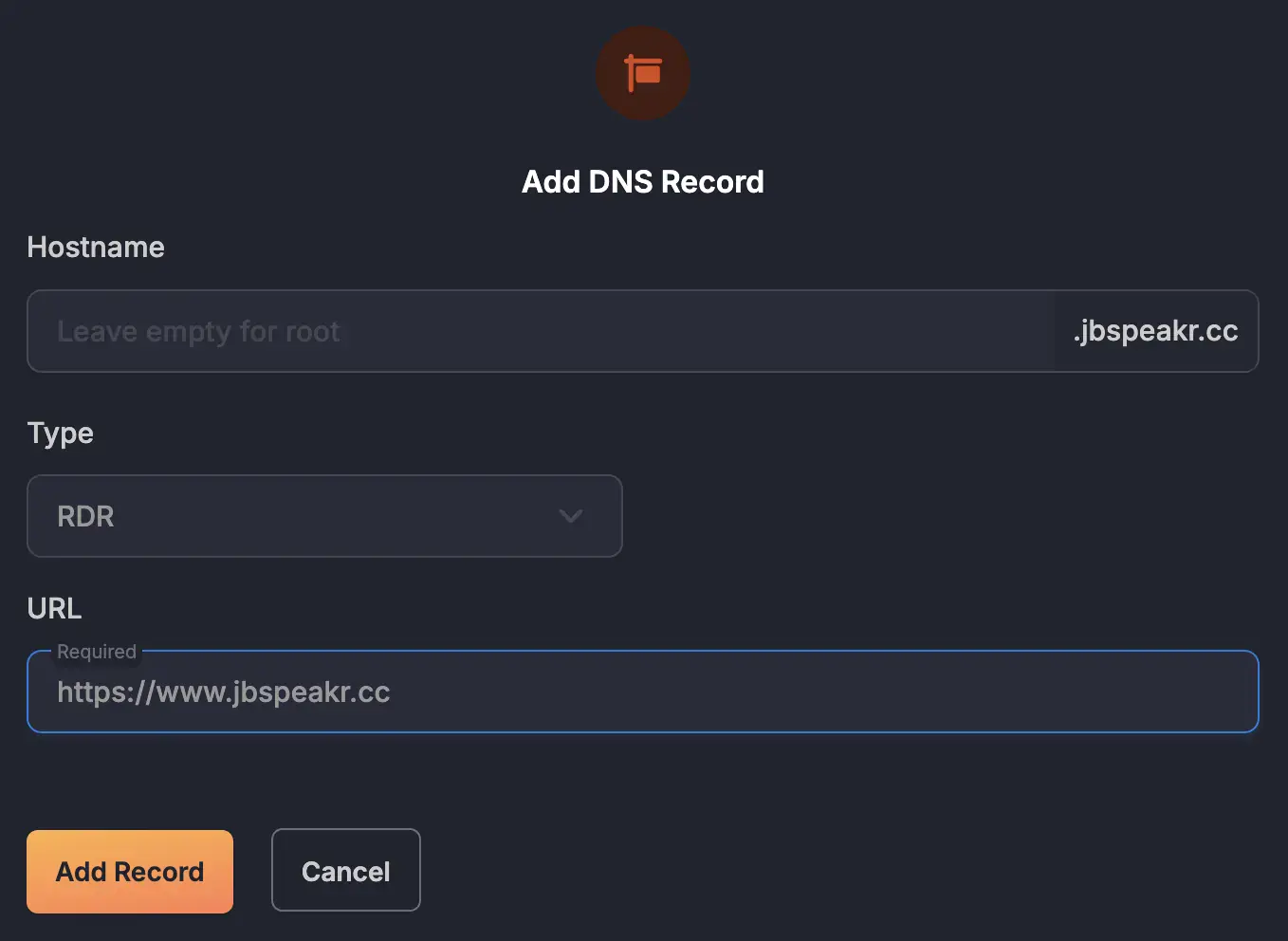
## Option 2: Pull Zone Record (PZ)
A "Pull Zone" in Bunny CDN is a fundamental concept that defines how static assets are delivered using Bunny's network of edge servers.
A `PZ` record is a Bunny-custom, special DNS record type that provides some level of abstraction when glueing a domain to a "Pull Zone". Instead of directly resolving to an IP address, Bunny DNS understands that requests for that particular domain should be directed to its CDN infrastructure associated with the corresponding "Pull Zone".
Configuring a new "Pull Zone" record is as simple as heading over to Bunny DNS and selecting `PZ` as record type in the _"Add DNS Record"_ prompt. Prerequisite is an existing "Pull Zone" that the root domain should point to. The actual HTTP redirect would then be handled by [a dedicated "Edge Rule"](https://www.janbrennenstuhl.eu/bunny-cdn-domain-redirect/#dedicated-edge-rule).
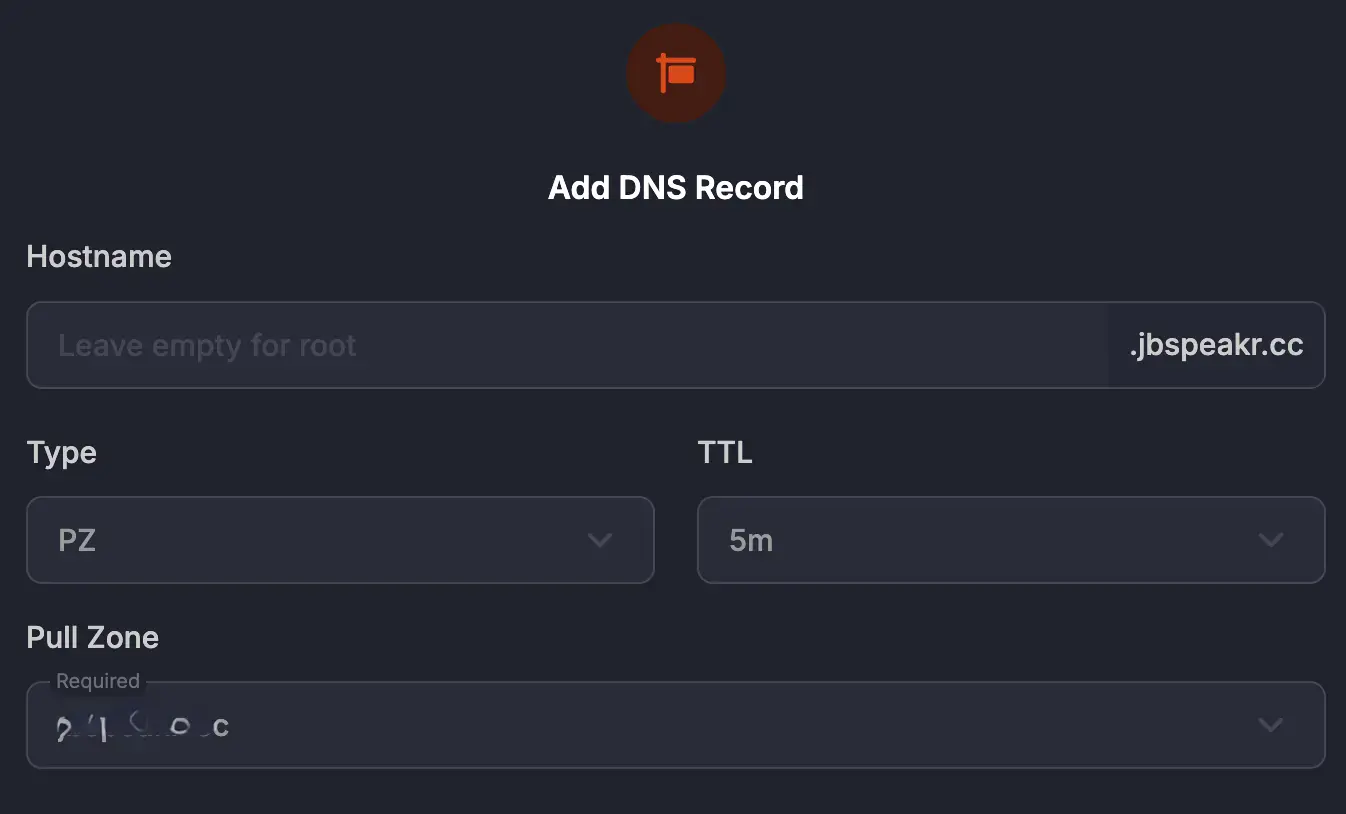
## Option 3: Canonical Name Record (CNAME)
Finally, Bunny DNS also allows creating `CNAME` records for root domains. This is possible (and also returns an A record) as Bunny transparently performs `CNAME` flattening under the hood.
Configuring a new canonical name record is as simple as heading over to Bunny DNS and choosing `CNAME` as record type in the _"Add DNS Record"_ prompt. The actual HTTP redirect would then be handled by [a dedicated "Edge Rule"](https://www.janbrennenstuhl.eu/bunny-cdn-domain-redirect/#dedicated-edge-rule).
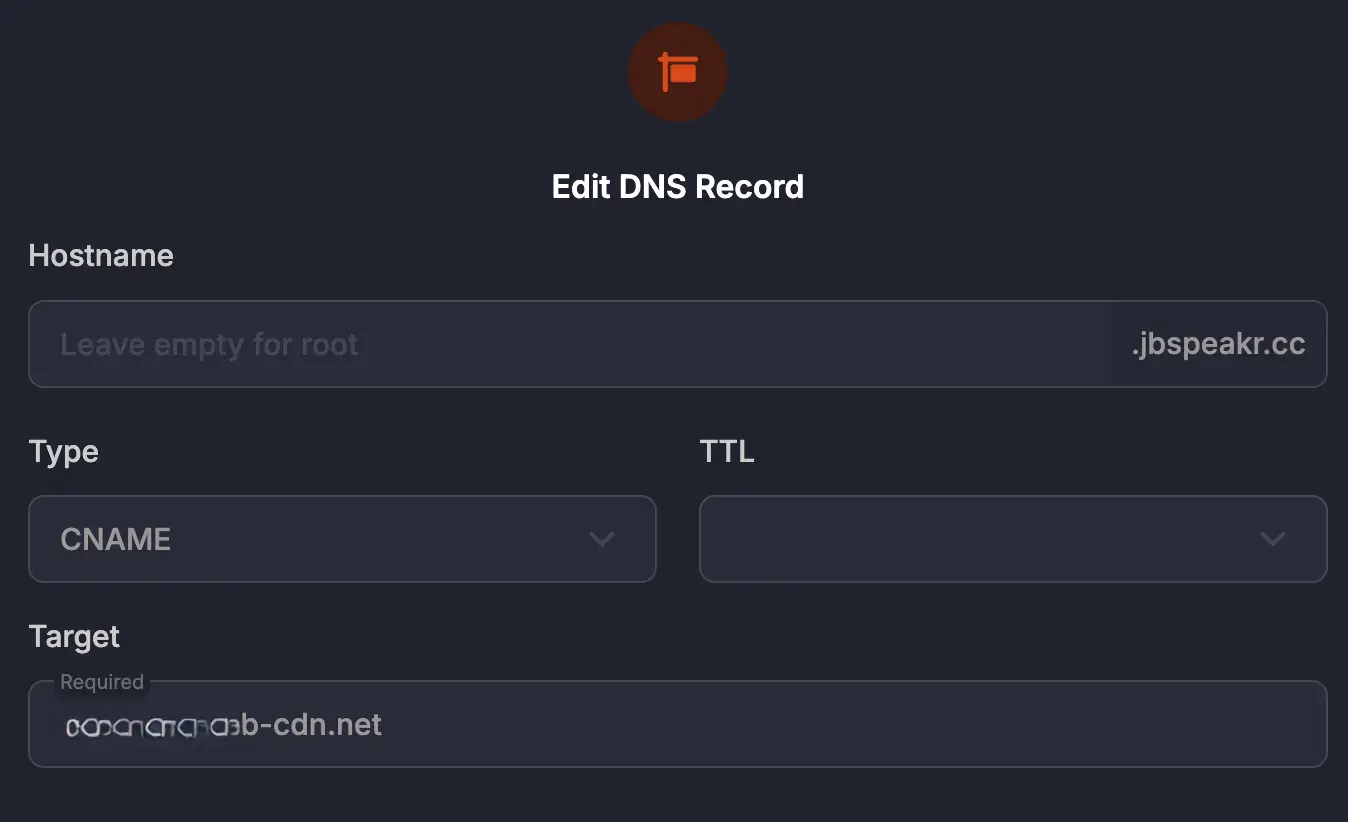
## Dedicated Edge Rule
In case a root domain points to a Bunny CDN "Pull Zone" either by using either a `PZ` or `CNAME` record (Option 2 or Option 3), the actual HTTP redirect (301) needs to be applied using a dedicated "Edge Rule" like this:
| Action | Value | Status Code
|----------------|---------------------------------------|----|
| Redirect to URL | `https://www.janbrennenstuhl.eu{{path}}` | 301 |
| Condition | Match | Value |
|--------------|-------|---------------|
| Request URL | Any | `*://janbrennenstuhl.eu/*` |
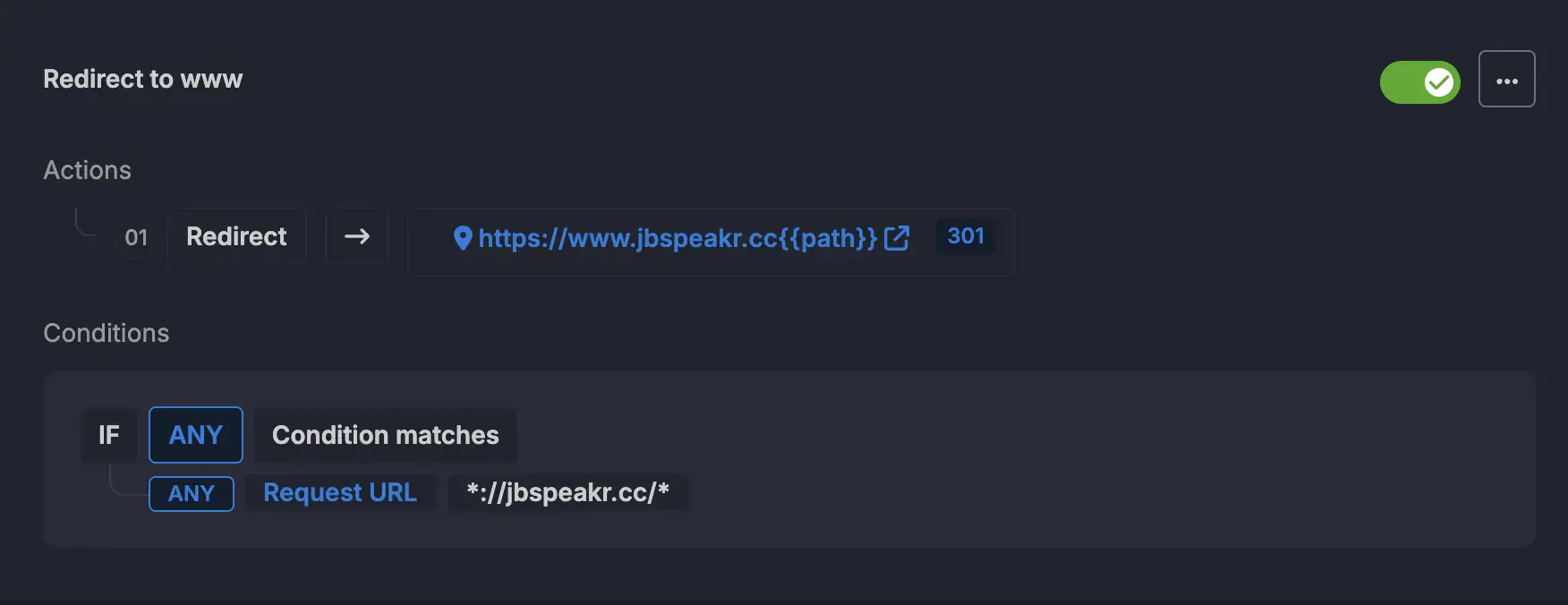
## Summary
In summary, while the `www` subdomain isn't a technical necessity in the modern web, redirecting root domains to it is a best practice for SEO consistency, technical flexibility, and user experience. It ensures that websites are treated as a single entity by search engines and provides a consistent and potentially more reliable experience for visitors.
Bunny.net DNS supports three different approaches for redirecting a root domain to its `www` subdomain. All result in perfectly fine DNS configs and high-speed resolution when paired with Bunny CDN.
================================================================================
# What is JWA? A Deep Dive into JSON Web Algorithms
- URL: https://www.janbrennenstuhl.eu/jwa/
- Type: essay; topics: tokens-jwt
- Published: 2023-06-08; modified: 2025-06-22; reviewed: 2023-06-08 (on publication)
Algorithms for Modern Identity & Access Management (IAM)
## Definition of JWA
*JSON Web Algorithms (JWA)* is a specification providing a list of cryptographic algorithms. It's an integral part of the *JSON Object Signing and Encryption (JOSE)* family of standards. JOSE includes, for example, *JSON Web Tokens (JWT)*, *JSON Web Signature (JWS)*, and *[JSON Web Encryption (JWE)](https://www.janbrennenstuhl.eu/jwe/ "An Exploration into JSON Web Encryption Standards (JWE)")*.
JWA provides definitions for several cryptographic algorithms. These algorithms enable various purposes.
In this guide, you’ll learn the following:
- How to decode JWA short names
- What JWAs there are
- Why JWA matters for OpenID Connect
## Anatomy of JSON Web Algorithms
The JWA specification defines a unique name for every algorithm. These names are short strings encoding the particular algorithm family and hashing algorithm. Variants for SHA-256, SHA-384, and SHA-512 exist for most signing algorithms.
The most common algorithm names defined in the JWA specification include the following:
| Algorithm Name | Algorithm Description |
|----------|-------------------------------------|
| HS256 | HMAC with SHA-256 |
| RS256 | RSA signature with SHA-256 |
| ES256 | ECDSA using P-256 and SHA-256 |
| RSA-OAEP | RSAES OAEP using default parameters |
| A128KW | AES key wrap with 128-bit key |
{.table-striped}
[RFC 7518](https://datatracker.ietf.org/doc/html/rfc7518 "RFC: JSON Web Algorithms (JWA)") defines the fundamental base JSON Web Algorithms. The [JOSE IANA registry](https://www.iana.org/assignments/jose/jose.xhtml#web-signature-encryption-algorithms "JSON Web Signature and Encryption Algorithms") provides a complete list of supported algorithms. These unique references allow receivers to identify the correct cryptographical procedure. They are part of the JOSE header.
## Different Types of JSON Web Algorithms
The JWA specification defines many cryptographic algorithms powering various use cases, including:
- **Signing with JSON Web Signature (JWS)** ensures a token's integrity during transit.
- **Encryption with JSON Web Encryption (JWE)** to safeguard the confidentiality of token payload.
- **Distribution with JSON Web Keys (JWK)** to enable distributed JWT validation.
All JSON Web Algorithms are either symmetric or asymmetric.
### Understanding the Symmetric Key Algorithms
Hash-Based Message Authentication Codes (HMAC) are a popular algorithm class for signed JWTs. HMACs like HS256 provide a way of signing messages using a shared key. They belong to the family of symmetric cryptographic algorithms.
Symmetric algorithms need all involved parties to know the same key. They are helpful when all clients can guarantee the secrecy of the shared key. Their permissive nature allows all key possessors to create and verify JWTs. HMACs are best used in setups with one central issuer/ verifier.
### Delving into Asymmetric Key Algorithms
JWA specifies two asymmetric encryption and digital signature algorithm families – RSA and ECDSA. Public-private key pairs form the foundation of asymmetric algorithms. They enable decoupling verification or decryption of a token from being able to forge a new one. This is essential for distributed token validation scenarios. It allows decentralized authorization decision-making in OAuth 2.0 and OpenID Connect (OIDC).
## Practical Applications of JWA
A widespread use case is decentralized token signature verification for asymmetrically signed JWT. It's a key enabler for OpenID Connect.
At the forefront of this practical application is a central authorization server. This token issuer holds a private signing key and exposes its public key material. Clients in need to verify tokens fetch the public keys from the [well-known JWK endpoint](https://www.janbrennenstuhl.eu/jwks/ "JSON Web Key Sets Explained"). Based on cryptographic meta information carried in the JWT header, clients identify the matching key and JWA. This way, relying parties can verify a token's integrity without the need for centralized introspection.
## Conclusion
JWA is part of the JSON Web Token (JWT) suite of technologies. It's a collection of cryptographic algorithms. Being a vital ingredient of every JWT, JWA powers the entire JOSE toolbox. These JOSE technologies build secure systems that can interoperate easily. OpenID Connect is a famous example of such a framework.
Please note that each JSON Web Algorithm has its security implications. Appropriate use cases depend on the specifics of the implementation. It is paramount to choose algorithms that best meet your specific security requirements.
================================================================================
# Mastering JWKS: JSON Web Key Sets Explained
- URL: https://www.janbrennenstuhl.eu/jwks/
- Type: essay; topics: tokens-jwt, identity-authentication
- Published: 2023-06-02; modified: 2023-06-02; reviewed: 2023-06-02 (on publication)
Securely Expose Public Key Material
## TL;DR
- JWKS (JSON Web Key Set) is a tool for standardizing the representation and management of cryptographic keys via a JSON object.
- The technology, defined in RFC 7517, enables client-local [JWT (JSON Web Tokens)](https://www.janbrennenstuhl.eu/topics/tokens-jwt/ "JWT Security: Best practices and when to use JSON Web Token") verification and is integral for decentralized authentication protocols such as OpenID Connect and [OAuth2](https://www.janbrennenstuhl.eu/topics/identity-authentication/ "OAuth 2.0 in Action").
- Implementing JWKS simplifies key management, eases key rotation, and secures key distribution across multiple servers.
## Technical Specifications of JWK and JWKS
JWKS is an acronym for JSON Web Key Set. It is a collection of JSON Web Keys (JWKs) used to verify JSON Web Tokens (JWTs). Both constructs are defined in [RFC 7517](https://datatracker.ietf.org/doc/html/rfc7517 "RFC 7517: JSON Web Key (JWK)"), yet another integral member of the famous JOSE standards family. JWK Sets provide a standardized way and format for servers to obtain the public keys required to verify asymmetrically signed JWTs locally.
### What is JSON Web Key (JWK)?
A JWK is a JSON object data structure that represents a cryptographic key. It contains the key type, key operations, algorithm, and all relevant material to reconstruct the signature verification key. All officially supported [JSON Web Algorithms (JWA)](https://www.janbrennenstuhl.eu/jwa/ "What is JWA?") are defined in [RFC 7518](https://datatracker.ietf.org/doc/html/rfc7518 "RFC 7518: JSON Web Algorithms (JWA)").
The JSON data structure of the JWK format allows for easy, web-native exchange of public keys. The representation of an Elliptic Curve signature key of curve P-256 could look like this:
```json
{
"kty": "EC",
"use": "sig",
"crv": "P-256",
"kid": "01H1SG7BX197N040C0MHTDV1HR",
"x": "SEfcECpwqQg-vZ6Lv99RyV0Qkatngz1RV25nI5SOrPg",
"y": "YU2PRA6pXZ62OW_XuzjJqplqmBUtBwT2pKUZUVxUYfc",
"alg": "ES256"
}
```
### What is JSON Web Key Set (JWKS)?
A JWKS is a JSON object that represents a set of JWKs. It must contain a "keys" member and an array of JWKs. JSON Web Key Sets enable identity providers to support and expose more than one public key under a well-known resource. The following example JWK Set format contains two public cryptographic keys – one using an Elliptic Curve (EC) algorithm and a second one using an RSA algorithm:
```
{"keys":
[{
"kty": "EC",
"use": "sig",
"crv": "P-256",
"kid": "01H1SG7BX197N040C0MHTDV1HR",
"x": "SEfcECpwqQg-vZ6Lv99RyV0Qkatngz1RV25nI5SOrPg",
"y": "YU2PRA6pXZ62OW_XuzjJqplqmBUtBwT2pKUZUVxUYfc",
"alg": "ES256"
}, {
"kty":"RSA",
"n": "1qrQCTst3RF04aMC9Ye_kGbsE0sftL4FOtB_WrzBDOFdrfVwLfflQuPX5kJ-0iYv9r2mjD5YIDy8b-iJKwevb69ISeoOrmL3tj6MStJesbbRRLVyFIm_6L7alHhZVyqHQtMKX7IaNndrfebnLReGntuNk76XCFxBBnRaIzAWnzr3WN4UPBt84A0KF74pei17dlqHZJ2HB2CsYbE9Ort8m7Vf6hwxYzFtCvMCnZil0fCtk2OQ73l6egcvYO65DkAJibFsC9xAgZaF-9GYRlSjMPd0SMQ8yU9i3W7beT00Xw6C0FYA9JAYaGaOvbT87l_6ZkAksOMuvIPD_jNVfTCPLQ",
"e":"AQAB",
"alg":"RS256",
"kid":"01H1SGVCX7GKBGE2J2QMQREAGN"
}]
}
```
### Locate JSON Web Key Sets
Many modern identity providers like Google expose their JWK Sets via the `jwks_uri` attribute within the [well-known discovery endpoint](https://openid.net/specs/openid-connect-discovery-1_0.html#ProviderConfig "OpenID Connect Discovery Spec") of OpenID Connect (OIDC) located at `https://{identity-provider}/.well-known/openid-configuration` which often points to `https://{identity-provider}/.well-known/jwks.json` or a similar resource.
## Benefits of Using JWKS
### Easy Management of Keys with JWK Sets
One of the main benefits of using JWKs is that they provide an easy way to manage and distribute keys across multiple servers or locations. Instead of hardcoding public keys into application code, token issuers (authorization servers) only need to provide their clients with an URL for their JSON Web Key Set.
Any application that needs access to the keys can retrieve them from that remote location. This eliminates the need for manual key distribution, resolves, and ensures all applications use the same set of keys. This makes it easier to manage multiple keys and rotate them when necessary.
### Simplified Key Rotation Process Using JWKs
Rotating keys is essential for maintaining security in any system that uses cryptography. However, manually replacing these keys can take time and effort. JWKS can simplify this process by automating key rotation.
As JWKs decouple the authorization server from relying party applications, token issuers can generate new asymmetric key pairs whenever necessary. Setting up regular intervals for key rotation, publishing the new public key material, and using the latest private key automatically after some grace period, can ensure that the amount of keys signed with a particular key has a natural upper limit.
### Compatibility with Various Protocols and Applications
Finally, the JSON Web Key Set standard is compatible with various protocols and applications. This means it can enable local token validation in the context of web applications, APIs, mobile apps, and more. Popular authentication protocols such as OAuth 2.0 and OpenID Connect support JSON Web Key Set.
## Best Practices & Security Considerations
Dealing with cryptographic and primarily private keys is a highly sensitive undertaking. The security issues relevant to any cryptographic application must also be considered when dealing with JSON Web Token (JWT) and JSON Web Signature (JWS). It is essential to implement JSON Web Key Set (JWKS) correctly to ensure the security and integrity of the entire infrastructure. Here are some best practices for implementing JWKS.
### Use Transport Layer Security
Serving a JSON Web Key over HTTP poses significant security risks as it can be intercepted or modified in transit. Therefore, it is crucial to use HTTPS also when serving JWKS. HTTPS ensures that all communication between the client and server is encrypted, preventing unauthorized access or in-transit modification.
### Make sure JWKS is correct and current
The entire system's security relies on having up-to-date and accurate JWKS. If any cryptographic keys in the set expire or become invalid, it could result in rejected tokens or, worse yet, accepted but fraudulent tokens being used throughout the system. It's essential to have processes in place to monitor and update JSON Web Keys regularly. This includes rotating keys, removing EOL keys, and adding new keys as necessary. Cryptographic key management should be automated to ensure that all cryptographic keys are always up-to-date. Symmetric keys must not be exposed!
### Validate the signatures of incoming JWTs using JWKs
One of the primary purposes of implementing JWKS is to verify the authenticity of incoming JWTs – be it access token or ID token. To do this, all applications that perform authorization decisions based on JSON [Web Token](https://www.janbrennenstuhl.eu/single-use-jwt/ "Single-Use JWT: The Power of Stateless One Time Token"), should fetch the entire JSON Web Key Set per the corresponding cache-control headers.
Validating a JWT starts with fetching the `kid` (key ID) parameter from its header. This key identifier specifies which cryptographic key in the JWKS was used by the authorization server to sign the token. The identified key can then be used to verify the signature by comparing it against the one included in the token's signature.
If the signature is valid, the token was issued by a trusted party and can be processed accordingly. An invalid token must be rejected immediately.
### Consider rotating your JWKS keys periodically
Rotating JSON Web Keys periodically is an essential best practice for maintaining a proper security posture. Doing so reduces the risk of compromised keys being used maliciously throughout the system. Rotating keys effectively requires creating a new set before retiring any old ones. This will ensure no gaps in coverage during the transition period.
## Conclusion: The Importance of Using JSON Web Key Sets
Implementing JSON Web Key Sets (JWKS) is crucial for organizations that leverage decentralized authentication protocols like OpenID Connect or authorization delegation protocols like plain OAuth2. Truly benefiting from public-key cryptography requires client applications to verify issued tokens locally, without indispensable synchronous HTTP requests.
Using a data interchange format like JSON Web Key (JWK), which is based on JavaScript Object Notation (JSON), and hosting the cryptographic keys on publicly accessible, standardized discovery endpoints allows maintaining decoupled service architectures while shifting effort to the client-side following a pull principle.
================================================================================
# JSON Web Encryption: Exploring JWE Token
- URL: https://www.janbrennenstuhl.eu/jwe/
- Type: essay; topics: tokens-jwt, identity-authentication
- Published: 2023-05-29; modified: 2025-06-15; reviewed: 2023-05-29 (on publication)
Encrypted JWTs: Understanding JSON Web Encryption
## TL;DR
- JSON Web Encryption (JWE) is a standard for securing data transmission between parties, providing confidentiality, integrity, and authentication. It uses encryption to protect the payload of a [JSON Web Token (JWT)](https://www.janbrennenstuhl.eu/topics/tokens-jwt/ "JWT Security: Best practices and when to use JSON Web Token") and supports both symmetric and asymmetric encryption techniques. It also allows creating nested JWTs, combining the advantages of JWE and JSON Web Signature (JWS).
- A **JWE token** consists of five parts: the Protected Header, the Content Encryption Key, the Initialization Vector, the Ciphertext, and the Authentication Tag. It supports various encryption algorithms like RSA-OAEP, AES-GCM, and ECDH-ES and requires using authenticated encryption to ensure the token's integrity and confidentiality.
- Modern authentication and authorization frameworks like OAuth2 and [OpenID Connect (OIDC)](https://www.janbrennenstuhl.eu/topics/identity-authentication/ "OpenID Connect: User Authentication & Identity") use **JWE tokens** as bearer tokens. Proper key management is crucial to maintain the security guarantees of JWE.
## JSON Web Encryption (JWE) Token: A Comprehensive Guide
JWE is a widely-used standard for **securing data transmission** between parties. The industry standard describes a JSON Web Token (JWT) type that uses encryption to protect its **payload**. It provides **confidentiality** by encrypting the transmitted data, ensuring only **authorized parties** can access and read it.
In addition to providing confidentiality, **JWE tokens** offer **integrity** protection through message authentication codes (MACs). These codes ensure the receiver can detect tampering with the **encrypted payload**. Depending on the key management mode, it can also provide authentication.
JWE is relevant for modern AAA concepts in distributed, stateless environments as it enables an exchange of **sensitive information** statelessly.
### The Structure of an Encrypted JWT
The JWE standard ([RFC 7516](https://datatracker.ietf.org/doc/html/rfc7516 "JSON Web Encryption (JWE)")) is the go-to solution for developers who need to transmit JSON objects over the internet securely. JWE is a standard that defines how to encrypt and decrypt data in **JSON format** using various algorithms. In this section, I will discuss some of the core concepts of JWE tokens.
A typical, compact serialized, **encrypted JWT** is a dot (.) separated string that contains five parts:
- The JWE Protected Header is a base64url-encoded string representing the token metadata. It describes the JWE, how it was encrypted, and the media type of the encrypted payload. Protected JWE headers can’t be encrypted as they carry all information necessary for decryption.
- The JWE Encrypted Key (CEK) is another base64url-encoded string representing the encrypted, symmetric key used to encrypt the payload.
- The JWE Initialization Vector (IV) is a base64-encoded unique, random value string used when encrypting the plaintext and helps prevent attackers from exploiting patterns in plaintext or ciphertext.
- The JWE Ciphertext, the actual encrypted payload, also base64url-encoded, which was encrypted using the CEK, along with the IV and the additional authenticated data (AAD).
- The JWE Authentication Tag (MAC) results from performing **authenticated encryption** and allows a verifier to prove the integrity of the ciphertext and the AAD (the encoded protected header when using compact serialization). It ensures integrity during decryption.
### Support for Symmetric and Asymmetric Encryption Algorithms
Encrypted JWTs support asymmetric and **symmetric encryption** techniques to provide **end-to-end security** for the transmitted data. Symmetric **encryption algorithms** use the same key for encryption and decryption, while asymmetric algorithms use a pair of keys.
The sender encrypts the plaintext payload using a randomly generated symmetric CEK, then encrypts the key using the recipient's public key or a shared secret key (a long-lived key encryption key). The recipient can then decrypt the encrypted key using their private secret key and use it to decrypt the payload.
As they are self-contained and carry their corresponding symmetric key (CEK), encrypted JWTs also support hybrid encryption, which allows combining the performance of symmetric encryption with the assurances of public-key cryptography. This flexibility lets developers choose between different encryption algorithms based on their needs.
### Nested JWTs
Another exciting feature of JWE is the ability to create nested JWTs. As the JWE standard allows arbitrary data to be packaged into the payload, it also allows nesting a signed JWT (JWS) inside an encrypted JWT (JWE). Wrapping a JWS into a JWE can be helpful when dealing with asymmetrically encrypted JWE, as these alone do not allow to verify that the JWT was produced by a specific token issuer, merely that someone who possessed the issuer's public key forged the token. Nested JWTs combine the advantages of JWE and JWS. Symmetrically encrypted JWEs provide all the above security properties without creating nested tokens.
## Working with Different JWE Algorithms
The [JSON Web Algorithms (JWA)](https://www.janbrennenstuhl.eu/jwa/ "What is JWA?") standard registers all cryptographic algorithms supported by the JWT ecosystem in [RFC 7518](https://datatracker.ietf.org/doc/html/rfc7518 "JSON Web Algorithms (JWA)"). The most commonly recommended option for asymmetric key encryption is ECDH-ES, while AES-GCM (with key wrapping) is the recommended alternative for symmetric encryption setups.
### JWE with AES Algorithms
AES (Advanced Encryption Standard) algorithm is still the de-facto standard of a symmetric algorithm that can be used with JWE. It involves using the same secret key to encrypt and decrypt data. The **JWE token can be encrypted using** AES-GCM (Galois/Counter Mode), which provides authenticated encryption with associated data (AEAD). AES128 should be fine for "short-lived" tokens ([<34 million years](https://crypto.stackexchange.com/questions/76738/has-aes-128-been-fully-broken/76746#76746 "Has AES-128 been fully broken?")).
### JWE with RSA Algorithms
RSA (Rivest-Shamir-Adleman) is an example of an asymmetric encryption algorithm supported by JWE. It involves generating a key pair where the public key encrypts data while the private key allows to decrypt it. Commonly used in JWE token contexts is RSA-OAEP (Optimal Asymmetric Encryption Padding).
### JWE with Elliptic Curve Algorithms
Elliptic Curve Cryptography (ECC) is another example of an asymmetric cryptography system supported by JWE. It involves generating a key pair based on elliptic curves rather than prime numbers. The JWE token can be encrypted using ECDH-ES (Elliptic Curve Diffie-Hellman Key Agreement with Elliptic Curve Cryptography) or ECDH-ES+A128KW (ECDH-ES with AES key wrap).
### Authenticated Encryption Algorithms
JWE requires using authenticated encryption (AE) to ensure that the token is encrypted and integrity protected, supporting multiple AE algorithms. Two distinct classes exist, authenticated encryption with AES/CBC/HMAC/SHA and AES/GCM. The latter also supports Authenticated Encryption with Associated Data (AEAD), which provides confidentiality, integrity, and **authenticity** of the encrypted message and additional authenticated data. It ensures that the message has not been tampered with during transmission.
## JWE Token Generation Process
### Encryption Algorithm: Choosing the Right One for Your Needs
Choosing a suitable algorithm is crucial when generating a JWE token. There are several options available, including AES-GCM, AES-CBC-HMAC-SHA2, and RSA-OAEP. Each algorithm has strengths and weaknesses, so choosing one that aligns with specific needs and requirements is essential.
### Generating Keys: Private Key vs Secret Key
The process of generating keys for JWE tokens differs depending on the form of encryption. Applying symmetric encryption requires generating a random secret key that both the sender and receiver can use to encrypt and decrypt data. Asymmetric encryption involves creating a public-private key pair.
### Complete JOSE Header
The process of generating a JWE token is complex and involves several steps. The first step is the creation of a complete JOSE header that contains information about the encryption algorithm, **key management** algorithm, key ID (kid), and other critical details. This header is essential because it provides the foundation for creating a secure and valid JWE token.
### Encryption & Serialization: Creating Valid JWE Tokens
Once a suitable encryption algorithm is chosen and keys generated, it's time to encrypt the payload involving an appropriate initialization vector (IV). After successfully calculating the ciphertext and the corresponding authentication tag, all individual parts are appropriately encoded and joined into their compact serialization format. As JWE deals with various cryptographic algorithms, is somewhat complex, and can become confusing, I recommend leveraging standard libraries to create encrypted and properly serialized JWT.
## JWE Token Decryption Process
### Decoding the JWE Compact Serialization
Decrypting a JWE token starts with decoding the JWE compact serialization. The JWE compact serialization is a string comprising five parts separated by dots: the JWE header, the encrypted key, the initialization vector, the JWE ciphertext, and the authentication tag. It is the most commonly used type compared to the less popular JWE JSON serialization.
The protected header contains information about the encryption and key management algorithms used to encrypt the payload. This information is required to decrypt the token. Once being (base64url) decoded, these claims are accessible for introspection.
### Key Decryption
Access to the private secret key initially used to encrypt is required to decrypt the JWE token. The **decryption algorithm** referenced in the JOSE header defines the cryptographic procedure for the CEK. Only after decryption can it unlock the actual payload. In the case of public key cryptography, the associated private key must be available. Single-key encryption requires the corresponding secret shared between both parties to be present.
### Payload Decryption
The IV value initializes the cipher instance with an appropriate mode like CBC, GCM, etc. The previously obtained JWE encrypted key (CEK) can decrypt the JWE ciphertext value, yielding a plain text (often a JSON object) after successful decryption. The integrity of the ciphertext and its additional authenticated data (AAD), in this case, the JWE header elements, is verified using the authentication tag value provided in the last part of the serialized JWE object.
## Security Considerations
### Authentication Tag and Additional Authenticated Data
One key feature that makes JWE tokens secure is using an authentication tag and additional authenticated data (AAD). The authentication tag is a small piece of data at the end of the encrypted JWT, which allows recipients to verify that the message has not been tampered with during transmission. AAD provides an extra layer of security by enabling the sender to include additional data in the encryption process that the recipient will verify.
However, not all JWE tokens have an authentication tag or AAD. There are JWA encryption algorithms that do not use an authentication tag, in which case the value is supposed to be an empty octet sequence.
### Leaky Headers
Another potential security concern when using JWE tokens is custom header elements. JWT headers include public claims by design that are integrity protected at max. Using customer header claims means they can potentially leak sensitive information if mismanaged. It's crucial to handle custom header claims carefully and only include necessary information. If confidentiality is needed, custom fields belong in the payload. If there is a need for public hints, the header metadata is just fine.
### Key Management and Token Expiry
Proper key management is essential for maintaining the security of JWE tokens. Identity providers must store the long-lived key management keys securely and rotate them regularly to prevent unauthorized access, as compromise might result in disclosing all contents protected with that key.
Similarly, successful attacks on the CEK will strip all confidentiality properties from the corresponding token. Implementing token expiry to limit the amount of time token usage before it becomes invalid is necessary for all everyday use cases.
### Weak algorithms
The JWE specification includes a limited range of supported encryption algorithms. And also, the officially supported ones rarely convince security experts: The ECDH-ES algorithm [allows an attacker to recover the private key](https://web.archive.org/web/20201130103442/https://blogs.adobe.com/security/2017/03/critical-vulnerability-uncovered-in-json-encryption.html "Critical Vulnerability Uncovered in JSON Encryption") if not adequately implemented. [GCM is likely fragile](https://rwc.iacr.org/2017/Slides/nguyen.quan.pdf "Practical Cryptanalysis of Json Web Token and Galois Counter Mode’s Implementations"), as Google researchers claim. And [RSA encryption with PKCS1v1.5](https://archiv.infsec.ethz.ch/education/fs08/secsem/bleichenbacher98.pdf "Chosen Ciphertext Attacks Against Protocols Based on the RSA Encryption Standard PKCS #1") padding is broken.
When leveraging JWE, I recommend supporting short notice and timely transitioning to alternative encryption algorithms.
## Comparison of JWE and Other JSON Security Standards
### JWE vs JWT
While both JWE and JWT are part of the JSON Object Signing and Encryption (JOSE) security framework, they [serve different purposes](https://www.janbrennenstuhl.eu/jwt-stateless-authentication/ "The Purpose of JWT: Stateless Authentication"). As mentioned, JWEs provide JSON data encryption, while unsecured JWTs ([RFC 7519](https://datatracker.ietf.org/doc/html/rfc7519 "JSON Web Token (JWT)")) provide no particular security properties. In identity and access management (IAM) scenarios where a client sends a token to a resource server as proof of identity, JSON Web Tokens commonly appear in their signed JWS form.
### JWE vs JWS (JSON Web Signature)
JWS is a JSON-based format for representing digital signatures ([RFC 7515](https://datatracker.ietf.org/doc/html/rfc7515 "JSON Web Signature (JWS)")). JWS assures integrity and authentication, but it does not provide confidentiality. JWS tokens contain three elements: the JOSE header, payload, and signature. On the other hand, JSON Web Encryption (JWE) is a standard for encrypting JSON data. JWE tokens protect sensitive data by also providing confidentiality.
### JWE vs JWK (JSON Web Key)
JWK is another standard in the JOSE family (RFC 7517) that defines JSON format for cryptographic keys. A [JWK Key Set (JWKS)](https://www.janbrennenstuhl.eu/jwks/ "Mastering JWKS: JSON Web Key Sets Explained") can contain keys used for either encryption or signing, depending on their type. JWKs can be used with both JWS and JWE standards to provide cryptographic operations such as decryption or verification of digital signatures.
## Practical Applications of JWE Tokens
The nature of JWE tokens makes them ideal for enabling stateless information exchange in modern AAA processes or exotic [one-time-token](https://www.janbrennenstuhl.eu/single-use-jwt/ "Single-Use JWT: The Power of Stateless One Time Token") (OTT) scenarios. In this section, I will discuss some practical applications of JWEs.
### Bearer Token: A Powerful Authentication and Authorization Tool
JWEs often appear as bearer tokens to authenticate and authorize access to protected resources. Bearer tokens are powerful tools because they allow users to access resources without repeatedly providing credentials. Instead, the bearer token serves as proof of identity and authorization.
### JWE in OAuth2 and OIDC
[OAuth2](https://www.janbrennenstuhl.eu/topics/identity-authentication/ "Delegated Authorization with OAuth 2.0") and OpenID Connect (OIDC) are widely used authentication/ authorization protocols, often used for securing web APIs. They allow users to grant access to their resources without sharing their credentials with third-party applications. These protocols can use JWE Tokens to provide an additional layer of security by encrypting the access token. Enforcing clients to treat them as genuinely opaque tokens allows the token issuer (authorization server) to transport sensitive information like PII statelessly. At the same time, it also ensures that even if an attacker intercepts the token, they cannot read its contents without the **decryption key**.
### JWE for Data at Rest
Data at rest refers to data stored on disk or other storage media. This data is vulnerable to attacks if it is not adequately secured. Although not common, JWE tokens can encrypt sensitive data before storing it on disk, ensuring that even if an attacker gains access to the storage media, they cannot read its contents without the decryption key.
## Conclusion
JSON Web Encryption (JWE) is a powerful tool for ensuring the confidentiality and security of data transmissions. JWE tokens carry an encrypted payload between multiple parties. The secured data can only be read with the proper decryption key, even if intercepted. Authenticated encryption ensures that sensitive information remains confidential and tamper-proof, providing both senders and receivers peace of mind.
The use cases for JWE tokens are varied and versatile. Use JWE in situations where confidential data exchange is necessary. When used as a bearer token within modern authorization and authentication frameworks like OpenID Connect (OIDC), JWE tokens transport sensitive information often as access tokens.
## Frequently Asked Questions (FAQs)
- What is the purpose of JWE? – JWE tokens securely transmit data between parties in a JSON format. They provide confidentiality, integrity, and authenticity to the transmitted data.
- How does JWE differ from JWT? JWE focuses on encrypting the payload, while plain JWT provides no additional security properties.
- What are standard encryption algorithms used in JWE? Some common encryption algorithms include RSA-OAEP, AES-GCM, and ECDH-ES.
- Is it safe to use JWE tokens for sensitive data? Yes, as long as proper security measures are taken, such as using robust encryption algorithms and protecting the encryption and decryption keys.
- Can JWE be used with other JSON security standards? JWE can be combined with other JOSE, such as JWS, to support even more complex scenarios with nested JWTs.
================================================================================
# JWT vs OAuth 2.0: Understanding the Key Differences
- URL: https://www.janbrennenstuhl.eu/jwt-vs-oauth/
- Type: essay; topics: tokens-jwt, identity-authentication
- Published: 2023-05-24; modified: 2023-05-28; reviewed: 2023-05-24 (on publication)
JSON Web Token as Stateless Bearer Tokens
## TL;DR
- **OAuth 2.0** is an open standard that describes an authorization framework. It allows a third-party application to access a user’s resources without user credentials.
- **JWT** (JSON Web Tokens) is a standard that describes a JSON-based token format used to securely transfer information between two parties across an insecure environment.
- **Combining OAuth 2.0 and JWT:** JWT can be integral to the [OAuth 2.0 framework](https://www.janbrennenstuhl.eu/topics/identity-authentication/ "OAuth 2.0 in Action") . In fact, JWT has often been used as the bearer token in OAuth 2.0 implementations.
- **OpenID Connect (OIDC):** Modern authentication and authorization mechanisms leverage the OAuth 2.0 fundamentals with JWT tokens by following [OpenID Connect](https://www.janbrennenstuhl.eu/topics/identity-authentication/ "OpenID Connect: Streamlining User Authentication & Identity") protocols.
## Introduction to JWT vs OAuth 2.0
Most people encounter OAuth2 and JSON Web Tokens (JWT) in the context of authentication and authorization for web applications. While both concepts nowadays get used together, comparing **OAuth2 vs JWT** is like comparing apples to kittens.
10 years after the last update to the OAuth 2.0 Authorization Framework standard ([RFC 6749](https://datatracker.ietf.org/doc/html/rfc6749 "The OAuth 2.0 Authorization Framework")) and over eight years after JSON Web Tokens got unleashed to the world, there is still a lot of confusion around these two widespread open standards among software engineers and security engineering novices. In this article, I will explain why comparisons like *"JWT vs OAuth 2.0"* or questions like *"OAuth vs JWT which is best"* make little sense.
### What is OAuth2?
OAuth2 is an open standard describing an authorization framework that allows a third-party application to access a user's resources without giving them the user's credentials. The keywords here are **authorization protocol** and **delegated access**. It does this by providing the concept of **access tokens** that can be used by a client application to access protected resources (like an API) exposed by a resource server on behalf of the resource owner (a user). These opaque tokens are issued by an authorization server after the user grants permission to the third-party application.
### What is JWT?
On the other hand, the JWT standards describe a **JSON-based token format** and how it can **securely transfer information** between two parties across an insecure environment (like HTTP or HTTPS). Their multipart JSON format structure allows JWTs to carry **custom claims** as payloads and additional cryptographic accessories. They are self-contained and usually occur in their JSON Web Signature form, signed with a secret key or public/private key pair. I wrote about "[The Purpose of JWT](https://www.janbrennenstuhl.eu/jwt-stateless-authentication/ "The Purpose of JWT: Stateless Authentication")" a few years ago.
## When to Use OAuth 2.0 vs When to Use JWT
**Use OAuth 2.0 with HTTPS when authorizing third-party access.**
OAuth 2.0 is a protocol that allows users to grant limited access to resources on one site, such as Facebook, to another location or application, without sharing their credentials or giving them complete control over their account. It provides a secure way of authorizing third-party access to your resources by using access tokens in the form of bearer tokens.
After the resource owner grants permission for the client application to access their resources using OAuth2, the responsible authorization server issues the proof of authentication. These tokens are then sent with each request made by the client application to the resource server, verifying them and granting or denying access based on the services requested and claims provided.
Bearer tokens are a type of access token that can be used by arbitrary parties in possession of them to gain access to the protected resources they represent. They do not contain any cryptographic proof of authenticity other than possession itself, so they must be kept secret and transmitted securely.
OAuth 2.0 is an excellent choice when you must permit controlled interaction between third-party applications or services managed by different entities or individuals with your system without compromising sensitive information or risking unauthorized access. This is possible through various security mechanisms such as opaque tokens, bearer tokens, identity servers, and refresh tokens.
**Use JWT when securely transmitting information between parties in a stateless form.**
JSON Web Tokens are basically use cases agnostic and can generally be used for securely transmitting information between parties in stateless form. It provides a simple way of representing claims (e.g., user identity, permissions) as JSON objects that can be signed and/or encrypted using industry-standard algorithms.
JWTs are often used for transporting proof of authenticity across multiple domains or applications without storing session data on the server side, significantly contributing to performance. They are also helpful for implementing single sign-on (SSO) functionality, where a user logs in once and gains access to multiple applications or services without claiming their identity again. And this is basically where OAuth 2.0 and JWT touch on each other.
## Combining OAuth 2.0 and JWT: How to Use Them Together
The apparent overlap between JWT and OAuth 2.0 springs from a misunderstanding of their distinct roles in digital communications. JWT can be an integral part of the OAuth 2.0 framework. In fact, JWT often serves as the bearer token in OAuth 2.0 implementations, becoming the vehicle by which authorization information is conveyed.
### JWT as Bearer Token
JWTs can be used by an app as [OAuth2 bearer tokens](https://www.rfc-editor.org/rfc/rfc6750 "The OAuth 2.0 Authorization Framework: Bearer Token Usage (RFC)") to enable stateless authentication and local authorization by a resource server to grant access to a protected resource.
**Bearer tokens are a type of token** that is widely used in authentication protocols like OAuth 2.0. They are used to grant access to protected resources, and they come in two types: access tokens and refresh tokens. While access tokens are short-lived, refresh tokens can be renewed, allowing users to maintain their session for an extended period.
JWTs are often used in combination with OAuth 2.0 as a means of transmitting state and user data (claims) between the authorization server and the resource server. They can also be used for client-side authentication, where a JWT is issued by an **identity provider** after successful login and then sent to the client application, which uses it to authenticate itself on behalf of the actual user with other services.
### Advantages of Using JWT with OAuth 2.0
One significant advantage of using JWT with OAuth 2.0 is eliminating the need for multiple tokens for different app purposes. One token can contain all the necessary information for authentication and authorization purposes.
Another benefit can be improved performance through stateless authentication. Since [JWT tokens](https://auth0.com/learn/json-web-tokens "Get Started with JSON Web Tokens") are self-contained and signed with a secret key or public/private key pair, there is less reliance on external servers for validation and introspection. JWT is very suitable for stateless applications as they relieve the server side from the need to store any particular session data between requests from the clients.
Instead, all necessary data is carried around within each JWT token itself, making it easy for clients and servers alike to verify its authenticity without looking up anything outside of it. This reduces the number of database lookups required during token verification, leading to faster response times, increased reliability due to fewer bottlenecks, and a potentially cleaner architecture.
## Which Bearer Token Format is Right for You?
Choosing the suitable OAuth 2.0 access token format can be a daunting task. Both **stateful tokens** and **stateless JWT** have their strengths and weaknesses. It ultimately depends on specific use cases, requirements, and infrastructural preconditions.
Modern authentication and authorization mechanisms leverage the **OAuth 2.0 fundamentals** together with JWT tokens by following **OpenID Connect** (OIDC) protocols, which is an extension on top of OAuth 2.0 that introduces the concept of an identity provider (aka identity server) and uses JWTs instead of opaque tokens.
## JWT + OAuth2 = OpenID Connect (OIDC)
Big tech organizations such as Google, Facebook, and Microsoft are OIDC power users:
- [Google Identity uses OIDC](https://developers.google.com/identity/openid-connect/openid-connect "Google's OAuth 2.0 APIs") and its identity token to transport user details.
- [Facebook also uses OIDC with JWTs](https://developers.facebook.com/docs/facebook-login/guides/access-tokens/get-oidc "OIDC Tokens in Facebook Login") in its Graph API authentication mechanism.
- [Microsoft's Azure Active Directory](https://learn.microsoft.com/en-us/azure/active-directory/develop/access-tokens "Microsoft identity platform access tokens") (AAD) also leverages the JWT token to implement OIDC.
Whether you choose classic OAuth 2.0 with opaque, non-JWT tokens, OAuth 2.0 with JWT bearer token, or OIDC, make sure you understand how these frameworks work under the hood, embrace their core concepts and get your implementation externally certified to ensure maximum security for your users' data while also providing seamless access to your application's features and resources. The better way, however, is to outsource the authentication to Google, Microsoft, Okta, or someone else and let them deal with all the nifty little details in these specifications.
## Conclusion: Choosing Between JWT and OAuth2
Combining OAuth 2.0 and JWT can give you the best of both worlds. OpenID Connect is built on both open standards, embracing OAuth 2.0 concepts to **delegate access with external services** while using JWT as a bearer to **transport claims from the authorization server** to resource servers for stateless authorization.
JWTs allow client-side introspection of ID tokens, enable resource server serving APIs to verify access tokens locally, and even be used as refresh tokens. Although slightly controversial, JSON web tokens are versatile and can be used [as one-time token](https://www.janbrennenstuhl.eu/single-use-jwt/ "Single-Use JWT: The Power of Stateless One Time Token") (OTT).
================================================================================
# What is Whaling Cyber Awareness? Prevention Tips & Training
- URL: https://www.janbrennenstuhl.eu/whaling-awareness/
- Type: essay; topics: application-security
- Published: 2023-05-23; modified: 2025-03-25; reviewed: 2023-05-23 (on publication)
Phishing Training & Prevention Tips
***Disclaimer:** This article involved collaboration with a GenAI tool for personal research. All content was reviewed and edited by myself. Feel free to report inaccuracies. Thanks.*
## What is Whaling Cyber Awareness?
Cyber security is an ever-evolving challenge requiring constant attention and effort to stay ahead of the game. One of the most significant threats companies face today is **whaling cyber attacks**, a social engineering approach targeting high-level executives and other individuals with access to **sensitive information**. Profound cybersecurity awareness is essential for businesses to protect themselves from these threats.
Whaling cyber awareness refers to the knowledge and skills necessary to identify and prevent whaling cyber attacks, also known as whale phishing. The goal is to educate employees, especially those in leadership positions, on how these attacks work and how they can be prevented. This type of training plays a critical role, especially because whaling emails are often successful due to their sophisticated nature, making them difficult to detect. Whales, or high-profile individuals, are often targeted in these attacks, which can lead to data breaches because of their exposure to relevant information or business processes. It’s important not to confuse whale phishing with ordinary phishing, as the former targets essential individuals.
### Security Awareness: Why It Matters
The challenge with security awareness for whaling is that these phishing attacks are highly targeted and personalized, making them very difficult to spot. Attackers use **social engineering tactics** such as impersonation or pretexting to trick their victims into divulging sensitive information or transferring funds. Spoofed emails and business email compromise (BEC) are also commonly used to impersonate trusted business contact. Additionally, smishing attacks target mobile devices via text messages. These attacks can cause significant financial losses and damage a company’s reputation.
To combat the threat of cyber attacks such as whaling, businesses must take immediate action and implement a comprehensive whaling awareness program that includes training and education for top-level executives, **simulation exercises** to prepare for social engineering tactics, **continuous monitoring and response** capabilities, and building a corporate security culture.
Training and education are essential components of every effective cybersecurity program, especially in the business world, where social engineering attacks are becoming more prevalent. Employees need regular training on how to recognize phishing emails or suspicious requests for information, as well as how to handle sensitive data securely. This is particularly important for top-level executives who may be prime targets for sophisticated social engineering attacks. They should also be taught where to report suspected cases to ensure the safety of the entire organization.
Regular security awareness programs should also include simulation exercises to prepare employees for potential cyber-attacks through social engineering tactics. These allow employees to practice recognizing potential threats in a safe environment without risking real-world consequences. Whaling simulations help reinforce the importance of being vigilant regarding digital communication, phishing, and sharing confidential information.
Continuous monitoring and response capabilities are crucial for businesses to enhance their cyber awareness and detect potential threats, such as phishing attacks or whaling emails, early on before they can cause damage. Companies should have systems like **secure email gateways** that monitor communications for signs of unusual behavior or suspicious activity.
Building a security-minded corporate culture involves creating an environment where cybersecurity is ubiquitous and a top priority. This means promoting a culture of awareness and responsibility, where employees understand the importance of cybersecurity and take an active role in protecting company assets.
## Technologies and Strategies for Whaling Prevention
### Defensive Technologies: Anti-Spoofing, Secure Email Gateways, and AI-based Solutions
Whaling emails are becoming more sophisticated, and organizations must employ defensive technologies to protect themselves. **Anti-spoofing techniques** such as Sender Policy Framework (SPF), DomainKeys Identified Mail (DKIM), and Domain-based Message Authentication, Reporting & Conformance (DMARC) can prevent email spoofing. SPF validates the sending server's IP address against the domain's DNS record to ensure that it is authorized to email on behalf of that domain. DKIM adds a digital signature to an email message header to verify its authenticity. DMARC combines SPF and DKIM to protect against spoofed email whale phishing. These email authentication policies are considered fundamental anti-phishing basics.
Secure email gateways can also help defend against whaling phishing attacks by filtering out malicious emails before they even reach users' inboxes. These gateways often use advanced threat intelligence and can leverage machine learning algorithms to detect phishing attempts and other cyber threats. These AI-based solutions analyze patterns in user behavior, match against common attack patterns, and identify potential phishing attacks. They can also scan incoming emails for suspicious content or attachments, making them very useful for phishing prevention.
### Proactive Measures: Two-Factor Authentication, Secure Communication Channels
In addition to defensive technologies, information security departments should take proactive measures, to prevent or at least mitigate whaling attacks. Two-factor authentication (2FA) for email accounts is one such measure that can significantly reduce the risk of a successful attack. 2FA requires users to provide two forms of identification before accessing their accounts, making it much harder for attackers to gain unauthorized access.
Secure communication channels such as cryptographic security infrastructure for emails and forward secrecy for messaging apps can also help prevent spear phishing and related threats by ensuring the integrity and authenticity of data transmitted securely between parties.
### Incident Response Planning: Preparation for Whaling Attacks
Despite the best efforts at prevention, businesses must still prepare for the possibility of a successful whaling attack. Incident response planning involves developing procedures for detecting, containing, and mitigating the impact of a cyber-attack. This includes identifying key personnel responsible for responding to an attack, establishing communication protocols, and regularly testing incident response plans to ensure their effectiveness.
### Make DMARC a part of your Whaling Cyber Awareness Agenda
DMARC is a critical component of any whaling prevention strategy. By restricting messages from a company domain that don’t comply with the established DMARC policy, domain-based message authentication prevents email spoofing and results in fraudulent emails not being delivered to users’ inboxes. By implementing DMARC policies, organizations can protect their employees from falling victim to the most common forms of spear phishing scams.
### Robust Compliance Policies
Corporate policies that, for example, mandate verification of financial transactions or sharing sensitive information can also be beneficial in protecting against whaling attacks. Such a policy might require that all financial requests, including those received through whaling emails, be confirmed through a second, independent means of communication, like a phone call or face-to-face meeting. Consider modifying your organization's policies so that two people, rather than one, must sign off on payments.
Additionally, regular reviews and adjustments of permissions and access rights help to ensure the least privileged access principles by enforcing that employees only have access to information they need for their job. This can minimize potential damage if a whaling attempt is successful. Mitigating whaling attacks is a continuous process, demanding constant vigilance, regular updates to defense strategies, and a proactive approach to cybersecurity.
## Defense Strategies for Individuals
As an individual, defending against whaling attacks primarily involves fostering a vigilant mindset and adopting practical measures that enhance your cybersecurity hygiene. Here are some strategies that can help:
- **Maintain Awareness:** Keep up-to-date with the latest cybersecurity threats and trends, including understanding whaling and how social engineering functions. This knowledge can help you identify potential risks before they can cause harm.
- **Verify Requests:** If you receive an unusual request involving sensitive information or money, always verify it through a separate communication channel. This could be a direct phone call or a face-to-face meeting with the person making the request.
- **Be Cautious with Links and Attachments:** Be extremely wary of clicking links and opening attachments in [unsolicited or suspicious emails](https://www.fbi.gov/news/pressrel/press-releases/internet-alert-scammers-sending-fake-fbi-e-mails-seeking-personal-information "Scammers Sending Fake FBI E-Mails Seeking Personal Information"). They could lead to fraudulent websites or download malicious software onto your device.
- **Secure Your Personal Information:** The less publicly available your personal information is, the harder it is for cybercriminals to target you. Be cautious about what information you publish online, particularly on social media.
- **Enable Two-Factor Authentication (2FA):** Use two-factor authentication for your accounts whenever possible. This adds an extra layer of security, protecting you even if your password is compromised.
- **Check Email Sender Details:** Always scrutinize the sender's email address in any suspicious email. Look for discrepancies in the email address or domain name that may reveal a phishing attempt.
- **Invest in Security Software:** Reliable antivirus and anti-malware software can add an extra layer of defense by detecting and blocking malicious content.
By combining these defense strategies with a general culture of cybersecurity awareness, individuals can significantly reduce their vulnerability to whaling attacks.
## The Future of Whaling and Cyber Awareness
### Predicting Future Trends in Whaling: The Changing Landscape
As we move towards 2024 and beyond, the landscape of whaling cyber attacks is changing rapidly. Malicious actors are becoming more sophisticated, and their phishing attack methods are evolving by incorporating new technologies. One major trend we can expect is an increase in targeted **spear phishing attacks** on high-level executives and other key individuals.
Deepfakes will play a significant role in the impersonation of trusted sources. Deepfake technology, [according to researchers](https://www.sciencedaily.com/releases/2020/08/200804085908.htm "Deepfakes ranked as most serious AI crime threat"), is the most concerning use of artificial intelligence, with essential ramifications in cybercrime and terrorism.
To combat this rising threat, it will be essential for companies to invest in advanced whaling defense strategies. This may include implementing **AI and machine learning** (ML) mechanisms that detect suspicious activity before it leads to a successful attack. Companies must provide ongoing cybersecurity training and education for all employees, especially those at the executive level.
### The Role of AI and Machine Learning in Whaling Defense
AI and machine learning already play a significant role in whaling defense today, but as we look toward the future, these technologies will become even more critical. By analyzing vast amounts of data from email communications, these tools can assist employees in identifying patterns that indicate phishing attempts or other malicious activity.
One exciting development in this area is using machine learning algorithms to analyze employee behavior patterns over time. By understanding how individuals typically interact with emails and other digital communications, these algorithms can detect anomalies that may indicate an attempted whaling attack.
Some companies are exploring using chatbots powered by AI technology to provide real-time support for employees who may be targeted by phishing attacks. These chatbots can guide how to spot and avoid these threats, reducing the risk of a successful attack.
### A Machine-Learning Approach to Phishing Detection and Defense
Phishing attacks remain common cyber threats organizations face today. Ordinary phishing, however, will likely become a daemon of the past. With advancements in AI and machine learning technology, we can expect to see more elaborate and highly personalized phishing attacks but also significant improvements in abilities to detect and defend against these attacks.
One promising approach involves using machine learning algorithms to analyze email content for signs of phishing attempts, including whaling attacks. These algorithms can learn from past examples of successful phishing emails and use this knowledge to identify new threats as they emerge.
### The Importance of Ongoing Cyber Awareness Training and Education
While AI- and ML-based phishing prevention technologies are critical components of any effective whaling defense strategy, ongoing cyber security training, and employee education should be the focus. Companies can significantly reduce their risk of a successful attack by teaching individuals how to identify potential threats and providing them with the knowledge they need to protect themselves. This training should cover various topics, including best practices for email security, password management, and safe browsing habits. Companies may consider implementing regular simulated phishing tests to help employees stay vigilant against these attacks.
### AI-driven Cybersecurity
As we move into the future, it’s clear that AI-driven cybersecurity will play an increasingly important role in protecting organizations from whaling cyber attacks. By analyzing vast amounts of data in (near) real-time, these tools can detect suspicious activity before it leads to a successful attack.
However, it’s important to remember that these technologies are not (yet?) foolproof. To protect against whaling attacks, companies must take a multi-layered approach, including ongoing employee education, training, and advanced technological solutions like AI and machine learning.
## Frequently Asked Questions (FAQs)
- **What is whaling cyber awareness?** Whaling cyber awareness refers to understanding and knowing how to prevent and detect targeted phishing attacks aimed at high-level executives or individuals with access to sensitive information.
- **How can I protect myself from whaling attacks?** You can implement several strategies to protect yourself from whaling attacks, including being cautious of suspicious emails, verifying requests for sensitive information through a separate communication channel, and regularly updating your security software.
- **What technologies can be used for whaling prevention?** Email filters, multi-factor authentication, and encryption can be used for whaling prevention. Employee training and education on identifying and reporting suspicious activity can also be practical.
- **What does the future of whaling and cyber awareness look like?** As technology continues to advance, whaling attacks will likely become more sophisticated. However, there is also an increased focus on cybersecurity awareness and prevention measures. Individuals and organizations must stay informed and proactive in their approach to cyber security.
================================================================================
# Whaling Phishing: Definition and Prevention Strategies
- URL: https://www.janbrennenstuhl.eu/whaling-phishing/
- Type: essay; topics: application-security
- Published: 2023-05-18; modified: 2023-06-03; reviewed: 2023-05-18 (on publication)
A Hidden Danger Lurking Online
***Disclaimer:** This article involved collaboration with a GenAI tool for personal research. All content was reviewed and edited by myself. Feel free to report inaccuracies. Thanks.*
Whaling phishing is a cyber attack that targets high-profile individuals and key organizational staff. Attackers use **social engineering tactics** to trick victims into executing actions or disclosing confidential information, posing a severe cybersecurity threat. These attacks aim to gain access to sensitive information or steal money through fraudulent wire transfers for malicious purposes. Organizations can utilize threat intelligence to stay informed and prepared to prevent such attacks.
Highly context-aware spear [phishing attacks](https://apwg.org/trendsreports/) in the form of whaling emails are one of the most common forms of **whaling attacks**. These phishing emails are composed to look like legitimate messages from trusted sources, such as banks, financial institutions, or other companies that the victim may do business with.
Also, phone calls and text messages are standard for attackers to carry out whale phishing cyber attacks. In these cases, the attacker will pose as someone from a trusted source and try to convince the victim to provide confidential data over the phone.
To protect against whale phishing attacks, organizations should implement proper [whaling cyber awareness training](https://www.janbrennenstuhl.eu/whaling-awareness/ "What is Whaling Cyber Awareness? Prevention Tips & Training"), educating staff on identifying and avoiding suspicious emails and phone calls. Standard technical security measures such as passwordless authentication or encryption for sensitive data are not enough to cope with a whaling attack. Best practices include implementing processes to regularly update and reinforce employee knowledge of the latest whale phishing tactics based on real-life examples.
## Spear Phishing vs Whaling Attacks in Cybersecurity
**Spear phishing attacks**, including whaling attacks, are responsible for over 90% of successful data breaches. While traditional phishing attacks target basically anyone with an email address, whaling is a spear phishing attack targeting a very selected audience.
### Whale Phishing: A Personalized Approach to Spear Phishing
Whale phishing, or "whaling," is a **highly personalized** spear phishing that **targets high-value individuals** such as CEOs, financial officers, or other top executives in a company's management team. Unlike traditional phishing attempts that cast a wide net in hopes of catching any unsuspecting victim, whale phishers take a more targeted approach by **researching their victims' interests**, habits, and contacts before launching an attack.
Often malicious actors incorporate **social engineering strategies** to trick their targets into divulging sensitive information or clicking on malicious attachments or links, which can compromise data privacy. For example, they may send whaling emails that appear to come from trusted sources (like the CEO's assistant) requesting confidential information or asking the recipient to click on a malware link for malicious purposes.
While whale phishers may go to great lengths to make their phishing email appear legitimate, there are often subtle clues that can help recipients identify them as fraudulent and prevent whaling. For example, they may use slightly different spelling or suspicious grammar. They may also include urgent language designed to create anxiety or fear in the recipient.
### The Risks of Spear Phishing Attacks
A spear-phishing attack, especially whaling, poses significant risks to businesses and organizations of all sizes. By targeting senior executives with access to confidential data and financial resources, attackers can access critical systems, trigger fraudulent processes and wreak havoc on an organization's operations.
To prevent whaling attacks, educating employees at all levels about spear phishing and whaling risks and providing training on identifying and responding (or instead not responding) to suspicious emails is essential. Regular training and simulated phishing exercises can strengthen this awareness and foster a security-conscious culture.
## How Whaling Works
### Targeting the Top
Whaling phishing attacks are cyber attacks that explicitly target senior executives and decision-makers within an organization. Social media platforms, professional networks, and company websites are rich in information and serve as excellent hunting grounds for malicious actors. This section looks closely at critical concepts used in whaling phishing scams.
### Social Engineering Tactics
A whaling attack often works by applying social engineering strategies. Social engineering is a term that describes psychological manipulation to trick people into exposing sensitive information or performing actions that are not in their best interest.
Whaling is, at its core, an abuse of trust or authority. It can be counted into the class of social engineering attacks as it primarily focuses on obedience psychology, either playing on employees' inherent desire to follow orders from their superiors or exploiting their personal trust boundaries.
By targeting the human element (the weakest link in any security chain), whaling often successfully circumvents routine technological precautions, making it a particularly troubling type of cyber threat. Attackers can deceive their target individuals into bypassing classical security controls and handing over the keys to the kingdom by playing on trust, authority, or fear. In essence, whaling serves as a sobering reminder that the most severe cybersecurity threats frequently arise not from flaws in our technology but from vulnerabilities within ourselves.
### Impersonation
Cybercriminals regularly use a sophisticated blend of persuasion, deception, and influence rather than brute force or advanced hacking techniques to make their move. They extensively research their high-level targets and study their routines, communication styles, and professional ties. They may utilize this information to impersonate a valued colleague or business partner, creating plausible circumstances that put the target under pressure to act quickly.
## Whaling Attack Examples
Whaling attacks are phishing scams aimed at the organization's senior management team and decision-makers. This section will discuss some examples of whaling attacks and their impact on businesses.
### CEO Fraud
One typical example of a whaling attack is CEO fraud or "business email compromise" (BEC). In this attack, cybercriminals impersonate a high-level executive or CEO and send fraudulent emails to employees requesting sensitive information or money transfers. The email may appear legitimate, using the CEO's name and address, but it comes from an external source. According to the [FBI's Internet Crime Complaint Center (IC3)](https://www.ic3.gov/Media/PDF/AnnualReport/2021_IC3Report.pdf), CEO fraud resulted in over $2.4 billion in business losses in 2021 alone.
### High-Profile Whaling Attacks
The following are three famous examples of whaling campaigns. Of course, these are only the tip of the iceberg…
1. **Ubiquiti Networks Inc.** – In 2015, a special whaling attack occurred when Ubiquiti Networks Inc., a network technology company, fell victim to a whaling attack, which resulted in a $47 million loss. Cybercriminals pretended to be executives from the management team to persuade key finance department staff to initiate wire transfers to foreign accounts. The damage had already been done by the time the deception was detected. It's a great example that emphasizes the value of company-internal communication culture.
2. **FACC Operations GmbH** – A whaling scam cost FACC Operations GmbH, an Austrian company producing aviation parts, €52 million (about $56 million). A phishing email posing as coming from the CEO requesting a money transfer for a purported "acquisition project" tricked a financial officer in the finance department, who then authorized a corresponding wire transfer. The importance of verifying any unexpected cash demands, especially those that appear to emanate from the top brass, is highlighted by this example.
3. **Snapchat** – Even the tech industry's behemoths are not immune to elaborate phishing practices. In 2016, a whaling attack on Snapchat was executed successfully when a high-profile target employee was duped by a whaling email claiming to be from the CEO. The employee responded to the email's request for payroll information by providing it without further verification. Fortunately, there was no direct monetary loss. Nevertheless, the phish resulted in a significant data breach incident. It is a somber reminder that hackers aren't always directly for money; sometimes, they're after data.
## Strategies for Preventing Whaling Cyber Attacks
To prevent a whaling phishing attack, it's crucial to implement effective strategies that can protect against social engineering tactics used by cybercriminals.
### Implement Employee Training Programs
A way to prevent whaling is through threat intelligence and training programs for regular employees and the senior management team. These programs should educate employees on social engineering approaches to phishing attacks and provide them with the knowledge required to identify and avoid potential threats.
However, understanding whaling is only the first step toward effective prevention. It is vital to cultivate a security-centric culture within the organization, along with regular security awareness training focusing on the telltale signals of a whaling attack. Employees who receive regular training can spot and report potential whaling efforts.
### Establish Best Practices for Email Communication
Another strategy for preventing whaling phishing attacks is establishing best practices, dedicated security protocols, and safeguarding policies for email communication. This includes requiring multi-factor authentication for email accounts and verifying the sender's identity before responding to requests or inquiries. Unusual requests should always get verified through a separate communication channel like a phone call. Secure email gateways with robust spam filters must be implemented and maintained.
### Profile Target Audiences
To effectively mitigate a whaling phishing attack, it's essential to profile target audiences and identify potential vulnerabilities. By understanding the behavior patterns of high-profile individuals and other likely target individuals, businesses and their information security departments can tailor their prevention programs and awareness campaigns accordingly. For example, if a senior executive is known for traveling frequently, they may be more vulnerable to targeted phishing attempts while on the go.
### Protecting Against Whaling Phishing Attacks
There are many different steps organizations can take to protect against whaling phishing attacks:
1. Employee Training: One crucial step is establishing mandatory employee security awareness training on identifying whaling emails and mitigating social engineering. All key personnel should know how to recognize a fishy domain name, identify the suspicious sender, and call out uncommon business practices.
2. Two-Factor Authentication: Implementing two-factor or [passwordless authentication](https://www.janbrennenstuhl.eu/passwordless-authentication/ "Passwordless Authentication: The Future of Cybersecurity") for all authentication processes can help prevent unauthorized access even if an attacker has already obtained login credentials.
3. Strong Password Policies: Organizations should implement [strong password policies](https://www.janbrennenstuhl.eu/password-policy/ "How to Design a Strong & Usable Password Policy").
4. Email Filters: Strong email filters can help prevent phishing emails from reaching employees' inboxes.
5. Regular Testing: Regularly testing employees' awareness of social engineering and conducting simulated phishing attacks can help identify areas for improvement.
## Potential Impact of Whaling Phishing on Organizations
### Financial Losses
**Successful whaling phishing attacks** can lead to **significant financial losses** for businesses. The game is usually over once cybercriminals trick high-level executives and employees into authorizing a **fraudulent wire transfer**. These attacks can be devastating. Small and medium-sized companies may need more financial resources to recover from such losses.
### Reputational Damage
Like many other security incidents, successful whaling attacks can cause **reputational damage to brands**. If an organization falls victim to a phishing attack, it may lose the trust of its customers and partners, who may question its ability to protect data and prevent fraud. It can take years for organizations to rebuild their reputation after a successful phish, which can have long-term financial consequences.
### Compromised Sensitive Data
A whaling phishing attack can severely impact data privacy by compromising confidential data, personally identifiable information (PII), or organizations' intellectual property. Cybercriminals may use stolen credentials or access gained through these attacks to steal personal information such as trade secrets, customer data, and financial records. This data type is valuable on the black market and can be used for identity theft, subsequent attacks, or sold to competitors or malicious actors.
## Conclusion: Understanding the Risks of Whaling Phishing Attacks
Cyber threats will become more sophisticated and targeted. State-of-the-art AI tooling will make it even easier for malicious actors to social engineer their way into many people. **Whaling is a severe threat** that must be addressed head-on. Businesses can protect their sensitive data, retain their reputation, and secure financial stability by understanding the psychology behind these attacks and establishing effective preventative and reactionary measures.
**Preventing whaling phishing attacks requires a multi-layered defensive approach** that includes employee training, robust security protocols, and continuous monitoring and awareness programs. Employee training is essential in raising consciousness about these types of scams. It helps to share best practices, so employees know what red flags to look for when receiving suspicious emails or inquiries.
Regular security assessments should be conducted by third-party experts who can identify vulnerabilities in an organization's systems and recommend remediation measures. Finally, having a comprehensive incident response plan will help organizations respond quickly and effectively if they fall victim to a whaling phishing attack.
## Frequently Asked Questions (FAQs)
1. **What distinguishes whaling from phishing?** While both whaling and phishing are deceptive methods aimed at duping people into providing sensitive information, whaling is primarily designed to target high-ranking members of an organization. It's like comparing a shark to a whale; both are dangerous, but one is unquestionably bigger and capable of causing more damage.
2. **What kind of information do whalers typically target?** Whalers often seek sensitive information that will provide them access to an organization's secure data or financial assets. This could contain login credentials, financial information, or information that could be used to infiltrate an organization's network.
3. **How can an organization protect itself from whaling attacks?** The first line of protection is awareness. Regular cybersecurity awareness training, concentrating on whaling, can assist employees in recognizing and reporting such attacks. Furthermore, technical safeguards such as powerful spam filters, secure email gateways, and regular software updates should be implemented.
4. **How can I identify a whaling attack?** Whaling emails are frequently from reputable sources, such as high-ranking CEOs or well-known organizations. However, warning indicators can include strange requests, inappropriate language, or minor differences in email addresses. When in doubt, it's best to double-check through another channel before moving on.
5. **How prevalent are whaling attacks?** While less common than classical phishing attacks, whaling is gaining appeal among cybercriminals due to its vast potential returns. As cyber risks grow, it is critical to be cautious and aware.
6. **What should I do if I suspect a whaling attempt?** First and foremost, do not respond or click on any links. Inform your organization's IT or security department about the questionable activities. They can evaluate possible threats and take suitable actions.
================================================================================
# Where do OpenID Connect implementations break?
- URL: https://www.janbrennenstuhl.eu/knowledge-base/oidc/openid-connect-security/
- Type: guide; topics: identity-authentication
- Published: 2023-05-15; modified: 2026-10-13; reviewed: not yet reviewed
**Short answer:** Implementations break mostly where tokens and redirects get checked. Documented attacks on relying parties include token substitution, key confusion and replay, and attacks on providers include redirect URI manipulation, PKCE downgrade and sub claim spoofing. Certification doesn't rule these out, as a 2020 lab analysis of OpenID Certified implementations disclosed 12 flaws.
## Key findings
> **Finding f-oidc-certified-12-flaws:** Testing 6 OpenID Certified identity providers and 8 service providers against 11 service provider attacks and 7 identity provider attacks uncovered 12 implementation flaws.
>
> Source: [Fries, Security Analysis of Real-Life OpenID Connect Implementations (Master's thesis, Ruhr-University Bochum, 2020)](https://www.nds.ruhr-uni-bochum.de/media/ei/arbeiten/2021/05/03/masterthesis.pdf)
> Link: https://www.janbrennenstuhl.eu/knowledge-base/oidc/openid-connect-security/#f-oidc-certified-12-flaws
> **Finding f-oidc-spec-flaws:** Mladenov and Mainka classify session overwriting and IdP confusion as flaws in the OpenID Connect specification itself, separate from implementation bugs.
>
> Source: [Mladenov and Mainka, OpenID Connect Security Considerations (Ruhr-University Bochum, 2017)](https://www.nds.ruhr-uni-bochum.de/media/ei/veroeffentlichungen/2017/01/13/OIDCSecurity_1.pdf)
> Link: https://www.janbrennenstuhl.eu/knowledge-base/oidc/openid-connect-security/#f-oidc-spec-flaws
> **Finding f-oidc-attacker-needs-no-network:** The attacks in the OpenID Connect Security Considerations report work for a web attacker who sends ordinary HTTP requests and has no control over the network.
>
> Source: [Mladenov and Mainka, OpenID Connect Security Considerations (Ruhr-University Bochum, 2017)](https://www.nds.ruhr-uni-bochum.de/media/ei/veroeffentlichungen/2017/01/13/OIDCSecurity_1.pdf)
> Link: https://www.janbrennenstuhl.eu/knowledge-base/oidc/openid-connect-security/#f-oidc-attacker-needs-no-network
## Evidence
**OpenID Connect security studies**
| Study | Year | Sample | Method | Finding |
| --- | --- | --- | --- | --- |
| [Security Analysis of Real-Life OpenID Connect Implementations](https://www.nds.ruhr-uni-bochum.de/media/ei/arbeiten/2021/05/03/masterthesis.pdf) (Ruhr-University Bochum) | 2020 | 6 identity providers, 8 service providers | Docker lab with PrOfESSOS, automatic and manual tests | 18 attack types tested; 12 implementation flaws disclosed. |
| [OpenID Connect Security Considerations](https://www.nds.ruhr-uni-bochum.de/media/ei/veroeffentlichungen/2017/01/13/OIDCSecurity_1.pdf) (Ruhr-University Bochum) | 2017 | n/a | Technical report on specification and implementation flaws | Catalogues attacks on clients and providers with defence recommendations. |
## What to do
### For engineers
On the relying party:
- Validate every ID token: signature with a key from the expected issuer's key set, algorithm, issuer, audience, expiry and nonce. Signature manipulation, key confusion, token recipient confusion and replay attacks all exploit a missing check. My essays on [JWKS](https://www.janbrennenstuhl.eu/jwks/) and [the purpose of JWT](https://www.janbrennenstuhl.eu/jwt-stateless-authentication/) cover the token side.
- Bind each login to the browser session that started it, and remember which identity provider you sent the user to. Session overwriting and IdP confusion exploit clients that don't.
- Identify users by issuer and subject together, never by subject or email alone.
On the OpenID provider:
- Compare redirect URIs exactly against the registered values.
- Enforce PKCE for clients that started with it, so an attacker can't downgrade the flow.
- Accept each authorization code once and only from the client it was issued to.
### For product and UX
- Treat "OpenID Certified" as a conformance signal, not a security audit. Fries tested certified implementations and still disclosed 12 flaws. When you choose a library or vendor, ask for penetration test results that cover these attack classes.
- If your product offers several identity providers, show users which one they're signing in with. IdP confusion attacks rely on the client mixing them up.
## The studies in detail
### Security Analysis of Real-Life OpenID Connect Implementations
In this Master's thesis from December 2020, Christian Fries presents a Docker-based lab environment for developers and penetration testers. The lab helps to find security flaws in real-world OpenID Connect Certified service provider and identity provider implementations, and it includes the PrOfESSOS tool for automatic tests. Fries selected 6 identity providers and 8 service providers that support the implicit and hybrid flows. He tested them against 11 service provider attacks and 7 identity provider attacks and disclosed 12 implementation flaws to the developers.
The thesis also describes common threats and attack scenarios. These include single- and cross-phase attacks on relying parties, like token substitution, key confusion and replay attacks. It also covers attacks on OpenID providers, like message flow confusion, PKCE downgrade and sub claim spoofing.
[Read the paper (PDF)](https://www.nds.ruhr-uni-bochum.de/media/ei/arbeiten/2021/05/03/masterthesis.pdf)
### OpenID Connect Security Considerations
In this 2017 technical report, Vladislav Mladenov and Christian Mainka from Ruhr-University Bochum look at OpenID Connect specification flaws and implementation issues that open up attack vectors. They outline attack scenarios like session overwriting, redirect URI manipulation and token recipient confusion, and give recommendations for defending against them.
[Read the paper (PDF)](https://www.nds.ruhr-uni-bochum.de/media/ei/veroeffentlichungen/2017/01/13/OIDCSecurity_1.pdf)
## Related
- [Step-up authentication with OpenID Connect](https://www.janbrennenstuhl.eu/step-up-authentication/)
- [How do attackers take over accounts?](https://www.janbrennenstuhl.eu/knowledge-base/account-security/account-takeover/)
- [Glossary](https://www.janbrennenstuhl.eu/glossary/)
================================================================================
# Step-Up Authentication: Elevating Security with OpenID Connect (OIDC)
- URL: https://www.janbrennenstuhl.eu/step-up-authentication/
- Type: essay; topics: identity-authentication, application-security
- Published: 2023-05-14; modified: 2023-06-03; reviewed: 2023-05-14 (on publication)
Finding a balance between security and friction
Security measures are effective when they cause the least friction while providing the highest level of security necessary for the targeted, user-friendly business process. Asking for too little gives users (or whoever is posing as them) too much freedom, but asking for too much, especially up front, generates obtrusive friction.
Minimal friction is essential to success, especially in conversion-sensitive flows like sales funnels. Services or apps are meant to be simple to access, and customers who want to utilize a product or purchase within as little time as possible may do so with as little friction. Making authentication even slightly more complicated risks alienating prospective customers.
## What is Step-Up Authentication?
Step-up authentication is one way of balancing friction and security that has received much attention and application in recent years. Step-up authentication ensures that users can access specific resources or execute the most typical actions with a single set of credentials. Users will be prompted for additional authentication factors when requesting to access sensitive resources or initiating privileged operations.
### The Rationale Behind Step-Up Authentication
Step-up authentication aims to tailor identity requests to the value of the resource and the local risk level and anticipated impact if it is compromised. By enabling risk-based authentication, step-up authentication allows organizations to provide easy access to one tier of non-critical resources while providing secure access to another.
As a result, security stays out of the way most of the time and only intervenes when further proofs of authenticity are absolutely required. This makes authentication work for both organizations and customers since both can be certain that their most sensitive resources are safe and secure.
It also opens new ways to conduct authorization by allowing organizations to privilege access for paying users.
### Step-Up Authentication vs Single-Factor Authentication
Although ubiquitous, single-factor authentication (SFA) frequently falls short of offering adequate security against common identity attacks. This traditional approach, which usually requires only a username and password, is widely regarded as insufficient due to its susceptibility to breaches ranging from brute-force attacks like [password spaying](https://www.janbrennenstuhl.eu/password-spraying/ "What is Password Spraying, How It Works & How to Prevent It") to phishing schemes.
In contrast, step-up authentication provides a more dynamic and context-sensitive security barrier. Instead of depending on a single, static layer of protection, it adjusts to changing risk levels by providing additional verification steps as needed. Step-up authentication provides a more sophisticated and scalable approach to security, delivering a higher level of protection without losing user convenience under normal conditions.
### Step-Up Authentication vs Multi-Factor Authentication
In many security-conscious environments, multi-factor authentication (MFA) has become the gold standard, requiring users to present a second factor (or multiple authentication factors) to access their online accounts. While MFA considerably improves security over single-factor authentication, it may cause user annoyance, particularly if additional verification steps are required for every login or transaction, regardless of the associated risk.
Step-up authentication is a flexible form of multifactor authentication, adding additional security layers only when necessary, such as during high-risk transactions or unusual account activity. This method ensures essential security requirements and improves the user experience by reducing unnecessary disruptions.
### Step-Up Authentication vs Adaptive Authentication
Adaptive authentication, like step-up authentication, is a more intelligent, context-aware approach to account security. It dynamically increases the level of necessary user authentication based on a risk assessment of each individual login or access attempt, considering parameters like geolocation (e.g., impossible travel), [IP reputation, device characteristics, and behavior patterns](https://www.janbrennenstuhl.eu/knowledge-base/account-security/reinforced-authentication/ "Reinforced Authentication: Studies Redefine Account Security"), or user's risk profile.
However, there is a subtle distinction between the two. While responding to perceived risks, step-up authentication often initiates additional authentication processes in predetermined conditions and based on static risk assessments, such as when a user attempts a high-value transaction.
In contrast, adaptive authentication uses advanced risk analysis algorithms, sometimes powered by artificial intelligence or machine learning, to assess the need for extra real-time authentication steps. While both give a more personalized and responsive approach to security compared to previous static techniques, Adaptive Authentication provides a more granular and automated risk assessment, possibly providing a higher level of protection and user experience when applied successfully.
## How Step-Up Authentication Works
Step-up authentication generally requires multiple stages of verification. When a user initiates an action that requires enhanced security, such as accessing confidential documents or conducting financial transactions, the system prompts the user for multi-factor authentication. This step up can manifest itself in a variety of ways, including, but not limited to:
- **Two-Factor Authentication (2FA)** – To verify a user's authenticity, this method combines something the user knows (e.g., a password) with something the user owns (possession factor), such as a unique code generated by a mobile app.
- **Biometric Authentication** – Biometric authentication delivers high security and convenience for users by using unique biological traits (inherence factor) such as fingerprints, facial recognition, or iris scans.
## Implementing Step-Up Authentication
In traditional authentication systems, step-up authentication was handled by integrating the relevant business logic within the web applications. Custom engineering efforts and heterogeneous implementations could have used more resources by neglecting to reuse well-tested code and incurring ongoing maintenance costs. Still, they also increased the possibility of security flaws.
Since federation protocols like OpenID Connect (OIDC) are becoming increasingly popular for modern applications that want to improve security by relying on a reliable identity provider, there are also better, standardized options for implementing step-up authentication.
### Step-up Authentication with OpenID Connect
OIDC is [an open standard](https://openid.net/specs/openid-connect-core-1_0.html "OpenID Connect Specification") with built-in support for relying parties (RP) that require more potent authentication methods (AMR) to be used depending on the authentication context classes. Because conventional federation protocols such as OIDC are business context agnostic and do not track every user interaction, business apps must initiate step-up scenarios independently.
### Forced Re-Authentication Methods
Following successful authentication, IdPs frequently provide long-running login sessions bound to user agents. The goal is to eliminate consumer friction by removing the need for regular active credential authentication. However, depending on an RP’s local risk assessment, certain business operations may require the most recent functional proof of authenticity check to be no more than a particular period old.
Relying parties use the optional authentication request variable `max_age` to communicate session age expectations to an IdP service. OIDC-compliant IdPs ensure that all session age requirements are met by requiring authentication as needed.
```bash
GET /authorize?
response_type=code
&scope=openid%20profile%20email
&client_id=s6BhdRkqt3
&state=af0ifjsldkj
&redirect_uri=https%3A%2F%2Fclient.example.org%2Fcb
&max_age=300 HTTP/1.1
Host: server.example.com
```
Requiring re-authentication of existing sessions every time a user attempts to access sensitive information or protected areas of an application adds friction to the user experience. Session elevation can be used to successfully achieve a balance between a smooth user experience and security considerations.
The authentication context class concept allows apps to build such scenarios and coordinate with an identity provider (IdP) for smooth step-up service in a declarative policy-driven method.
### Authentication Context Class Reference (ACR)
The optional authentication request parameter `acr_values` is a space-separated list of ACRs that determines the client application’s minimum degree of authentication. If the parameter is present, the IdP takes all measures necessary to verify and match the requested class. Users may be asked to re-authenticate using additional or different authentication methods to achieve this objective.
The authentication context class met by the completed identity authentication is returned as the ACR claim value within the provided identity token, which can then be utilized for authorized purposes by the RP.
ACR values and their semantics must be established, aligned, and documented between IdP and RPs out of the band. Only then business owners effectively employ them to precisely determine what ACR relates to the local risk assessment of their specific business operations.
### Authentication Level Elevation
Access to sensitive information and operations must be logged appropriately and authorized by resource servers. Verifying the validity of the provided bearer token is required to ensure that a client is eligible to undertake a specific operation.
The goal of session authentication and assurance level elevation is to provide a relatively seamless user experience by maintaining a minimum level of assurance for a user session when the user first authenticates to the application and then raising their authenticity levels based on local risk assessments:
1. Assuming that a user successfully established a session after [logging in with a username and password](https://www.janbrennenstuhl.eu/password-manager-friendly/ "How to Make Your Login Forms Password-Manager Friendly") and now attempts to access a sensitive resource, they are prompted to apply extra authentication factors.
2. The session is upgraded to a higher assurance level after a successful step-up using an additional authentication method.
3. Because their session is already at the raised authentication levels, no extra authentication challenge will be prompted the next time users enter the sensitive section within the specified duration.
```bash
GET /authorize?
response_type=code
&scope=openid%20profile%20email
&client_id=s6BhdRkqt3
&state=af0ifjsldkj
&redirect_uri=https%3A%2F%2Fclient.example.org%2Fcb
&acr_values=mfa
&max_age=300 HTTP/1.1
Host: server.example.com\
```
## Conclusion
Step-up authentication aims to adapt authentication requirements to the significance associated with a resource and the level of risk if it is exposed. It is one way to strike a balance between friction and security by allowing customers to continue using already known, established, and understood authentication concepts (username and password, for example) to access regular resources while prompting them for additional proof of authenticity and a different form of two-step authentication (such as confirmation via email or push notifications) in the context of more sensitive business operations (such as financial transactions or accessing sensitive data).
Enabling session authentication level elevation and step-up authentication can resolve the target conflict of providing customers with a smooth experience on the one hand and enforcing more significant security standards for specified operations or resources on the other.
## Frequently Asked Questions (FAQs)
### What are the minimum requirements to implement Step-Up Authentication?
First and foremost, a reliable and secure primary authentication mechanism, such as a secure password system or biometric identification method, is essential. Second, an additional authentication method, such as text message verification, email confirmation codes, security questions, or biometric checks, must be available and compatible with the user base.
The user’s technological capabilities and the amount of security required to determine which to utilize. Third, an effective risk assessment system must be established to detect circumstances requiring more verification. Finally, to support all the complex procedures involved in step-up authentication, an IT infrastructure that is both adaptable and secure is necessary.
### How does Step-Up Authentication improve user experience?
Step-up authentication is intended to improve the user experience by requiring further verification only when necessary. Step-up authentication, as opposed to standard static multi-factor authentication, which requires additional steps every time a user signs in or performs specific actions, only increases security measures in the context of higher-risk activities.
This means that for most ordinary actions, consumers may enjoy a frictionless, seamless experience without being burdened by additional security precautions. However, when it comes to more sensitive procedures, such as changing personal information or completing large transactions, consumers can welcome the added degree of protection, knowing their accounts and data are secure.
### How can Step-Up Authentication prevent data breaches?
Step-up authentication is a powerful technique that adds complexity and layers to the authentication process. Step-up authentication adapts to the perceived risk level of a user’s activity. This means that even if an attacker successfully steals or guesses a user’s primary credentials, they will still face additional, often unanticipated, obstacles before getting access. Many cyberattacks are deterred by this since it considerably increases the work and skill required to compromise an account.
================================================================================
# Password Attack Guide: What is Password Spraying?
- URL: https://www.janbrennenstuhl.eu/password-spraying/
- Type: essay; topics: passwords, application-security
- Published: 2023-05-11; modified: 2023-05-11; reviewed: 2023-05-11 (on publication)
Learn the inner workings of password spraying attacks and safeguard your online accounts
## Introduction to Password Attacks
Cybercriminals continuously seek new ways to gain account access and exploit security flaws as technology progresses. Password spraying is one such practice that, in recent years, has become popular among hackers looking to gain unauthorized access to accounts and sensitive information. But what exactly is password spraying, how does it work, and what can you do to prevent it? Let’s get started.
### What is Password Spraying?
Password spraying is a well-defined ([T1110.003](https://attack.mitre.org/techniques/T1110/003/ "Brute Force: Password Spraying (MITRE)")) password attack in which hackers test several commonly utilized passwords to gain access to several user accounts. Malicious actors frequently prepare spraying attacks with reconnaissance and discovery techniques to learn more about the targeted account base. Often online services leak information in their sign-up or password reset processes. Password spraying then concentrates on trying common passwords across many known accounts.
### The motivation behind password spraying attacks
As the cyber threat landscape evolves, threat actors' focus shifts from assaulting computer networks to stealing user identities. Because of the increasing sophistication of software in detecting malware programs and vulnerabilities, attackers have been forced to adapt, resulting in a greater emphasis on identity-based attacks.
Many organizations invest considerably in securing user accounts by establishing complicated password policies and restricting access to resources from secure networks. While these precautions are vital best practices, they are frequently insufficient in the face of a compromised trusted user account.
## How Password Spraying Works
Understanding a typical password spray attack is critical to protect against and investigate it. Password spray attacks are brute-force attacks that use an exhaustive list of usernames and link them with popular passwords to guess the proper combination for as many passwords and users as possible.
Advanced password spraying involves techniques that rely on people using variations of common passwords and often follow three key characteristics: multiple account targeting, common passwords and wordlists, and other dictionary attacks while flying low and slow under the radar.
### Targeting Multiple Accounts
In a password-spraying attack, attackers target many accounts instead of focusing on one password or a single account. They avoid activating security measures such as account lockout policies or active blocking by spreading their efforts over numerous accounts.
### Common Passwords & Dictionary Attack
Attackers employ lists of common passwords or customized dictionaries, pre-compiled lists of words, phrases, and character combinations likely to be used as passwords. These lists are frequently based on leaked password databases, increasing the likelihood that an attacker would find a match. The password top lists by OWASP are likely the most popular sources for common passwords.
### The Use of Bots & Automation in Password Spraying
A determined malicious actor has to be patient. The most sophisticated password sprays will employ multiple IP addresses and not uncommonly involve botnets to simultaneously assault various accounts with a limited number of selected password guesses. Numerous password-spraying tools exist that help even less techy threat actors to automate brute-force attacks and password-spraying for multiple targets, protocols, and use cases. Due to their highly distributed and low frequent ("dripping") characteristics, these credential-based attacks are hard to distinguish from natural authentication attempts and often remain undetected.
### Password Spraying vs Brute-Force Attack
Password spraying is a type of brute-force attack. Both seek to guess passwords and identify matching user credentials; the primary distinction is how they do it. Traditional brute-force attacks target a single account and attempt all potential password combinations. This can take time and may result in account lockouts or security alerts. Password spraying, on the other hand, distributes the risk by targeting several accounts with fewer password attempts, making it harder to detect and more likely to succeed, especially given that many [regular users reuse commonly used passwords](https://www.janbrennenstuhl.eu/knowledge-base/account-security/password-reuse/ "5 Alarming Password Reuse Studies") across multiple sites. A password-spraying attack is a brute-force attack on steroids.
### Password Spraying vs Credential Stuffing
Password spraying and credential stuffing are two different credential-based attacks used by attackers to exploit password vulnerabilities. [Credential stuffing is a technique](https://www.janbrennenstuhl.eu/knowledge-base/account-security/credential-stuffing/ "Research on Credential Stuffing & Compromised Credentials") in which an attacker obtains a list of leaked credential pairs (username and password) from a prior data breach and attempts to use the same credentials against several accounts hoping to gain access to a valid account. Credential stuffing takes advantage of a list of known credential combinations, and many end-users reuse the same password across many accounts, which is more effective than password spraying. The dark web is full of more or less reliable stolen credentials.
### Password Spraying vs Dictionary Attack
A dictionary attack is a brute force attack in which an attacker generates a password list by combining various words and phrases from a dictionary, hence the name "dictionary" brute force attack. While dictionary attacks and password spraying target passwords, their goals and methods differ. Dictionary attacks seek to exhaust all possible password combinations, whereas a password spraying attack aims to discover a common password used by numerous users. In both cases, attackers are hunting for easy-to-guess or regularly used passwords.
## Real-World Examples of Password Spraying
Password spraying attacks never stop. The following three real-world examples of security incidents caused by password spraying attacks are just the tip of the iceberg:
- **Microsoft Office 365 Attack** – In 2021, Microsoft observed a spike in password-spraying assaults against [250 Office 365 customers in the US and Israeli defense technology](https://www.zdnet.com/article/microsoft-warns-over-password-attacks-against-250-office-365-customers/ "Microsoft warns over password attacks against these Office 365 customers") sectors. According to Microsoft, the credential-based attacks targeted critical infrastructure businesses in the Persian Gulf and were conducted by a group known as DEV-0343.
- **Parliament of the United Kingdom Attack** – In June 2017, a password-spraying attack targeted the email accounts of members of the UK Parliament, resulting in remote access being blocked for MPs as a precaution.
- **Citrix Systems Attack** – Between 2018 and 2019, hackers accessed Citrix systems and sensitive data over five months. The FBI alerted Citrix to the breach in March 2019 and stated that a password-spraying attack was the likely cause.
## How a Password Spraying Attack Affects Your Customers
Understanding password spraying risks and compromised security costs heavily depends on local threat scenarios, business contexts, and risk appetite. The most severe consequence of password spraying is often a loss of consumer trust. When a website or email account is compromised, there is no way to protect the customer's personal information or sensitive data without extra passwordless security measures.
1. **Data Breaches & Identity Theft** – Password spraying attacks allow fraudsters to gain unauthorized access to sensitive consumer data such as personal information, financial information, intellectual property, and login credentials. This information can be used to commit identity theft or resell on the dark web, placing your clients at risk of financial loss and long-term damage to e.g. their credit ratings.
2. **Loss of Trust** – Customers provide businesses their personal information, expecting to be kept safe and secure. A compromised account caused by a password spraying attack can cause users to lose trust in your brand, resulting in decreased customer loyalty and potential loss of business.
3. **Disrupted Services** – Credential-based attacks might cause your services to be unavailable, inconveniencing customers that rely on them. Downtime caused by an attack and active countermeasures might make it difficult for your consumers to access their accounts, make purchases, or use your services, leading to irritation and dissatisfaction.
4. **Financial Impact** – If an attack is successful, customers may experience economic consequences due to unlawful transactions, fraudulent charges, or the cost of mitigating the effects of identity theft. These financial obligations can diminish the perceived value of your products or services, driving away customers.
5. **Privacy Concerns** – When customers discover that their personal information has been exposed due to a password spraying attack, they may become more concerned about their overall privacy and be less willing to share information with a business in the future.
## Detecting password spraying attacks
The most critical exercise to enable effective password spray defense is to monitor and respond to suspicious activity by leveraging tools for detecting password spraying.
### Sudden Spike in Failed Login Attempts
Examine account authentication attempts regularly and automatically to spot any failed logins or suspicious patterns. A high ratio of failed login attempts for different accounts in a short period could indicate an ongoing password-spraying attack.
### Unusual Account Activity
Organizations vulnerable to spraying and other credential-based attacks should create user profiles for their accounts and overarching population profiles for their whole account base to discover login abnormalities. User profiles can assist in signaling suspected account activity coming from unexpected IP addresses, utilizing unique user agent identifiers, or other criteria by scoring the originality of an authentication attempt based on prior interaction data. If a user has previously successfully authenticated from a German IP using an iOS user agent, authentications for the same account from an Android smartphone in India should be noticed, considered malicious traffic, and (ideally) trigger additional authentication steps.
Population profiles are comparable but have a broader scope because they consider metadata such as location profiles, network profiles, and device information used throughout the customer base. If an organization's business plan, for example, restricts service offers to specific users or regions, login attempts from other locations may result in a higher risk score. A company that only operates in Europe will most certainly flag sign-ins from China, resulting in additional actions or limited privileges.
## Password spraying prevention
There are plenty of password spraying defense techniques and best practices available. The most effective threat mitigation is the abandonment of password-based authentication systems (knowledge factor) in favor of passwordless mechanisms. Because this is not currently practicable for many organizations, defense with multiple layers and [reinforced authentication approaches](https://www.janbrennenstuhl.eu/knowledge-base/account-security/reinforced-authentication/ "Reinforced Authentication: Studies Redefine Account Security") is required.
### IP-Blocking & Geo-Blocking
When preventing password spraying or distributed denial of service (DDoS), the ultimate last resort is to hard block individual IPs, entire CIDR ranges, ASNs, or regions. Of course, this will have a significant business impact and will only temporarily alleviate the pressure.
### Bot Management
Because password spraying attacks frequently use automation tooling and large-scale botnets, automated bot recognition and management are critical for password spraying prevention. Because bot detection can not produce binary conclusions or sharp deny decisions, intermediary challenges, and further authentication steps are required.
### Intermediary Challenges
There are at least two types of intermediary challenges: interactive challenges, such as CAPTCHAs, which require users to solve a puzzle to prove human interaction, and non-interactive challenges, such as proof-of-work-based mechanisms, which need a suspicious user agent to solve cryptographic exercises, significantly slowing automated efforts and raising operational costs for large-scale attacks.
### Strong Password Policies and Best Practices
Implementing a firm password policy that encourages complex passwords and prohibits using regularly used passwords and compromised credentials does not necessarily prevent spray attacks. Bad actors will still attempt them, but it renders them virtually ineffective. I recently wrote about [how to create a strong password policy that is user-friendly and effective](https://www.janbrennenstuhl.eu/password-policy/ "Learn how to create a secure and user-friendly password policy"), which you should read!
### Passwordless Authentication
Passwordless authentication is a modern paradigm shift away from knowledge factors (passwords) and toward possession (like Passkeys) or inherence factors (biometrics). Passwordless login is the most effective password-spraying attack prevention because the primary target is removed. I recently described [why passwordless sign-in is regarded as the future of cybersecurity](https://www.janbrennenstuhl.eu/passwordless-authentication/ "Unlocking the Secrets of Passwordless Authentication"); take a look!
### Enable Multi-factor Authentication (MFA)
Two-factor authentication (2FA) and MFA incorporate at least two separate authentication concepts, with the passwordless access component always included. Regular password-based logins are frequently complemented by one-time passwords (OTP) produced in a separate authenticator app or device. Enable MFA to prevent password spraying attacks – many federated authentication providers support 2FA enforcement!
## The Ongoing Battle Against Password Attacks
Password spraying attacks are only one example of how the cybersecurity landscape keeps evolving. As attackers create new strategies, companies and individuals must remain aware and proactive in their security procedures. Brute-force attacks, such as password spraying, can be considerably reduced by setting strong username and password guidelines, establishing multi-factor authentication, and cultivating a security-conscious culture.
## Frequently Asked Questions (FAQs)
### Can password spraying be easily detected?
Because of their low and slow nature, it might be challenging to detect password-spraying attacks. However, organizations can detect and prevent password-spraying attacks with the correct tools and monitoring.
### How can I protect my personal accounts from password-spraying attacks?
To protect your personal accounts from password-spraying attacks, use unique passwords, avoid obvious passwords, enable 2FA, monitor attempts to gain access to your accounts regularly, use password managers, be aware of phishing emails, and keep your security measures up to date.
### Are there any tools available to help detect and prevent password spraying?
Numerous technologies are available to detect and prevent password spraying attacks, like Security Information and Event Management (SIEM) systems, User and Entity Behavior Analytics (UEBA) tools, or dedicated edge protection services. Organizations should employ a combination of these tools and solutions to safeguard their networks and user accounts.
### What should I do if I suspect password spraying compromised my account?
If you suspect your account has been hacked by a password-spraying attack, act quickly to protect your account and personal information. Change your password, apply two-factor authentication, notify the service provider, monitor your potentially compromised accounts, and update your security measures if you see any strange behavior.
### Is it Possible to Prevent a Password Spraying Attack?
While 100% protection against brute-force attacks like credential stuffing or password spray attacks is difficult to ensure, implementing strong password policies, utilizing two-factor authentication, monitoring for suspicious activity, and training users and staff can considerably lower the likelihood of successful attacks.
================================================================================
# Passwordless: Critical Notes on FIDO2 Passkeys
- URL: https://www.janbrennenstuhl.eu/fido-passkeys/
- Type: essay; topics: passwords, identity-authentication
- Published: 2023-05-08; modified: 2025-06-09; reviewed: 2023-05-08 (on publication)
Knowledge vs. Possession and other Passkey Controversies
Passkeys are currently on everyone’s lips, thanks to recent announcements to enable Passkeys for authentication on Google accounts. And, while the passwordless hype train did not stop in front of my desk either, there are some problems surrounding the imminent password killer, disregarded mainly by the relatively uncritical media coverage. In this essay, I'll consider some of the biggest concerns.
I briefly mentioned Passkeys in my recent piece about [passwordless authentication](https://www.janbrennenstuhl.eu/passwordless-authentication/ "Passwordless Authentication: The Future of Cybersecurity"), so I'll keep this introduction brief. Let's get started!
## Introduction to FIDO2 & Passkeys
The FIDO Alliance developed FIDO2 as an open standard that enables secure and user-friendly passwordless authentication. One of FIDO2's key goals is to provide passwordless authentication, removing the need for users to remember and manage multiple passwords. [Members of the FIDO Alliance](https://fidoalliance.org/members/) include the whole Big Tech ecosystem, from 1Password through Amazon, Apple, Google, Meta, and Microsoft, as well as Yahoo and Yubico.
### Phishing-resistant Passwordless Authentication
[The FIDO master plan](https://media.fidoalliance.org/wp-content/uploads/2022/03/How-FIDO-Addresses-a-Full-Range-of-Use-Cases-March24.pdf) is to turn every mobile phone into a phishing-resistant, roaming authenticator by augmenting the FIDO WebAuthn specs with a protocol that uses Bluetooth to communicate between the FIDO authenticator (a mobile phone) and the device from which a user is attempting to authenticate. Specialized security keys (hardware tokens like YubiKeys) will be rendered obsolete.
The term *"Passkeys"* refers to the credentials used in this authentication procedure based on cryptographic concepts. Passkeys for FIDO2 allow users to authenticate themselves without entering a [long password](https://www.janbrennenstuhl.eu/max-password-length/ "Password Length Recommendation: The Ultimate Guide to Strong Passwords"), lowering the risk of password-related security breaches.
### Public-Key Cryptography
Unlike many other passwordless login approaches, FIDO2 Passkeys provide a robust authentication mechanism immune to phishing attacks, man-in-the-middle, and replay attacks. This is accomplished through public-key cryptography, a cryptographic technique that employs two keys: a public key and a private key.
Data is encrypted using the public key and decrypted using the private key. In FIDO2 authentication, the private key is securely maintained on the user’s device, while the public key is registered with the online service. The Passkeys protocol defines proof of possession challenges that allow holders of a public key to verify whether the authenticating actor owns the corresponding private key (possession factor). This is a more secure solution than traditional password-based authentication methods (knowledge factor) in most end-user use cases.
Even if your favorite e-commerce site or platform is compromised, malicious actors will only have access to the public component of your key pair, which they will find absolutely useless.
### Biometrics
Now that the most essential authentication proof is stored on a mobile device, FIDO experts anticipate that Big Tech companies will protect access to the private keys as they protect screen lock, with biometric authentication incorporated into the user’s personal device OS. Using Face ID, Touch ID, or any other equivalent facial recognition or fingerprint scanning technology on a Microsoft or Android device to gain access to the valuable private key material, which is then used to sign in with a relying party, effectively results in a multi-factor authentication (MFA) process, combining an inherence factor and a possession factor.
## Passkeys Controversies
### Possession & Biometrics over Knowledge
The most crucial conceptual objective of Passkeys is to shift the broad consumer market away from knowledge-based authentication systems and toward possession-based authentication systems. Although this is undoubtedly a quantum leap forward in account security, far-reaching repercussions may still need to be fully recognized.
For example, something only you know cannot be taken away as quickly as something physical that you own. A secret in someone's head cannot be found anyplace else and can only be gained from that individual. Of course, there's blackmailing, *"rubber-hose cryptanalysis,"* and other methods, but these appear to take much more effort than merely having access to an unlocked cellphone.
Losing that knowledge component makes you more vulnerable to police seizures of electronics and keys, for example. Forcing someone to give up a password is considered a violation of the Fifth Amendment to the United States Constitution by courts in the United States. However, forcing someone to unlock biometrically secured devices is entirely legal. A similar situation might exist in other jurisdictions as well.
While the combination of possession- and inherence factors that FIDO Passkeys promise provides a significant convenience advantage over password-based authentication methods, they appear less effective against close-proximity, physical attacks.
### Device Lock-in
Possession-based systems, in general, rely on tangible items that can be misplaced, stolen, or damaged, potentially locking users out of their accounts.
The FIDO Alliance anticipates that FIDO authenticator providers, particularly influential organizations who embed FIDO authenticators within their operating systems, will make the Passkeys consumer market usable by overcoming the difficulty of making FIDO credentials multi-device available.
Of course, for all of this to function, you'll need a reliable, modern computer or phone. This means owning a current iPhone, Pixel, or computer that supports Windows Hello, Apple Touch ID, or other biometrics. You also need multiple devices because you are only safe against single device failure if you have a backup device.
Passkeys are likely to be risky to use, if not utterly inaccessible to the poor, underprivileged, or anyone who does not own or operate their own devices.
### Vendor Lock-in
Vendor lock-in shouldn't be necessary by design, but it may be in reality. Even the FIDO Alliance does not guarantee interoperability when syncing the cryptographic keys of FIDO credentials between devices from different vendors. This is where the additional cross-device authentication Bluetooth protocol comes into play because FIDO believes that users will always have another (backup?) device nearby with all the necessary Passkeys.
This is at least a partial vendor lock-in and disregards the reality of life for many individuals outside of Silicon Valley.
### Proprietary-only
The FIDO Passkey standard deliberately excludes any explicit vendor agnosticism. Implementations still heavily rely on proprietary software embedded into Apple, Google, Microsoft, and others' devices and solutions. The general strategy results in Big Tech creating and overseeing the key storage. There are no OSS implementations for creating and exchanging keys yet.
As a result, the Passkey concept pushes data ownership one step closer to the Big Tech industry. Taking another vital element of informational self-determination out of the hands of end users by favoring possession- and biometric-based authentication factors over something that is actually available solely to the user is an intentional feature of Passkey rather than a flaw.
### 100% Trust in Big Tech
Although FIDO specifies [privacy principles](https://fidoalliance.org/fido-authentication/privacy-principles/) that must be followed in designing and implementing FIDO authenticators, clients, and servers, it is still determined how strictly these guiding principles will be enforced and by whom.
The fact that Passkeys is strengthening the need to trust massive tech corporations, whose business model frequently entails selling data and information, is critical. Having FIDO credentials, which basically log end-users into every service they use while vowing not to do evil with them, necessitates some level of trust by the users.
## Conclusion
FIDO2 Passkeys provide a passwordless authentication solution that is secure, user-friendly, and scalable. Unlike passwords, they provide increased protection against common threats and a better user experience for those who can afford it by utilizing public-key cryptography. While there are compelling reasons to join the password-killer bandwagon, and I honestly believe that Passkeys will solve many problems for the general "my password is password" end-user market, there is an undercurrent.
Despite being a multi-national tech industry association, some people see the FIDO Alliance and their Passkeys as another large Silicon Valley solution that doesn't care about all their users. Potential downsides, such as device dependence, compatibility, and interoperability difficulties, contribute to this debate and should be considered when advocating for FIDO2 Passkeys.
Given the widespread support and work that Big Tech is putting towards modern passwordless authentication, I am confident that adoption rates will skyrocket soon. And some security-conscious individuals will continue to place their stack of unique, complex passwords in a credible password manager with 2FA as a second line of defense rather than a select handful of Big Tech gatekeeping providers.
I advise everyone else to **wait until passkeys gain broader support** and for the ecosystem to mature before going all-in! Only switch to Passkey-only authentication once you know how it works, [how to set it up](https://www.elliotali.com/passkeys/ "An easy introduction to Passkeys"), and how to back it up.
## FAQs
### What is FIDO2?
The FIDO Alliance created FIDO2, an open standard to enable secure and user-friendly passwordless authentication using public-key cryptography.
### How do FIDO2 Passkeys work?
Upon registration, FIDO2 Passkeys produce a one-of-a-kind public-private key pair on the user's device. The public key is supplied to the web service, while the private key is kept protected on the device. During authentication, the machine uses its private key to satisfy a cryptographic challenge given by the service, and the service verifies the signature using the stored public key.
### What are the benefits of FIDO2 Passkeys?
FIDO2 Passkeys improve security, user experience, and scalability across various devices, platforms, and services.
### What are the potential drawbacks of FIDO2 Passkeys?
Device dependence, which could result in users losing access to their accounts if their device is lost or broken, and compatibility difficulties, as not all online services offer FIDO2 authentication yet, are potential downsides of FIDO2 Passkeys. Switching from knowledge to possession factors has its own set of issues.
### Can I use FIDO2 Passkeys on multiple devices?
Yes, FIDO2 Passkeys can be used on numerous devices as long as they support FIDO2 authentication and the online service supports multiple device registrations.
================================================================================
# Passwordless Authentication: Future of Cybersecurity
- URL: https://www.janbrennenstuhl.eu/passwordless-authentication/
- Type: essay; topics: identity-authentication
- Published: 2023-05-07; modified: 2025-06-09; reviewed: 2023-05-07 (on publication)
Kill'em dumb passwords!
In the context of internet security, implementing passwordless authentication really is a game changer. Say goodbye to traditional, complicated, and insecure passwords! It's time for us to investigate the myriad advantages of implementing passwordless authentication and understand why it's necessary for improving cybersecurity.
In this detailed introduction, I'll delve deep into the realm of how passwordless authentication works, its various forms, and how it might improve security. Let's get this party started!
## Passwordless Authentication: A New Era of Security
### What is Passwordless Authentication?
Passwordless authentication refers to a way of validating a user's identity that does not require the use of passwords. Instead of remembering long strings of characters, this solution depends on biometrics, one-time codes, or hardware token for verification. By minimizing the usage of weak or reused passwords, it gives a more secure and user-friendly experience.
### Passwordless Authentication vs. MFA
Multi-factor authentication (MFA) is a layered authentication method that includes at least two of the following authentication factors:
- something the user knows (knowledge-based, such as a [long password](https://www.janbrennenstuhl.eu/long-password-support/ "Long Password Support: A Key to Stronger & Safer Login Systems")),
- something the user has (possession-based, such as a hardware token), or
- something the user is (biometric, such as a retinal scan).
This approach assures that even if one authentication factor is compromised, an attacker must still penetrate the additional strong authentication layers to get unauthorized access.
**Passwordless authentication occurs whenever a user or device is authenticated using a method other than a knowledge-based authentication process.** It is related to MFA in the sense that it can be utilized as a supplementary verification requirement, often on top of a user's account and passwords, in any multi-factor authentication process.
### Why is Passwordless Authentication Important?
In the age of rampant cyberattacks, securing online accounts has never been more important. Passwordless authentication has several advantages over traditional password-based approaches:
1. **Enhanced security** – Passwordless authentication solves the inherent risks of password-based systems by eliminating the requirement for traditional login credentials. Password reuse, weak passwords, compromised credentials and phishing scams become obsolete when users no longer need to remember, store, or enter passwords in order to access their accounts. [Credential stuffing](https://www.janbrennenstuhl.eu/knowledge-base/account-security/credential-stuffing/ "Credential Stuffing & Compromised Credentials") and other classical brute-force attacks come to nothing.
2. **Improved user experience** – By removing the need for passwords, users are relieved of the tedious task of creating, remembering, and keeping several complex passwords for different accounts. There will be no more forgotten passwords, lengthy password resets, or irritating lockouts due to erroneous password authentication. With no need for corrupt [password strength meters](https://www.janbrennenstuhl.eu/knowledge-base/account-security/password-strength-meter/ "5 Studies on Password Strength Meters") or restrictive password-based authentication policies, there is less friction during sign-up and sign-in processes. Your conversion rate will be happy!
## How Does Passwordless Authentication Work?
Passwordless authentication may appear to be a difficult concept at first, but it is actually a comprehensive authentication method, that streamlines and secures user access to online services and apps. Passwordless authentication, as opposed to standard passwords, uses a combination of modern technology and unique identifiers to authenticate a user's identity.
Typically, the process starts with the user initiating an authentication request, such as signing into an account or accessing a protected resource. Instead of requesting a password, the system demands the user enters an alternative, pre-configured authentication factor, such as a fingerprint, face recognition, or a one-time passcode. These solutions are more secure and personal by definition, making it extremely difficult for attackers to impersonate the legitimate user and steal credentials.
When the user enters the requested authentication factor into the login box, the system verifies the information and, if it matches, grants the user access. The beauty of passwordless authentication is its ability to simplify the login process while also increasing security, resulting in a smooth and secure user experience that is changing the way we interact with the digital world.
## Types of Passwordless Authentication Methods
### Biometric Authentication Factors
Biometric authentication is based on distinguishing bodily traits such as fingerprints, facial recognition, or iris scans. The controversial authentication method gained popularity with the rise of Face ID and fingerprint sensors in mobile devices. Biometric data is claimed to be harder to falsify or steal, and offers a level of convenience for endusers.
### One-Time Passcodes (OTP)
OTPs are temporary codes that are delivered to a user's registered mobile device, typically by SMS, email or push notifications. Users enter the code for authentication, giving a secure and simple way that does not require static passwords.
### Hardware Tokens
Hardware tokens, such as the popular YubiKeys, are physical devices that create authentication codes. Commonly these security token are plugged into a computer via USB or use near-field communication (NFC) for user identity verification. These tokens give an extra degree of security because attackers must physically possess the security token in order gain access.
### Software tokens
Passwordless authentication with software tokens is a popular, adaptable, and cost-effective solution. Software tokens, as opposed to hardware tokens, are digital representations of cryptographic keys that are safely held on a user's device, such as a smartphone or computer. Users can quickly authenticate themselves by creating and submitting an unique, time-sensitive code via dedicated authenticator apps or a system function.
### Magic Links
Magic links have long been recognized in computer systems as a user-friendly and convenient alternative to other, more elaborate passwordless login techniques. These one-time-only URLs are delivered to a user's registered email address, allowing them to access a secure service or application with a single click. After clicking the magic link, the user is immediately authenticated and logged into the system without the need for a password.
## The Challenges of Passwordless Authentication
### Infrastructure Changes
To make passwordless authentication work, significant changes to an organization's existing infrastructure may be required, which can be time-consuming and costly. Distributing hardware tokens to all employees and managing their life-cycle might be a challenge for some organisations.
### User Acceptance
Passwordless authentication requires user acceptance in order to be successful. Some users may be hesitant to adopt new passwordless solutions, especially if they're not familiar with them or perceive them as less convenient. To steer user adoption, educate your users and staff about the new passwordless system benefits, recommended practices, and support them on any problems they may have.
## Passwordless Authentication in Action
### FIDO2 Web Authentication (WebAuthn)
The FIDO2 Web Authentication (WebAuthn) standard describes a passwordless authentication mechanisms that enable users to access websites and apps using biometrics, mobile devices, or security keys. This standard is supported by major browsers and platforms such as Google, Microsoft, and Apple.
### Apple Face ID & Touch ID
With its Face ID and Touch ID fingerprint scanning technology, Apple has been a pioneer in passwordless authentication. Users can access their mobile devices and authenticate transactions utilizing only their face or fingerprint via these two biometric authentication technologies.
### Google Passwordless
Google has also embraced passwordless implementations, employing a variety of approaches such as biometrics and security keys. Google's strategy has made it easier for users to gain secure access to their accounts, leading to increasing adoption.
### Microsoft Windows Hello
Microsoft has been among the pioneers in the adoption of passwordless authentication solutions. Users can sign in using Windows Hello, Microsoft Authenticator, or security keys in their implementation. This change has greatly increased security while also streamlining the user experience.
### The Rise of Passwordless Authentication Startups
As passwordless authentication gets more popular, multiple businesses have started to provide novel solutions in this field. Passwordless technology and **authentication-as-a-service providers such as HYPR, Trusona, and Beyond Identity** assist enterprises in improving their security posture and user experience with off-the-shelf solutions. But also established players such as [Okta (Fastpass)](https://www.okta.com/passwordless-authentication/) and Auth0 provide and implement passwordless authentication solutions as part of their authentication system to their customers.
## Passwordless Authentication FAQs
### Is passwordless authentication safe & truly secure?
Yes, passwordless authentication is more secure than traditional password-based techniques and password management in general. It decreases the risk of unwantedly granted access by eliminating the usage of [weak or reused passwords](https://www.janbrennenstuhl.eu/knowledge-base/account-security/password-reuse/ "5 Alarming Password Reuse Studies"). No stolen passwords and no lost or stolen credentials anymore! **The overall security depends on the private keys being securely stored.**
### How can I implement passwordless authentication in my organization?
To enable passwordless authentication, select a suitable solution (biometrics, OTP, etc.) and perform the necessary infrastructure adjustments. It is also critical to educate users on the new authentication system and its advantages.
### Can I still use two-factor authentication (2FA) with passwordless authentication?
Absolutely! In fact, passwordless authentication methods can be paired with additional other authentication methods and factors to increase security even further. For example, biometrics combined with a hardware token can be used for multi-factor authentication.
### What happens if I lose my hardware token or registered device?
In such circumstances, having a backup authentication solution in place is critical. To ensure that you don't lose access to your account, you can set up backup procedures like biometrics, OTP, or even an alternative device or hardware token.
### How does passwordless authentication affect user privacy?
Biometric authentication processes, such as passwordless authentication, can pose privacy concerns. Users may be cautious to submit sensitive information since there is no way to avoid biometric surveillance because, unlike passwords, biometric data cannot be changed. Only recently the Chaos Computer Club (CCC) restored [an U.S. military biometrics database](https://www.ccc.de/en/updates/2022/afghanistan-biometrie) from unused former military biometric devices containing fingerprints, iris scans, and photographs of more than 2,600 Afghans and Iraqis.
### Are there any drawbacks to passwordless authentication?
While implementing passwordless authentication has numerous advantages, it can come with certain drawbacks, such as required investment in infrastructure and user acceptance. However, the benefits of better security and user experience frequently outweigh the disadvantages.
## Passkeys: The Future of Passwordless Authentication
Passwordless authentication is clearly the way forward as technology progresses and security concerns about data breaches grow. We can anticipate big improvements in online security, access management and user experience as more organizations adopt this method. One of these innovations are passkeys!
Passkeys are gaining the attention of both consumers and security experts in the quickly evolving world of passwordless authentication. By seamlessly merging the greatest parts of existing passwordless authentication mechanisms, this cutting-edge technology promises to transform online security and user experience. I recently wrote about [the Passkey controversies](https://www.janbrennenstuhl.eu/fido-passkeys/ "Critical Notes on Passkeys"), make sure to read!
### What are Passkeys?
Passkeys are digital credentials enabling a novel kind of passwordless login [based on FIDO protocols](https://fidoalliance.org/passkeys/) that combines the ease of use of one-time passcodes (OTPs) with the security of cryptographic keys. Unlike traditional OTPs, which are often provided via SMS or email and are vulnerable to interception, passkeys produce unique, time-sensitive codes using standard public key cryptography techniques.
During online service sign-up, the user's client device generates a new cryptographic public private key pair. The user's private key is kept and securely stored within the device, while the corresponding public key, is registered with the online service. The client device authenticates itself by signing a authentication challenge which then is verified using the public key, thus proving possession of the private key to the service. In this way, a passkey can replace password-based authentication and a second factor in a single step.
Microsoft, Apple, and Google have all updated their operating systems and apps [to include passkeys](https://security.googleblog.com/2023/05/so-long-passwords-thanks-for-all-phish.html "Creating passkeys on your Google Account") in recent months and are focussed on finally killing passwords.
## Conclusion
Passwordless authentication is an effective answer to today's cybersecurity challenges. It provides a more secure and user-friendly experience for users while lowering support costs for enterprises by eliminating the dependency on passwords. As more businesses decide to go with a passwordless authentication solution, the digital world will become brighter and more secure. Go and setup your passkeys now!
================================================================================
# Long Password Support for Safer Login Systems
- URL: https://www.janbrennenstuhl.eu/long-password-support/
- Type: essay; topics: passwords
- Published: 2023-05-06; modified: 2025-06-08; reviewed: 2023-05-06 (on publication)
Don't compromise on your login system's security!
Strong passwords are necessary for securing user accounts and protecting sensitive data. As a frequent user of authentication systems and principal engineer for a single sign-on solution, I appreciate the necessity of delivering seamless user experience while emphasizing security. In this article, I'll go over the advantages of long passwords, the obstacles for service providers of supporting them, and how to effectively implement them in your login system.
## The Importance of Password Security
### The Rise of Long Passwords
Passwords serve as the first line of defense in securing user accounts. Longer passwords provide a higher degree of complexity and entropy, making it exponentially more challenging for hackers to crack them. Allowing users and especially their password manager to go wild when creating a unique password for your login system helps to keep their online accounts safe from unauthorized access. Not restricting passwords to an artificially fixed length ensures that your users' accounts remain more secure.
In a world where data breaches and identity theft are all too common, supporting creation of secure passwords is not just a luxury, but an essential measure to protect the digital lives and assets of users worldwide. The necessity of supporting strong passwords cannot be overstated in an era where cyber threats are rapidly evolving and becoming increasingly sophisticated. By implementing maximum length support, businesses and developers demonstrate their commitment to safeguarding user data, fostering trust, and promoting customer loyalty.
## Password Maximum Length Limitations
### Common Password Max Length Limits
Password max length limits have long been a source of contention, as they frequently place unnecessary constraints on users, knowingly undermining the overall security of their accounts. Many systems have historically imposed an arbitrary maximum length, such as 6, 8, 12, or 16 characters, under the erroneous assumption that shorter passwords are easier to remember and manage.
These restrictions however, only limit users' ability to form strong, secure passwords, rendering them more vulnerable to brute force attacks and other hacking attempts. It is overdue for developers and businesses to abandon these antiquated methods and embrace the need for lengthier password limits, allowing users to better control their digital security and secure their precious data.
### Maximum Password Length: Why do Length Limits Exist?
Length restrictions occur mostly as a result of historical and technological constraints, as well as erroneous worries about usability. Because storage and processing resources were rather limited in the early days of computers, developers implemented password length constraints to conserve resources and assure optimal system operation. However, as technology and our understanding of cybersecurity have grown, it has become increasingly evident that these length constraints are ineffective and dangerous. In today's digital landscape, we must reconsider the justification for these length constraints and favor [robust security measures](https://www.janbrennenstuhl.eu/topics/application-security/ "Protecting Web Applications: Cyber Attacks & Account Security") above outmoded norms.
### The Consequences of Short Password Limits
Short password constraints can have far-reaching and negative repercussions, as they essentially compromise the security and integrity of users' digital accounts. Systems unwittingly encourage users to choose weak, readily guessable passwords by enforcing an artificial upper limit, making them attractive targets for cybercriminals. When using short passwords, dictionary attacks, and other common hacking techniques become substantially more effective, increasing the likelihood of unauthorized access, data breach, and identity theft. The consequences of these security flaws can be disastrous for both individuals and businesses, resulting in financial losses, reputational damage, and erosion of user trust. Finally, by adhering to obsolete short password constraints, we are maintaining a cybersecurity culture of complacency and putting our digital lives at risk.
## The Benefits of Long Passwords
### Secure Password: Enhanced Security Through Entropy
Password entropy assesses a password's randomness and predictability, taking into account the length of the password, its character set, and overall complexity. We build stronger, more secure passwords that are significantly more resistant to hacking attempts by boosting password entropy. High-entropy passwords are less vulnerable to a brute force attack, dictionary attacks, and other typical cybercriminal techniques, creating a formidable barrier to illegal access. As a cornerstone of cybersecurity, we must prioritize the [fight for low password predictability](https://www.janbrennenstuhl.eu/max-password-length/ "Strong Passwords: Password Length Recommendation").
### Resistance to Brute-force Attacks
Brute-force resistance is an essential aspect of maintaining strong digital security. A classical brute-force attack by cybercriminals attempts to guess a user's password methodically through trial and error, relying on brute computational power. Credential stuffing and [password spraying](https://www.janbrennenstuhl.eu/password-spraying/ "What is Password Spraying, How It Works & How to Prevent It") are two more modern manifestations, that leverage de-hashed credentials from historic data breaches or statistical information on common passwords.
Long, unique passwords are the best security against such assaults since they exponentially increase the number of possible combinations, making it substantially more time-consuming and resource-intensive for attackers to succeed. We develop a powerful line of defense that deters hackers and protects our precious data by embracing password best practices and encouraging users to always use different passwords everywhere.
### Encouraging the Use of Password Managers
Encouraging the use of a password manager is an important step towards boosting digital security and promoting good password usage. A password vault not only securely stores and manages users' credentials, but also helps to generate long and unique passwords for each account. They relieve users of the burden of creating and remembering high-entropy passwords while dramatically minimizing the risk of illicit access and data breaches.
A good password manager also makes the user experience less stressful, reducing the temptation to reuse weak passwords or utilize insecure storing methods. We must [advocate for using a password manager](https://www.janbrennenstuhl.eu/password-manager-friendly/ "How to make your Login Forms Password-Manager-Friendly") and recognize the importance they play in safeguarding our digital lives, one secure password at a time. Users should avoid using one master password across various services.
## How to Support Long Passwords in Your Login System
Supporting long passwords can present some technical challenges depending on the technologies you already use, particularly when it comes to storage needs and processing times for hashing passwords.
### Updating Your Database and Storage
#### Adapting to Longer Password Storage
The first step in supporting long passwords is to allow for a greater number of characters in your credentials database. This can be as simple as updating the password length constraints in your code and database schema.
State-of-the-art hashing algorithms, such as **Argon2id**, **scrypt** and **bcrypt**, generate encoded hash outputs of variable sizes, ranging from 128 to 512 bits or more, depending on the algorithm and setup settings.
#### The Importance of Secure Hashing
It is crucial to store passwords in a way that prevents an attacker from obtaining them even if the application or database itself is compromised or breached. To securely store long passwords, use a strong hashing algorithm such as **Argon2** or **scrypt**. These algorithms have been designed to accommodate greater password lengths, but also they are slow and resource-intensive, making offline brute-force attempts more difficult.
According to the [Open Worldwide Application Security Project (OWASP)](https://cheatsheetseries.owasp.org/cheatsheets/Password_Storage_Cheat_Sheet.html "OWASP Password Storage Cheat Sheet"), you should make sure to use **Argon2id** with a minimum configuration of 19 MiB of memory, an iteration count of 2, and 1 degree of parallelism or scrypt with a minimum CPU/ memory cost parameter of (2^17), a minimum block size of 8 (1024 bytes), and a parallelization parameter of 1.
**Bcrypt**, another extensively used hashing method, [has technical constraints](https://security.stackexchange.com/questions/39849/does-bcrypt-have-a-maximum-password-length/39851#39851) that limit passwords to 72 bytes, which is likely insufficient if you wish to allow your users to utilize long unicode passwords.
#### Transitioning Existing User Data
Transitioning existing password hashes to a newer, more secure hashing algorithm is an important part of maintaining a strong security posture. As earlier hashing methods become more vulnerable to attacks, it is critical to migrate to modern and resilient algorithms like **Argon2**. One successful method for achieving this change is to adopt a gradual, seamless process that causes minimal disturbance to users. Using a dual-hash technique, computers can store both the old and new hashes at the same time during the transition period.
When users log in, their passwords are checked against the legacy hash, and if they pass, the new hashing algorithm is applied to same password, and kept alongside the old password hash. As more people log in, the system gradually transitions to the new, more secure hashing mechanism. This technique not only improves security but also indicates a dedication to safeguarding users' data.
### Implementing Front-end Changes
#### Adapting User Interface Elements
To enable increased password max length, designers and developers must prioritize user-friendliness and intuitiveness when accommodating longer passwords within the interface. This involves at least expanding password fields.
If you intend to expand the maximum password length and plan to allow the longest password to have 100 characters, each password field in your sign-up and sign-in experiences should accept at least 101 characters. If a user or their password generator provides a 120-character password, your form can actually notify the user that they have entered too many characters and should input fewer. Otherwise, systems may truncate passwords by accident, which must be avoided!
#### Enabling Client-side Input Validation
Client-side password validation is a convenience feature that assists users in creating strong passwords by providing instant feedback (and a security warning in some cases) on the password's compliance with the password strength policy. Furthermore, this proactive approach reduces server load, as fewer invalid password attempts are sent to the server for processing.
#### Encouraging Strong Password Practices
Include [a good password strength meter](https://www.janbrennenstuhl.eu/knowledge-base/account-security/password-strength-meter/ "5 Studies on Password Strength Meters") into your login form that gives users real-time feedback as they create their passwords. Especially in combination with a user-friendly password strength policy, visual indicators can be used to encourages users to create long, complicated passwords and educates them on the necessity of [strong password security](https://www.janbrennenstuhl.eu/topics/passwords/ "Modern Password Security & Secure Passwords").
#### Password Manager Support
Users can use password managers to create and maintain multiple passwords of maximum lengths without having to remember them. By integrating [password manager support](https://www.janbrennenstuhl.eu/password-manager-friendly/ "How to Become Password-Manager friendly") into your login system, you improve the user experience by enabling seamless autofill capabilities and decreasing the pressure on users to memorize randomly generated credentials.
### Back-end Considerations
#### Implementing Server-side Password Validation
Enabling backend-side password input validation is crucial for maintaining a secure and reliable login system since it acts as a last line of defense against incorrect or malicious input. While client-side validation provides rapid feedback and improves user experience, it can also expose systems to security vulnerabilities because it can be bypassed or manipulated by determined attackers. Backend validation guarantees that password inputs comply with defined security policies and requirements, effectively blocking any unauthorized or non-compliant attempts that may have slipped through client-side checks. Businesses and developers establish a multi-layered approach to password security by including both client-side and backend-side validation based on the same rules.
#### Ensuring Backward Compatibility
Backward compatibility is critical when adjusting password length limits for businesses and developers looking to improve their login systems without impacting user experience. As systems evolve to support longer, more secure passwords, it is critical to preserve compatibility with old user credentials while avoiding unnecessary friction for users. One useful method is to provide a grace period during which users can continue to use their current passwords while being gently reminded to update them to match the new, stricter requirements. This can be accomplished via in-app notifications, email reminders, or the password reset process.
#### Long Password Denial of Service
Password max length constraints can be quite problematic, and there are numerous complaints about overly short password limits all over the internet. Maximum password lengths, on the other hand, are also a wonderful thing to have. Denial of service (DoS) attacks on password hashing for example is a real security risk: By sending a overly long password of e.g. 1.000.000 characters it's possible to cause severe CPU and memory exhaustion, consequentially resulting in a denial of service attack on the server.
An explicit maximum password length helps furthermore with testing all of your password input fields as well as middleware and with assuring consistency throughout distributed system landscapes. Every [strong password strength policy](https://www.janbrennenstuhl.eu/password-policy/ "Designing a Strong & Usable Password Policy") should include an explicit maximum length!
#### Testing & Monitoring Your Updated System
After adjusting password length limits, testing and monitoring a login system is an essential component of ensuring a smooth transition and maintaining optimal security standards. As businesses and developers adjust their systems to allow longer, more complicated passwords, it is critical to do extensive testing to evaluate the modified system's performance, usability, and security. Unit tests, integration tests, and stress tests are all performed to detect potential vulnerabilities, bottlenecks, and opportunities for improvement. Once the system is in place, continual monitoring is required to detect and address any unanticipated issues, track user adoption of the new minimum password length regulations, and assure the security measures' ongoing efficacy.
## Best Practices for Long Password Support
### Adopting a Balanced Password Policy
A well-balanced password policy encourages users to compose strong, unique passwords by establishing adequate minimum length, complexity, and character diversity criteria that are not unduly restrictive or difficult. This includes criteria such as minimum length and max password length, [screening for compromised credentials](https://www.janbrennenstuhl.eu/knowledge-base/account-security/credential-stuffing/ "Credential Stuffing & Compromised Credentials"), and refusing commonly used passwords. Businesses and developers can encourage the use of secure credentials while reducing user frustration and the temptation to use weak, readily guessable passwords by creating an environment in which users can easily adhere to password best practices. Finally, in an increasingly security-conscious digital environment, a balanced password strategy is critical for preserving sensitive information and promoting user confidence.
### Regularly Reviewing & Updating Security Measures
In the constantly evolving field of digital security, where new threats and vulnerabilities arise on a regular basis, assessing and updating security measures is a must. Periodic audits and reviews of existing security measures, such as password policies, hashing algorithms, and encryption techniques, ensure that the login system is up-to-date and resilient to attacks. Businesses can fine-tune their security approach by incorporating input from these evaluations, resolving any flaws and capitalizing on possibilities for improvement.
### Staying Informed About New Threats & Trends
Proactive monitoring of the most recent security trends, research, and best practices enables businesses and developers to stay ahead of potential threats and maintain a strong security posture. While account take-overs through credential stuffing or password spraying are considered a modern security epidemic, also authentication practices are currently transitioning into a new era:
One common trend is to balance security and friction by leveraging passwordless [step-up authentication](https://www.janbrennenstuhl.eu/step-up-authentication/ "Enhancing Security: A Guide to Step-Up Authentication") concepts.Another fresh approach are Passkeys that are based on FIDO standards and allow probably [the most secure passwordless sign-in](https://www.janbrennenstuhl.eu/passwordless-authentication/ "The Future of Passwordless Authentication") experience that ever existed. After Apple started supporting passkeys natively, also Google recently introduced passkeys for Google Accounts and said [*"So long passwords, thanks for all the phish"*](https://security.googleblog.com/2023/05/so-long-passwords-thanks-for-all-phish.html "Creating passkeys on your Google Account").
Make sure to stay informed about offensive threats as well as defensive trends and ensure that you follow industry best practices!
## Summary
Secure password support in your login system is a critical step in securing user accounts and protecting sensitive data. Allowing for larger password lengths, employing a secure hashing algorithm, utilizing password managers, and including password strength validators all help users establish strong, secure passwords. Furthermore, testing and optimization, as well as user education, play an essential role in maintaining a strong login system. To provide a seamless and safe user experience, remember to strike a balance between security and usability.
## Frequently Asked Questions (FAQs)
- **What is the ideal password length?** – The ideal password length is a point of discussion among security experts, however there is universal agreement that longer passwords provide a higher level of protection. To provide proper security, a password should be at least 12-16 characters long. It is crucial to note that as computational power grows, the optimum password length may need to be altered in the future to keep up with evolving threats.
- **How do I manage long passwords without forgetting them?** – Using a password manager is one of the most reliable and handy options. You can also use mnemonic techniques to construct memorable yet strong passwords. For example, you can create a passphrase by mixing the initial letter of each word of a memorable statement with numbers and unique characters. It is critical to avoid using the same password for several accounts!
- **Are there any drawbacks to using long passwords?** – Despite theoretical difficulties in terms of memorability and user-friendliness, the advantages of employing long passwords in terms of improved password security exceed the drawbacks. Backwards compatibility and processing time challenges are no longer viable issues for modern systems.
- **Is there any security risk in not setting a maximum password length?** – An attacker could submit a non-reasonable amount of random characters to the login system if there is no maximum limit, resulting in increased processing time and resource consumption during hashing. Repeated attempts with exceptionally long passwords can result in a DoS attack, which overloads the server and reduces its availability to genuine users.
================================================================================
# Max Password Length: A Secure Password Guide
- URL: https://www.janbrennenstuhl.eu/max-password-length/
- Type: essay; topics: passwords
- Published: 2023-05-04; modified: 2025-06-15; reviewed: 2023-05-04 (on publication)
Is there a max password length recommendation? Are short passwords putting your web security at risk?
Today, digital security is more important than ever. With cyber threats on the rise, having strong, unique passwords is critical for protecting your accounts and data. Common sense among security researchers is, that longer passwords are more crucial than complicated ones. In this article, I'll go into detail about the max password length recommendation, how it affects your digital security, and how to generate the most secure passwords available.
## Password Length Recommendations
### A Look into Password Length
Before we look at password guidelines and how to choose the right length, let's go over why length is important. Longer passwords are generally more secure since they increase the number of possible combinations that a brute-force attack would have to try. To put it another way, the longer the password, the more time and effort it takes hackers to crack it.
### The NIST Guidelines
The National Institute of Standards and Technology (NIST) released their latest [password security standards](https://pages.nist.gov/800-63-3/sp800-63b.html "NIST Digital Identity Guidelines – Authentication and Lifecycle Management") as part of the digital identity guidelines in 2017. The NIST password guidelines recommend a minimum password length of 8 characters, but no maximum length is specified. Instead, NIST advises users to establish long, complex passwords that are easy to remember but difficult to guess for others. The European Union Agency for Cybersecurity (ENISA), the European NIST-counterpart, mentions in their report on Security Hygiene from 2020 that user generated passwords should at least have 12 characters.
### Why No Max Length?
NIST does not advocate for a maximum password length because they believe it is more essential to focus on the complexity requirements and uniqueness of passwords. A longer password is generally considered more secure than a short one, independent of its characters, numbers, and symbols composition and whether it fulfils arbitrary password complexity requirements.
### So, What's the Ideal Length?
While NIST does not specify a maximum secret length, most cybersecurity experts agree that a unique password of 12 to 16 characters is sufficient for most common use-cases today. This length strikes a good balance between security and memorability. However, this is not intended to prevent service providers from allowing users to choose longer secrets – rather the opposite! According to OWASP, [a common maximum length is 64 characters](https://cheatsheetseries.owasp.org/cheatsheets/Authentication_Cheat_Sheet.html) due to limitations in certain hashing algorithms. Imposing characters on users is actually considered bad practice.
## Creating Strong Passwords
### Complex Passwords & the Importance of Unpredictability
When it comes to creating a secure password, unpredictability is key. Avoid utilizing information that is easily guessed, such as names, dates, or common words and common passwords. [Do not reuse passwords](https://www.janbrennenstuhl.eu/knowledge-base/account-security/password-reuse/ "5 Alarming Password Reuse Studies"), but use a unique combination of lower- and uppercase characters, numerals, and special characters. Avoid sequential characters and use machine generated passwords! Make them longer!
### Passphrases: A Password Manager Alternative
For people without any password managers at hand, it is hard to remember complex passwords. Passphrases are a good alternative to conventional passwords. They are composed of a series of random words, making them easier to remember but more difficult to crack, especially when combined with special characters to protect against dictionary attacks. For example, "Butterfly_machine/skyscraper_twilight" is a unique password that satisfies the password length recommendation. Always keep in mind however, that [the only secure password](https://www.troyhunt.com/only-secure-password-is-one-you-cant/ "Troy Hunt: The only secure password is the one you can’t remember") is the one you can’t remember.
### Use a Password Manager
Password managers are useful applications that can assist you in creating and storing complicated, one-of-a-kind passwords for all of your user accounts. They can create passwords that comply with strong password security recommendations and securely store them so you don't have to remember them. My personal recommendation for password creation and secure storage is 1Password, but there are many useful alternatives out there!
## Common Password Pitfalls
### Short Passwords
User created passwords are often too short. Many online platforms and services still apply [password policies](https://www.janbrennenstuhl.eu/password-policy/ "How to Design a Strong & Usable Password Policy") that are decades behind modern threat vectors, with outdated minimum password length requirements and composition rules. Often companies shy away from introducing any kind of additional friction in their sign-up or authentication process, enabling malicious actors to be successful with only few password attempts. Always make sure to use a complex password to minimize security risks.
### Reusing Passwords
One of the most common mistakes people practice with their passwords is to reuse passwords across several accounts. If a hacker cracks, guesses or brute-forces one password, they may be able [to gain access to multiple accounts](https://www.janbrennenstuhl.eu/knowledge-base/account-security/account-takeover/ "Defend against account takeovers & account hijacking attacks") if the same password is employed by the user. Ensuring passwords are different for each account is key!
### Writing Passwords Down
Writing down your passwords might seem to poses a significant security risk. If someone finds the written passwords, they can easily gain unauthorized access to your accounts. However, these security risks surely depend on your private threat model. For most common endusers, writing passwords down into a physical password vault is actually a great idea if it leads to more unique and long passwords being used. In any case, consider using a password management tool instead!
### Ignoring Two-Factor Authentication
Multi-factor authentication (2FA) protects your accounts by adding an extra layer of security using [passwordless authentication](https://www.janbrennenstuhl.eu/fido-passkeys/ "Critical Notes on Passkeys") approaches. Even if someone guesses your most commonly used passwords, they'll need to also get access to your 2FA method (such as a text message or an authentication app) to log in. Enable 2FA whenever it is available!
## FAQs
### What is the Max Password Length Recommendation?
The max length recommendation refers to the best length for maximum security. Neither the NIST guidelines nor security researchers specify a maximum length – for good reason! A longish password is generally considered more secure. Most cybersecurity and password policy experts recommend to use secrets of at least 12 to 16 characters for the best balance of security and memorability. Arbitrarily short limitations of below 64 characters should not be imposed on users!
### How does Password Length affect Security & Brute-Force Attacks?
The number of characters is important for passwords because it increases the number of possible combinations that an attacker must try in brute-force attacks. Every character added also increases time and effort required for password cracking (the recovery of hashed passwords with brute force). An 8-character password will take anywhere from a few minutes to a couple of hours to crack while a 16-character password will take a cracker years, which renders even offline attacks non-sustainable. A long password is also harder to guess.
### What is a Passphrase & How is it different from a Password?
A passphrase is a string of random dictionary words that is used to create a safe password. Passphrases are typically longer and hence are considered more secure than regular, weak passwords, as well as easier to remember. They are a useful approach to create lengthy passwords and offer a higher level of security. Better use a secure password generator!
### Why should I avoid Reusing Passwords?
Reusing passwords across multiple accounts is a dangerous practice because a [single data breach](https://www.janbrennenstuhl.eu/knowledge-base/account-security/credential-stuffing/ "Credential Stuffing & Compromised Credentials") can put all your other accounts at risk. If a malicious actor manages to crack one password, they can potentially access multiple accounts with the same password. It's essential to use unique passwords for each account to protect your digital identity.
### What is a password manager, and how can it help me?
[A password manager](https://www.janbrennenstuhl.eu/password-manager-friendly/ "Effortless Login: Make Your Login Forms Password-Manager Friendly!") is an app that allows you to create, save, and manage complex, unique passwords for all of your accounts. It can create passwords that adhere to best practices for password complexity and store passwords securely so you don't have to remember them.
## Conclusion
Finally, length is a critical attribute of password strength. You may dramatically improve the security of your accounts and data by creating strong passwords that are at least between 12 and 16 characters long, use a combination of character classes, numbers, and special characters, and avoid typical password problems. Don't forget to think about utilizing passphrases or a secure password generator to make the procedure even easier and more secure.
## Additional Tips for Strengthening Your Password Security
Now that we've covered the minimal and maximal password lengths and the necessity of creating secure passwords, let's look at some extra ideas that help you boost your password security even further.
- **No Need to Regularly Update Your Passwords** – There is no need to change a strong password. There is no need for automatic password expiration. Changing your passwords every three to six months adds no security benefit and will not increase password protection. If you use complex passwords frequent password changes are simply unnecessary.
- **Be Cautious with Password Recovery Questions** – Password recovery questions might be a vulnerability in your account security because they frequently incorporate personal information that hackers can easily find. Don't use any kind of recovery or security questions. If you have to, complain and if there is no way around it, choose questions with answers that aren't readily available online or easily guessed.
- **Monitor Your Accounts for Suspicious Activity** – Check your accounts on a regular basis for any signs of unauthorized access or questionable behavior. If you discover anything out of the ordinary, change your password immediately and notify the service provider and proper authorities.
- **Educate Yourself on Phishing Scams** – Cybercriminals use phishing scams to lure you into disclosing sensitive information such as your passwords or personal information. Never click on strange links or download attachments from unfamiliar sources, and be wary of unsolicited emails, messages, or phone calls requesting your password or personal information.
- **Use a VPN When on Public Wi-Fi** – Using public Wi-Fi networks puts your data at risk of being compromised by hackers and other bad actors. When connecting to public Wi-Fi networks, use a Virtual Private Network (VPN) to protect your data and account security. A proper VPN adds an additional layer of encryption and ensures the privacy and security of your online activity.
================================================================================
# Do password strength meters work?
- URL: https://www.janbrennenstuhl.eu/knowledge-base/account-security/password-strength-meter/
- Type: guide; topics: passwords
- Published: 2023-05-03; modified: 2026-10-13; reviewed: not yet reviewed
**Short answer:** Meters work under the right conditions. In one study they produced stronger passwords when people changed passwords on important accounts, and made no observable difference for an unimportant one. Many deployed meters also label weak passwords as strong, so a useful meter has to estimate how guessable a password really is.
## Key findings
> **Finding f-meter-important-accounts:** Password meters produced significantly stronger passwords when people had to change their real passwords on important accounts.
>
> Source: [Egelman et al., Does My Password Go up to Eleven? (CHI 2013)](https://www.microsoft.com/en-us/research/wp-content/uploads/2016/02/chi13b.pdf)
> Link: https://www.janbrennenstuhl.eu/knowledge-base/account-security/password-strength-meter/#f-meter-important-accounts
> **Finding f-meter-unimportant-no-effect:** When people created a password for an unimportant account, meters made no observable difference because they reused weak passwords from similar low-risk accounts.
>
> Source: [Egelman et al., Does My Password Go up to Eleven? (CHI 2013)](https://www.microsoft.com/en-us/research/wp-content/uploads/2016/02/chi13b.pdf)
> Link: https://www.janbrennenstuhl.eu/knowledge-base/account-security/password-strength-meter/#f-meter-unimportant-no-effect
> **Finding f-meter-inconsistent-labels:** Password meters at popular web services gave highly inconsistent ratings for the same password and labeled many weak passwords as strong or even very strong.
>
> Source: [de Carné de Carnavalet and Mannan, From Very Weak to Very Strong: Analyzing Password-Strength Meters (NDSS 2014)](https://xavier2dc.fr/papers/password-meters-ndss2014.pdf)
> Link: https://www.janbrennenstuhl.eu/knowledge-base/account-security/password-strength-meter/#f-meter-inconsistent-labels
> **Finding f-meter-zxcvbn-1-5mb:** A strength estimator with 1.5 MB of compressed data can accurately estimate the best-known guessing attacks up to 10^5 guesses.
>
> Source: [Wheeler, zxcvbn: Low-Budget Password Strength Estimation (USENIX Security 2016)](https://www.usenix.org/system/files/conference/usenixsecurity16/sec16_paper_wheeler.pdf)
> Link: https://www.janbrennenstuhl.eu/knowledge-base/account-security/password-strength-meter/#f-meter-zxcvbn-1-5mb
> **Finding f-meter-policy-strength-length:** Researchers recommend combining minimum-strength and minimum-length password requirements for high-value accounts, and found that adding blocklists provides no further gains.
>
> Source: [Tan et al., Practical Recommendations for Stronger, More Usable Passwords (CCS 2020)](https://dl.acm.org/doi/pdf/10.1145/3372297.3417882)
> Link: https://www.janbrennenstuhl.eu/knowledge-base/account-security/password-strength-meter/#f-meter-policy-strength-length
## Evidence
**Password strength meter studies**
| Study | Year | Sample | Method | Finding |
| --- | --- | --- | --- | --- |
| [Does My Password Go up to Eleven? The Impact of Password Meters on Password Selection](https://www.microsoft.com/en-us/research/wp-content/uploads/2016/02/chi13b.pdf) (UC Berkeley, University of British Columbia, Microsoft Research) | 2013 | 47 lab participants; 541 field participants | Laboratory experiment with real password changes, field experiment | Meters helped on important accounts and made no observable difference on an unimportant one. |
| [From Very Weak to Very Strong: Analyzing Password-Strength Meters](https://xavier2dc.fr/papers/password-meters-ndss2014.pdf) (Concordia University) | 2014 | 13 meters from 11 web services; nearly 4 million passwords | Black-box testing with password dictionaries | Meters disagree with each other and rate many weak passwords as strong. |
| [zxcvbn: Low-Budget Password Strength Estimation](https://www.usenix.org/system/files/conference/usenixsecurity16/sec16_paper_wheeler.pdf) (Dropbox) | 2016 | Leaked password sets | Comparison against 4 modern guessing attacks | 1.5 MB is enough to estimate guessing attacks accurately up to 10^5 guesses. |
| [Fast, Lean, and Accurate: Modeling Password Guessability Using Neural Networks](https://www.usenix.org/system/files/conference/usenixsecurity16/sec16_paper_melicher.pdf) (Carnegie Mellon University) | 2016 | n/a | Neural network guessing models, client-side JavaScript implementation | Neural networks often guess passwords better than earlier models and compress to hundreds of kilobytes. |
| [Practical Recommendations for Stronger, More Usable Passwords](https://dl.acm.org/doi/pdf/10.1145/3372297.3417882) (Carnegie Mellon University) | 2020 | n/a | 2 online experiments | Combine minimum-strength and minimum-length requirements; blocklists add no further gains. |
## What to do
### For engineers
- Estimate strength from guessability, using a model such as zxcvbn or a neural network, and stop counting character classes. Wheeler calls counts of lower- and uppercase letters, digits and symbols "a conclusively burdensome and ineffective security practice".
- For high-value accounts, combine a minimum length with a minimum-strength check. Tan et al. found that character-class requirements may provide very little improvement against expert attackers "and may even reduce effective security".
- Allow long passwords and passphrases so the strength check has something to reward. See [password length](https://www.janbrennenstuhl.eu/max-password-length/) and [long password support](https://www.janbrennenstuhl.eu/long-password-support/).
### For product and UX
- Never show "strong" for a weak password. de Carné de Carnavalet and Mannan conclude that meters "should avoid providing misleading strength outcomes, especially for weak passwords".
- Give advice people can act on, not only a coloured bar. Melicher et al. name "giving user-interpretable advice to improve passwords during password creation" as the remaining challenge.
- Put effort into meters where they matter: password changes on important accounts. On throwaway sign-ups, a meter won't stop people from reusing a weak password. My [password policy guide](https://www.janbrennenstuhl.eu/password-policy/) covers the rest of the policy.
## The studies in detail
### Impact of Password Meters on Password Selection
Researchers from UC Berkeley, the University of British Columbia and Microsoft Research performed "a laboratory experiment to examine whether [password] meters influenced users' password selections when they were forced to change their real passwords". The 47 participants didn't know that their passwords were the subject of the study, and the meters yielded significantly stronger passwords.
A follow-up field experiment with 541 participants tested a different scenario: creating a password for an unimportant account. There the meters made no observable difference, as participants simply reused weak passwords from similar low-risk accounts. The authors conclude that meters help "when users are forced to change existing passwords on 'important' accounts" and that individual meter design decisions likely have a marginal impact.
[Read the paper (PDF)](https://www.microsoft.com/en-us/research/wp-content/uploads/2016/02/chi13b.pdf)
### Analyzing Password-Strength Meters
Researchers from Concordia University tested 13 password meters from 11 popular web services, including Google, Yahoo! and PayPal, with nearly 4 million passwords from password dictionaries. They found highly inconsistent ratings for the same password across meters and many weak passwords labeled as strong or very strong. The study is from 2014, but I still see most of these problems on live sites. The authors argue that meter design deserves real expertise and research, and that, at least, "the current meters should avoid providing misleading strength outcomes, especially for weak passwords."
[Read the paper (PDF)](https://xavier2dc.fr/papers/password-meters-ndss2014.pdf)
### Low-Budget Password Strength Estimation
In this reference paper for the zxcvbn strength estimator from Dropbox, Daniel Lowe Wheeler shows that 1.5 MB of compressed storage is enough to accurately estimate the best-known guessing attacks up to 10^5 guesses. With 245 kB and 29 kB, zxcvbn covers 10^4 and 10^3 guesses respectively. The paper compares the estimator against 4 modern guessing attacks and presents it as a better replacement for composition requirements.
[Read the paper (PDF)](https://www.usenix.org/system/files/conference/usenixsecurity16/sec16_paper_wheeler.pdf)
### Modeling Password Guessability Using Neural Networks
In 2016, researchers from Carnegie Mellon University showed that artificial neural networks can often guess passwords more effectively than probabilistic context-free grammars and Markov models. The networks can be compressed to as little as hundreds of kilobytes without substantially worsening guessing effectiveness. With this result, the authors built the first principled client-side model of password guessing in JavaScript.
> "While we measured client-side strength metrics based on guessing effectiveness, a remaining challenge is giving user-interpretable advice to improve passwords during password creation."
[Read the paper (PDF)](https://www.usenix.org/system/files/conference/usenixsecurity16/sec16_paper_melicher.pdf)
### Practical Recommendations for Stronger, More Usable Passwords
In their 2020 study, Carnegie Mellon University researchers ran 2 online experiments and formulated "concrete recommendations for policy configurations that produce a good balance of security and usability". They give clear guidance on composition requirements, blocklists, and minimum-strength requirements driven by neural-network strength estimates.
> "We recommend a 1c12+NN10 minimum-strength policy for organizations that wish to protect high-value accounts without a substantial negative usability impact."
In plain terms, the recommended policy requires at least 12 characters and a password that passes the neural-network strength check. I consider this paper one of the most comprehensive and influential collections of best practices for password policies.
[Read the paper (PDF)](https://dl.acm.org/doi/pdf/10.1145/3372297.3417882)
## Related
- [How common is password reuse?](https://www.janbrennenstuhl.eu/knowledge-base/account-security/password-reuse/)
- [How do you protect accounts from stolen credentials?](https://www.janbrennenstuhl.eu/knowledge-base/account-security/credential-stuffing/)
- [Password-manager-friendly login forms](https://www.janbrennenstuhl.eu/password-manager-friendly/)
================================================================================
# Honeytoken: Authentication Attack Breach Detection
- URL: https://www.janbrennenstuhl.eu/honeytoken/
- Type: essay; topics: application-security
- Published: 2023-04-29; modified: 2023-05-31; reviewed: 2023-04-29 (on publication)
A simple, yet powerful approach to threat detection and malicious activity intelligence
***Disclaimer:** This article involved collaboration with a GenAI tool for personal research. All content was reviewed and edited by myself. Feel free to report inaccuracies. Thanks.*
**TL;DR**
- Honeytoken accounts are a tool that can help businesses detect data breaches. Creating a honeytoken account involves setting up canary traps by inventing sensitive data that appears legit PII.
- When a threat actor stumbles upon a honeytoken account and attempts to use the fake credential set, it triggers an alert that notifies the system administrator or security analyst of the intrusion.
- Honeytokens can’t prevent attacks but can function as threat detectors.
## The Need for Honeytoken Accounts
In today’s rapidly evolving digital landscape, cybercriminals are devising new and sophisticated ways to exploit vulnerabilities and gain unauthorized access to sensitive information. With organizations of all sizes experiencing an alarming rise in credential breaches, it’s more important than ever to have robust defense and threat detection mechanisms in place.
**Enter honeytoken accounts:** a powerful yet often overlooked tool transforming how businesses detect data breaches and prevent authentication attacks. In this article, I’ll delve into honeytokens, explore their unique benefits, and reveal how they can serve as a formidable threat detection alert in your cybersecurity arsenal. So, buckle up and get ready to uncover the secret weapon that just might page your security team early enough in case of a data breach!
## Threat detection & Credential Breaches
Detecting credential breaches can be a daunting challenge, and even with the right combination of strategies and tools, organizations can’t be sure about all their employed safety measures effectively safeguarding their sensitive data, like customer accounts and PII. Many companies today face reality where they are constantly tasked with verifying (supposedly) breached credentials that pop up in the darkest corners.
The **Collection #1** breach from 2019, for example, included 2.7 billion email/ password pairs and affected many platforms and services around the web, not because they were actively breached but because large percentages of their customers constantly reuse their credentials on other solutions, as these [alarming password reuse studies show](https://www.janbrennenstuhl.eu/knowledge-base/account-security/password-reuse/ "5 Alarming Password Reuse Studies"). This fact alone renders credential breach verifications a tedious exercise.
At the same time, security teams have to deal with ever so expanding software supply chains leading to an organization’s infrastructure complexity constantly increasing. In short, suspicious activity is the default, and the recent waves of layoffs in IT companies around the globe do not reasonably contribute to reducing insider threats.
## What are Honeytoken accounts, and how do they work?
Honeytoken accounts, sometimes called trap or decoy accounts, are a clever and creative way to detect unauthorized access and stay one step ahead of cybercriminals. Picture them as digital tripwires, alerting you when someone tries to break into your computer systems. Intrigued? Let’s dive deeper into the world of honeytoken accounts and see how they work.
At their core, honeytoken accounts are fake user accounts explicitly created to act as bait for cyber attackers. They’re designed to blend seamlessly with real accounts, making it difficult for hackers to distinguish between them. When threat actors stumble upon a honeytoken account and attempt to use the fake credential set, it triggers an alert that notifies the system administrator or security analyst of the intrusion.
The beauty of honeytoken accounts lies in their simplicity. Planting these decoys throughout your system or network can lure hackers into revealing their presence. This gives your security team valuable information about the attacker’s methods and tactics, enabling them to respond quickly and effectively to mitigate potential threats.
In summary, honeytoken accounts are an ingenious and proactive approach to detecting unauthorized access. They allow security teams to set traps that function as web beacons and trigger alerts for your security analysts in case honeytoken authentication activity is registered. By incorporating them into your cybersecurity strategy, you can either catch an attacker in the act or detect malicious actors post-breach.
## Types of Honey Tokens
Different types of honey tokens can be used in various ways, such as creating decoy email addresses, placing a fake file containing bogus sensitive information, or even setting up false API keys:
### Fake Email Addresses
The idea behind using fake email addresses as honeytokens is to create convincing decoy accounts that blend in with real ones, making it difficult for hackers to distinguish between them. Curious about how it works? Let’s explore this creative cybersecurity technique.
To begin with, you’ll want to create a fake email address that appears genuine and closely resembles your organization’s actual email addresses. This could involve using a similar top-level domain, following the same naming conventions, or even incorporating the names of real employees. The key is to make it look authentic so that hackers are tempted to target it.
Once you set up your fake email address, the next step is strategically placing it within your organization’s digital landscape. This could involve including it in publicly accessible documents, online directories, text files, or even embedding it within, e.g., an internal website’s code. By doing this, you’re essentially laying a digital breadcrumb trail for cybercriminals to follow.
When an attacker comes across a fake email address and decides to target it with phishing emails, spam, or other malicious activities, it triggers an alert. This notification informs your security analysts that someone is attempting to exploit the decoy address, allowing them to quickly respond and investigate the incident. In the process, they can gather invaluable information about the attacker’s methods, tactics and even determine the extent of their knowledge about your organization.
### Fake Database Records
You’ll want to create fake database records that convincingly blend in with your actual data. This could involve creating decoy customer profiles, transactions, or relevant data that match your organization’s structure and environment. The crucial element here is to make these fake records appear genuine, enticing cybercriminals to interact with them.
Once you have your fake database records ready, the next step is to carefully embed them within your actual database. Be sure to scatter them among nonfictional records, making it challenging for hackers to identify the decoys. While doing this, set up monitoring tools and paging mechanisms to notify your security teams when these fake records are accessed, modified, or exported.
When an attacker infiltrates your system and interacts with the fake database records, it triggers an incident, allowing your security analysts to quickly identify, respond and investigate the incident. As they gather information about the attacker's methods, tactics, and potential targets, they can take appropriate measures to mitigate the threat and strengthen your organization's defenses.
### Fake Executable Files
Fake executables can go a few steps further, as they often are very much like malware, except they’re created and manipulated for defensive purposes against a threat. The software or application can contain backchannels that return data back to you when threat actors interact with them. While it is theoretically possible that fake executable files could cause damage to an attacker’s systems, they can only work as long as attackers cannot effectively protect their devices.
## How to create a Honeytoken Account?
Creating honeytokens for customer accounts means setting up canary traps by inventing sensitive data that appears to be legit PII. Often the most rudimentary subset of information necessary for such a honey token involves email address, password hash, and names.
When you now ask ChatGPT for a set of fake customer data, alter the generated email addresses so that they nicely blend into your customers. If you, for example, conduct business mostly with people from Spain, give them some nice Spanish TLDs. Also, create hashes that match your hash algorithm based on passwords that people commonly use instead of super long, randomized strings. This way, your own honeytokens might even be crackable by the attacker. The honey credentials must appear natural and smell like real value.
Once you are done with your preparations, feed the fake data into your customer DB and set up alerting for honeytoken authentication activity with your identity provider.
## How to detect threats with Honeytoken Accounts?
If you follow the approach outlined above, this part of your threat detection is fully automated without needing to actively monitor around the clock. The identity provider or authorization server will detect threats when attackers gain access using the honey credentials.
Furthermore, even with malicious activity on your site, you will be able to quickly assess the validity of a potential breach data next time external security researchers reach out with critical information or your own threat intelligence team gets their hands on email/ password collections attributed to your organization.
Of course, honey tokens can only be one puzzle piece within your threat detection toolset. The low effort and neglectable cost factors make it a simple approach you should consider in your everyday security practice.
## Frequently Asked Questions (FAQs)
### What Is a Honeypot vs. Honey Token?
Honeypots and honeytokens, while sharing a similar purpose, have distinct roles in cybersecurity. They both serve as digital traps to detect and analyze cybercriminal activities. A honeypot is a decoy system or network resource designed to appear as a legitimate and valuable target to attackers. It can mimic servers, databases, or other network components, enticing cybercriminals to interact with it. Once the attacker engages with the honeypot, their activities are monitored, logged, and analyzed.
On the other hand, a honeytoken is a specific type of digital bait, such as a fake user account, email address, or file, strategically placed within an organization’s systems or network. Like a honeypot, it is designed to attract attackers but focuses on individual elements rather than an entire system.
### Can Honeytokens Prevent Supply Chain Attacks?
Cyber-security techniques never can or will prevent any attack on the supply chain or via other angles. In general, honey tokens function as a threat detector rather than threat prevention. Since supply chain attackers could breach target systems via compromised vendors, honeytoken deployment can provide a genuine approach for digital supply chain attack detection when incorporated into processes and data exposed to the vendors.
### How can Honeytokens help security teams?
As ingenious digital traps, Honeytokens can provide security teams with a proactive edge in the battle against cyber threats. They offer several key benefits, making them an invaluable tool for enhancing an organization’s cybersecurity strategy. The essential advantage lies in the early detection of breaches and enhanced threat intelligence.
================================================================================
# Do login challenges and risk scoring stop account takeover?
- URL: https://www.janbrennenstuhl.eu/knowledge-base/account-security/reinforced-authentication/
- Type: guide; topics: identity-authentication
- Published: 2023-04-27; modified: 2026-10-13; reviewed: not yet reviewed
**Short answer:** They are an important barrier if you pick the right challenge: device-based challenges blocked over 94% of phishing-rooted hijacking attempts at Google, while knowledge-based challenges stopped as few as 10%. The cost is friction, as 52% of legitimate users who got a challenge failed to sign in at first.
## Key findings
> **Finding f-login-device-challenge-94pct:** Device-based login challenges blocked over 94% of hijacking attempts rooted in phishing and 100% of automated hijacking attempts.
>
> Source: [Doerfler et al., Evaluating Login Challenges as a Defense Against Account Takeover (WWW 2019)](https://damonmccoy.com/papers/loginchallenges.pdf)
> Link: https://www.janbrennenstuhl.eu/knowledge-base/account-security/reinforced-authentication/#f-login-device-challenge-94pct
> **Finding f-login-knowledge-challenge-10pct:** Knowledge-based login challenges prevented as few as 10% of hijacking attempts rooted in phishing.
>
> Source: [Doerfler et al., Evaluating Login Challenges as a Defense Against Account Takeover (WWW 2019)](https://damonmccoy.com/papers/loginchallenges.pdf)
> Link: https://www.janbrennenstuhl.eu/knowledge-base/account-security/reinforced-authentication/#f-login-knowledge-challenge-10pct
> **Finding f-login-challenge-friction-52pct:** Login challenges caused 52% of legitimate users to fail to sign in, although 97% got into their account within a short period.
>
> Source: [Doerfler et al., Evaluating Login Challenges as a Defense Against Account Takeover (WWW 2019)](https://damonmccoy.com/papers/loginchallenges.pdf)
> Link: https://www.janbrennenstuhl.eu/knowledge-base/account-security/reinforced-authentication/#f-login-challenge-friction-52pct
> **Finding f-login-risk-score-recall-89pct:** A statistical login classifier using IP and user-agent history reached a recall of up to 89% at a 10% false-positive rate on LinkedIn login data.
>
> Source: [Freeman et al., Who Are You? A Statistical Approach to Measuring User Authenticity (NDSS 2016)](https://www.ndss-symposium.org/wp-content/uploads/2017/09/who-are-you-statistical-approach-measuring-user-authenticity.pdf)
> Link: https://www.janbrennenstuhl.eu/knowledge-base/account-security/reinforced-authentication/#f-login-risk-score-recall-89pct
> **Finding f-login-protect-frequent-guesses:** If you can implement only one defence against online guessing, protect users whose passwords attackers guess frequently more aggressively than others.
>
> Source: [Tian, Herley and Schechter, StopGuessing: Using Guessed Passwords to Thwart Online Guessing](https://www.microsoft.com/en-us/research/uploads/prod/2018/06/stopGuessingTR.pdf)
> Link: https://www.janbrennenstuhl.eu/knowledge-base/account-security/reinforced-authentication/#f-login-protect-frequent-guesses
## Evidence
**Reinforced authentication studies**
| Study | Year | Sample | Method | Finding |
| --- | --- | --- | --- | --- |
| [Evaluating Login Challenges as a Defense Against Account Takeover](https://damonmccoy.com/papers/loginchallenges.pdf) (Google, New York University) | 2019 | Over 350,000 hijacking attempts; 1.2 million legitimate users | Case study of 14 challenge types at Google | Device-based challenges work best; 52% of legitimate users failed at first. |
| [StopGuessing: Using Guessed Passwords to Thwart Online Guessing](https://www.microsoft.com/en-us/research/uploads/prod/2018/06/stopGuessingTR.pdf) (Carnegie Mellon University, Microsoft Research) | n/a | n/a | Open-source implementation and attack simulations | Penalize failures with frequently guessed passwords and forgive typos. |
| [Who Are You? A Statistical Approach to Measuring User Authenticity](https://www.ndss-symposium.org/wp-content/uploads/2017/09/who-are-you-statistical-approach-measuring-user-authenticity.pdf) (LinkedIn, Ruhr-Universität Bochum, Università di Cagliari) | 2016 | LinkedIn login data and simulated attacks | Statistical classifier, prototype evaluation | Recall of up to 89% at a 10% false-positive rate. |
| [Distinguishing Attacks from Legitimate Traffic at an Authentication Server](https://www.microsoft.com/en-us/research/uploads/prod/2018/06/distinguishingBotsFromLegit.pdf) (Microsoft Research) | n/a | n/a | Statistical estimation with sensitivity analysis | Estimating the bad-to-good traffic ratio avoids fixed lockout thresholds. |
## What to do
### For engineers
- Score every login on signals the user doesn't type, such as IP address history, device and browser. Freeman et al. reached a recall of up to 89% using IP and user-agent history.
- Prefer device-based challenges, such as a prompt on a known device, over knowledge questions. Doerfler et al. measured a large gap between the two. My essay on [step-up authentication](https://www.janbrennenstuhl.eu/step-up-authentication/) shows how to request a stronger factor only when the risk justifies it.
- Count failed logins by how likely they are to be an attack. Penalize failures with frequently guessed passwords, protect accounts with weak passwords harder, and be lenient with typos. Tian et al. do this without storing anything that would expose accounts if leaked.
- Breadth-first guessing spreads attempts thinly over many accounts, so per-account lockouts don't see it. Herley and Schechter estimate the share of attack traffic instead of relying on fixed thresholds. See [password spraying](https://www.janbrennenstuhl.eu/password-spraying/) and [honeytokens](https://www.janbrennenstuhl.eu/honeytoken/) for related detection.
### For product and UX
- Budget for friction. A challenge that half of your legitimate users fail at first needs a clear path back in, or it turns into support tickets and lost users.
- Challenge only suspicious logins, so most users never see a challenge. The 2 risk-scoring studies above show how to pick them out.
## The studies in detail
### Evaluating Login Challenges as a Defense Against Account Takeover
Google and New York University teamed up to "study the efficacy of login challenges at preventing account takeover" and to "evaluate the amount of friction these challenges create for normal users". Using Google as a case study, they evaluated 14 device-based, delegation-based, knowledge-based and resource-based challenges against over 350,000 real-world hijacking attempts, and measured usability on a sample of 1.2 million legitimate users.
Device-based challenges blocked over 94% of phishing-rooted attempts and all automated ones. Knowledge-based challenges stopped as few as 10% of phishing-rooted attempts and 73% of automated ones. The conclusion is sobering:
> "Our results illustrate that login challenges act as an important barrier to hijacking, but that friction in the process leads to 52% of legitimate users failing to sign-in—though 97% of users eventually access their account in a short period."
[Read the paper (PDF)](https://damonmccoy.com/papers/loginchallenges.pdf)
### Using Guessed Passwords to Thwart Online Guessing
This paper from Microsoft Research and Carnegie Mellon University gives practitioners who defend password-protected resources against online guessing a set of techniques to better balance friction and security:
> "Among our contributions are features to make better benign/attack traffic classification decisions. These include mechanisms to penalize fail events with commonly guessed passwords more, to protect accounts with weak passwords better, and to distinguish user-generated typos from other fails. We do all of these without storing any information which exposes accounts to new risk in the event of a server breach. These innovations allow much greater flexibility over the previous state-of-the-art, which treats all failures equally"
The authors publish an open-source implementation and a guessing-attack simulator. If practitioners can implement only one of the techniques, they recommend protecting users who rely on frequently guessed passwords more aggressively.
[Read the paper (PDF)](https://www.microsoft.com/en-us/research/uploads/prod/2018/06/stopGuessingTR.pdf)
### A Statistical Approach to Measuring User Authenticity
Researchers from LinkedIn, Ruhr-Universität Bochum and Università di Cagliari evaluated a statistical framework for "strengthening password-based authentication by classifying login attempts into normal and suspicious activity based on parameters available during login". Suspicious attempts can then get an extra verification step, such as a phone-based one.
They tested the approach on real-life login data from LinkedIn and on simulated attacks. Using the user's IP history and user-agent history, it showed a "recall of up to 89% for a false-positive rate of 10%".
[Read the paper (PDF)](https://www.ndss-symposium.org/wp-content/uploads/2017/09/who-are-you-statistical-approach-measuring-user-authenticity.pdf)
### Distinguishing Attacks from Legitimate Traffic at an Authentication Server
In this paper, Microsoft researchers look at how to defend against breadth-first attacks that spread guesses very widely. Lockout rules such as "three strikes" work against attacks on one account, but at large providers breadth-first attacks can send millions of guesses without triggering them. The authors describe "a simple robust procedure to estimate the ratio of bad-to-good traffic and show how this can be used to calculate the likelihood that any particular observation is indicative of malice."
They conclude that their "approach has the advantage over three strikes type lockout and variants that it has no dependence on arbitrary thresholds and we avoid base rate neglect. It has the advantages over machine learning schemes that it requires no labels, and does not assume stationarity of attack traffic."
[Read the paper (PDF)](https://www.microsoft.com/en-us/research/uploads/prod/2018/06/distinguishingBotsFromLegit.pdf)
## Related
- [How do you protect accounts from stolen credentials?](https://www.janbrennenstuhl.eu/knowledge-base/account-security/credential-stuffing/)
- [How do attackers take over accounts?](https://www.janbrennenstuhl.eu/knowledge-base/account-security/account-takeover/)
- [How common is password reuse?](https://www.janbrennenstuhl.eu/knowledge-base/account-security/password-reuse/)
================================================================================
# How common is password reuse?
- URL: https://www.janbrennenstuhl.eu/knowledge-base/account-security/password-reuse/
- Type: guide; topics: passwords
- Published: 2023-04-27; modified: 2026-10-13; reviewed: not yet reviewed
**Short answer:** Password reuse is very common. One study estimates that 43-51% of users reuse the same password across sites, and an in situ study found exact or partial reuse in about 60% of unique passwords. An attacker who holds a user's password from one site can guess that user's password elsewhere far more easily.
## Key findings
> **Finding f-pw-reuse-43-51pct:** An estimated 43-51% of users reuse the same password across multiple sites.
>
> Source: [Das et al., The Tangled Web of Password Reuse (NDSS 2014)](https://www.ndss-symposium.org/wp-content/uploads/2017/09/06_1_1.pdf)
> Link: https://www.janbrennenstuhl.eu/knowledge-base/account-security/password-reuse/#f-pw-reuse-43-51pct
> **Finding f-pw-reuse-cross-site-guessing:** With a user's password from another site, a cross-site guessing algorithm guessed 30% of transformed passwords within 100 attempts, compared with 14% for a standard guessing algorithm.
>
> Source: [Das et al., The Tangled Web of Password Reuse (NDSS 2014)](https://www.ndss-symposium.org/wp-content/uploads/2017/09/06_1_1.pdf)
> Link: https://www.janbrennenstuhl.eu/knowledge-base/account-security/password-reuse/#f-pw-reuse-cross-site-guessing
> **Finding f-pw-reuse-partial-60pct:** When researchers observed 154 people's real logins for an average of 147 days, about 60% of their unique passwords were exactly or partially reused.
>
> Source: [Pearman et al., Let's Go in for a Closer Look: Observing Passwords in Their Natural Habitat (CCS 2017)](https://dl.acm.org/doi/pdf/10.1145/3133956.3133973)
> Link: https://www.janbrennenstuhl.eu/knowledge-base/account-security/password-reuse/#f-pw-reuse-partial-60pct
> **Finding f-pw-reuse-frequent-entry:** People reuse each password on 1.7-3.4 websites, and they mostly reuse the complex passwords they have to enter frequently.
>
> Source: [Wash et al., Understanding Password Choices (SOUPS 2016)](https://www.usenix.org/system/files/conference/soups2016/soups2016-paper-wash.pdf)
> Link: https://www.janbrennenstuhl.eu/knowledge-base/account-security/password-reuse/#f-pw-reuse-frequent-entry
> **Finding f-pw-reuse-notifications-third:** Fewer than a third of people shown a typical password-reuse notification said they intended to change any passwords.
>
> Source: [Golla et al., Designing Password-Reuse Notifications (CCS 2018)](https://dl.acm.org/doi/pdf/10.1145/3243734.3243767)
> Link: https://www.janbrennenstuhl.eu/knowledge-base/account-security/password-reuse/#f-pw-reuse-notifications-third
## Evidence
**Password reuse studies**
| Study | Year | Sample | Method | Finding |
| --- | --- | --- | --- | --- |
| [Let's Go in for a Closer Look: Observing Passwords in Their Natural Habitat](https://dl.acm.org/doi/pdf/10.1145/3133956.3133973) (Carnegie Mellon University, ICSI, Google) | 2017 | 154 participants, 147 days on average | In situ measurement on participants' computers | About 60% of unique passwords were exactly or partially reused. |
| [The Tangled Web of Password Reuse](https://www.ndss-symposium.org/wp-content/uploads/2017/09/06_1_1.pdf) (University of Illinois, Princeton, Indiana University) | 2014 | Several hundred thousand leaked passwords from 11 sites; 224 survey responses | Leak analysis, survey, guessing experiment | Estimated 43-51% of users reuse the same password across sites. |
| [Understanding Password Choices: How Frequently Entered Passwords are Re-used Across Websites](https://www.usenix.org/system/files/conference/soups2016/soups2016-paper-wash.pdf) (Michigan State University, Macalester College) | 2016 | 134 participants over 6 weeks | Survey combined with measured online behaviour | Each password is reused on 1.7-3.4 websites, mostly the frequently entered ones. |
| [A Large-Scale Study of Web Password Habits](https://www.microsoft.com/en-us/research/wp-content/uploads/2006/11/www2007.pdf) (Microsoft Research) | 2007 | Over half a million users, 3 months | Client-side measurement | The average user had 6.5 passwords, each shared across 3.9 sites. |
| [Designing Password-Reuse Notifications](https://dl.acm.org/doi/pdf/10.1145/3243734.3243767) | 2018 | 180 and 588 respondents | 2 online user studies of notification designs | Fewer than a third of respondents in study 1 intended to change any password. |
## What to do
### For engineers
- Assume that some of your users' passwords are already in another site's breach. Check passwords against breach data at sign-up, password change and login. The [compromised credentials entry](https://www.janbrennenstuhl.eu/knowledge-base/account-security/credential-stuffing/) covers protocols that do this without sending the password to a third party.
- Treat a correct password as one signal among several. Das et al. show that a leaked password from another site gives an online attacker a large head start, so rate limits alone aren't enough. See [reinforced authentication](https://www.janbrennenstuhl.eu/knowledge-base/account-security/reinforced-authentication/) and [step-up authentication](https://www.janbrennenstuhl.eu/step-up-authentication/).
- Make unique passwords cheap for users: allow paste, long passwords and autofill so a password manager works. I wrote about this in [password-manager-friendly login forms](https://www.janbrennenstuhl.eu/password-manager-friendly/) and [long password support](https://www.janbrennenstuhl.eu/long-password-support/).
- Where you can, offer a factor that can't be reused at all, such as passkeys. See my [critical notes on passkeys](https://www.janbrennenstuhl.eu/fido-passkeys/).
### For product and UX
- Composition rules can backfire. Wash et al. found that people memorize a strong password for a site they log into often and then reuse it elsewhere. Read [password policy](https://www.janbrennenstuhl.eu/password-policy/) before adding another character-class rule.
- Don't rely on a notification alone. Golla et al. conclude that "notifications alone appear insufficient in solving password reuse". Pair the message with a forced reset and a clear next step, such as using a password manager.
## The studies in detail
### Observing Passwords in Their Natural Habitat
Researchers from Carnegie Mellon University, the International Computer Science Institute and Google instrumented the computers of 154 participants for an average of 147 days each. They wanted to analyze "password characteristics and behaviors across the full range of participants' web-based accounts".
Among other things, the data showed "that the use of symbols and digits in passwords predicts increased likelihood of reuse, while increased password strength predicts decreased likelihood of reuse; that password reuse is more prevalent than previously believed, especially when partial reuse is taken into account". Of 1,578 unique passwords, 32% were exactly reused and about 60% showed some form of reuse.
[Read the paper (PDF)](https://dl.acm.org/doi/pdf/10.1145/3133956.3133973)
### The Tangled Web of Password Reuse
This 2014 study by researchers from the University of Illinois, Princeton and Indiana University used several hundred thousand leaked passwords from 11 websites and a user survey with 224 responses. The authors estimate that "43-51% of users reuse the same password across multiple sites". They also identified "a few simple tricks users often employ to transform a basic password between sites" and built the first cross-site password-guessing algorithm.
That algorithm guessed 30% of transformed passwords within 100 attempts, compared with 14% without knowledge of the other site's password. A leaked password helps the attacker even when the user changed it slightly for the next site.
[Read the paper (PDF)](https://www.ndss-symposium.org/wp-content/uploads/2017/09/06_1_1.pdf)
### Understanding Password Choices: How Frequently Entered Passwords are Re-used Across Websites
Researchers from Michigan State University and Macalester College combined survey answers with the measured online behavior of 134 participants over 6 weeks. They found "that people do tend to re-use each password on 1.7–3.4 different websites" and that "they reuse passwords that are more complex, and mostly they tend to re-use passwords that they have to enter frequently".
The most interesting observation is how accounts depend on each other, which shows the trouble with arbitrary password composition requirements:
> "[…] if users must memorize a strong password on a website where they have to enter it frequently, they then re-use it elsewhere. This results in stronger passwords on more websites. This practice puts users at greater risk of cross-site password guessing attacks […]"
[Read the paper (PDF)](https://www.usenix.org/system/files/conference/soups2016/soups2016-paper-wash.pdf)
### A Large-Scale Study of Web Password Habits
Microsoft researchers measured the password use and reuse of over half a million users over 3 months in 2007, using a client component on users' machines. It was the first large-scale study of its kind. The average user had 6.5 passwords, each shared across 3.9 different sites, and about 25 accounts that required a password. The authors write that the results "particularly confirm the conventional wisdom about the large number and poor quality of user passwords. In addition passwords are re-used and forgotten a great deal."
[Read the paper (PDF)](https://www.microsoft.com/en-us/research/wp-content/uploads/2006/11/www2007.pdf)
### Designing Password-Reuse Notifications
When companies find stolen credentials and notice password reuse, they may require a password reset and notify affected users. Researchers from Germany and the USA ran 2 user studies in 2018 to learn how people react to such notifications. In the first, 180 respondents each saw 1 of 6 notifications that real companies had used, and fewer than a third reported an intention to change any passwords. In the second, 588 respondents saw 1 of 15 variations of a model notification. The authors discuss "best practices for password-reuse notifications and how notifications alone appear insufficient in solving password reuse".
[Read the paper (PDF)](https://dl.acm.org/doi/pdf/10.1145/3243734.3243767)
## Related
- [How do you protect accounts from stolen credentials?](https://www.janbrennenstuhl.eu/knowledge-base/account-security/credential-stuffing/)
- [Do password strength meters work?](https://www.janbrennenstuhl.eu/knowledge-base/account-security/password-strength-meter/)
- [Password spraying](https://www.janbrennenstuhl.eu/password-spraying/)
- [How long a password should be allowed to be](https://www.janbrennenstuhl.eu/max-password-length/)
================================================================================
# How to Design a Strong & Usable Password Policy
- URL: https://www.janbrennenstuhl.eu/password-policy/
- Type: essay; topics: passwords
- Published: 2023-04-26; modified: 2025-06-09; reviewed: 2023-04-26 (on publication)
A Modern Approach to Password Security & Login Experience
## Importance of Password Policy Best Practices
In today’s digital landscape, both password management and security are more important than ever before. With data breaches and cyberattacks on the rise, it’s crucial that organisations implement strong password policies to protect against credential stuffing, password spaying and related password attacks. However, designing a secure password policy that is both effective and user-friendly can be a challenging task. A password policy that is too complex or difficult to follow introduces friction that will lead to user frustration, while a policy that is too lax can put the organisation and its user accounts at risk.
In this article, I’ll explore the key components of a strong password policy based on state-of-the-art research and provide practical tips for striking a balance between security and usability. Whether you’re a security professional looking to establish a company password policy and guidelines in your organisation, or a web developer who wants to create the ultimate user authentication experience without sacrificing security, this article is for you. So let’s dive in and discover how to design a password policy that’s user-friendly and effective.
## Key Components of a Modern Password Policy
Contrary to common believe and uncountable terribly bad examples of sites leveraging the [dumbest password composition policies](https://dumbpasswordrules.com "A compilation of sites with dumb password rules") in the open wild, security researchers are pretty clear on the key components of a password policy. These ingredients are essential to your password hygiene to be both effective in protecting against unauthorized access and usable for your users:
1. **Minimum-strength** – First and foremost, your password policy should include minimum-strength requirements. This means that passwords must meet certain criteria in order to be considered strong enough to use.
2. **Minimum-length** – The most important characteristic of a strong password is its length. A minimum password length should be long enough to provide a sufficient level of security. Every password policy should enforce strict minimum-length requirements while keeping usability in mind. Longer passwords are more secure passwords.
3. **Blocklist** – Lastly, a blocklist requirement should be included to prevent users from using easily guessable, weak passwords such as `password123`, `12345678` or other common passwords. A blocklist can also be used to prevent users from using passwords that showed up in data breaches, which will help to increase the overall security of your password policy even more.
By combining minimum-strength, minimum-length, and blocklist password requirements together, you can create a password policy that strikes the perfect balance between usability and security. Your users will be able to easily remember their passwords, while also feeling confident that their accounts are secure from unauthorized access. Secure passwords are difficult to guess, and hence much less susceptible to credential stuffing, dictionary attacks or brute force attacks.

## Why Arbitrary Password Policies are Bad
Arbitrary password complexity and composition policies are a common “feature” of many password policies, and they can actually do more harm than good. These complexity requirements often require users to create passwords that meet certain arbitrary requirements, such as including certain character classes like the number of uppercase letters, lowercase letters, numbers, and special characters. However, [research has shown](https://dl.acm.org/doi/pdf/10.1145/3372297.3417882 "Practical Recommendations for Stronger, More Usable
Passwords") that these policies are no security silver bullet and can actually lead to weaker passwords and increased frustration for users:
> "Our experimental results provide the first concrete evidence that character-class requirements should be avoided not only because users tend to find them annoying, but also because they don’t provide substantial bene!t against attackers using state-of-the-art password-cracking tools."
### Stop Password Complexity Requirements!
To illustrate this point, consider the case of a large e-commerce organisation that implemented an arbitrary password composition policy requiring passwords to include at least one uppercase letter, one lowercase letter, one number, and one special character. After implementing this policy, they found that many users were using passwords like `P@ssword1`, `Qwerty1!`, and `W3lcome!`. These passwords were easy to guess and provided little protection against attacks.
Instead of relying on character classes and strict composition policies, it is better to focus on creating strong passwords that are easy for users to come up with and to remember. This core recommendation is also already standardised in the [NIST password guidelines](https://pages.nist.gov/800-63-3/sp800-63b.html "NIST Digital Identity Guidelines on Authentication and Lifecycle Management") within their digital identity guidelines and can be achieved by using techniques like passphrases. Passphrases typically result in longer phrases that are easy to remember but difficult for attackers to guess. By focusing on usability and secure password creation techniques, you can create a password policy that is both effective and user-friendly.
**Sophisticated composition policies should only be leveraged when directly interacting with password managers** – I recently wrote about [How to make your login and sign-up processes password manager friendly!](https://www.janbrennenstuhl.eu/password-manager-friendly/ "Improving password security: Become Password-Manager friendly!")
## Best Practices for Implementing a Password Security Policy
Now that you understand the key components of a strong and user-friendly password policy, as well as reason for why difficult passwords are not the holy grail, it's important to consider implementation practises. How can you balance security with usability when implementing a password policy? In this section, I'll discuss password strength best practices that will help you with implementing a state-of-the-art password policy that is backed by research. By following these guidelines, you can ensure that your users will create strong passwords without frustration due to arbitrary numbers and special characters enforcement.
### Minimum Password Length
What is the optimal password length for maximum security? Well, as usual the answer depends on your threat model. For organisations protecting high-value accounts without a substantial negative usability impact appetite, research suggests that a well-defined password strength policy should include a composition rule of `1c12+NN10`. This fancy formula transformed into plain-text English basically translates to *"a password including at least one character class (`1C`) of at least 12 characters length (`12`) and not guessable by a neural-network based password cracker in under 10 billion tries (`NN10`)"*.
So from an academic perspective, 12 characters long passwords should be good enough for the majority of services if you can ensure that common crackers would need more than 10 billion tries to guess successfully the same password. However, eight characters seems to still be the more widespread minimum length requirement out there.
How to calculate the guessability of a password will be covered in the next section when I'll describe, how you can implement a low-budget password strength estimation.
### Minimum Password Strength
As you already learned, password policy best practices suggest to grant composition-freedom to the user and to rather focus on estimating how many guesses a neural-network based password cracker would need to find a match. Of course, not everyone of us always has a private neural-network at hand, but there are [budget-friendly alternatives](https://www.usenix.org/system/files/conference/usenixsecurity16/sec16_paper_wheeler.pdf "Low-Budget Password Strength Estimation"). The potentially most popular strength estimator inspired by password crackers is [zxcvbn by Dropbox](https://github.com/dropbox/zxcvbn "Dropbox zxcvbn on Github"):
> "Through pattern matching and conservative estimation, it recognizes and weighs 30k common passwords, common names and surnames according to US census data, popular English words from Wikipedia and US television and movies, and other common patterns like dates, repeats (aaa), sequences (abcd), keyboard patterns (qwertyuiop), and l33t speak."
Most importantly and among other useful characteristics, zxcvbn spits out rather accurate estimates on *"guesses needed to crack the password"*. Libraries exist for pretty much every programming language and most of them can be extended with custom dictionaries and keyboard layouts.
### Password Blocklists
While common passwords definitely should be banned, other weak or stolen passwords also deserve your attention. Many regular users reuse default passwords across services, as these [5 alarming password reuse studies show](https://www.janbrennenstuhl.eu/knowledge-base/account-security/password-reuse/ "5 Alarming Password Reuse Studies"). Credential stuffing attacks using compromised credentials can be considered *"epidemic"* and are currently one of the largest threats for user passwords and accounts.
My recommendation is to perform server-side leaked password checks against a large set of leaked passwords like the [Have I Been Pwned password list](https://haveibeenpwned.com/Passwords). As this list of breached passwords also includes all commonly used secrets and simple passwords, your password blocklist requirement should be fulfilled. Alternatively and likely with a little less friction for your users attached, you can deny compromised credential pairs (email+secret) by checking for example against the [No More Leaks data set](https://www.politie.nl/onderwerpen/no-more-leaks.html) provided by Dutch authorities. Here you would likely want to incorporate an additional common passwords blocklist, leveraging some fuzzy matching.
Additionally, you definitely want to check for and deny passwords that match the corresponding username.
## Conclusion
Striking a balance between friction and security for account security is possible – even without a sophisticated security awareness training. Moving intellectual workload away from the user and following password security approaches that truly result in measurable defense improvement while offering frictionless experiences to regular users, is the quintessence of the password policy best practices I shared in this article.
As security always depends on your local security risks assessment and threat model while acceptable usability trade-offs pretty much depend on your audience, consider the following quick recap list of *"dos and don'ts"* as general guidance, not as hard requirements:
### 10 Dos & Donts For An Effective Password Strength Policy
- Do apply a minimal length requirement of at least 12 characters.
- Do apply a minimal strength requirement based on guessability indicators.
- Do apply active blocklisting either based on breached data or using fuzzy matching common passwords.
- Do prevent users from using credentials pairs were username equals secret.
- Do allow unicode characters. Character set, character types and classes should be up to the users.
- Do consider disallowing the use of known to be compromised credential pairs.
- Do become password manager friendly. Encouraging users to leverage secret generators is very valuable.
- Do provide multi factor authentication means.
- Don't enforce a maximum length requirement, there is better ways to handle DoS.
- Don't apply composition rules and avoid enforcing specific character classes.
- Don't check for minimum password age or enforce users to regularly change passwords.
As usual, feel free to [drop me message on Mastodon](https://infosec.exchange/@jbspeakr) if you have any suggestions, feedback or comments!
---
## Frequently Asked Questions (FAQ)
### Do password meters discourage users from using complex passwords?
Password meters are visual strength indicators that can help users create strong passwords by providing feedback on the strength of their previous password choices. However, some users may feel discouraged by these meters, especially if they perceive them as too strict or limiting. In some cases, this can lead to users choosing simpler and less secure passwords in order to avoid the frustration of dealing with a password meter.
[Research suggests](https://www.microsoft.com/en-us/research/wp-content/uploads/2016/02/chi13b.pdf), that these meters only make a difference *"when users are forced to change existing passwords"*. Pure visual indicators seem to have no significant effect.
### Should password meters take into account the likelihood of a password being guessed by an attacker?
Yes, your password strength policy should definitely take into consideration how easy it is for malicious actors to guess passwords. How guessable a password is can get directly linked to it overall strength. The actual character composition should not be restricted.
### Should I use a blacklist of commonly used passwords to prevent users from using weak passwords?
Yes, using a blacklist is a good practice to prevent users from using commonly used, formerly breached and reused passwords and hence easy to guess passwords. It is important to note that relying solely on a blacklist is not enough to create a strong password policy. Other best practices such as setting a password length requirement, and implementing multi-factor authentication should also be considered. By using a combination of these measures, you can ensure that your users are creating strong and secure passwords.
### Should I use a password manager to create and store strong passwords?
Yes, and you should educate your users about the benefits of password management tooling. Creating passwords using a password management tool is a highly recommended practice to ensure better security of your online accounts. A password management system can generate long, complex, and unique passwords for each account, reducing the risk of guessing or cracking. Additionally, they can securely store your passwords and automatically fill them in when you visit a website or app, making it easier for you to use a unique and complex password without the need to remember them.
### Is it safe to use the same password for multiple accounts?
In short, no, it is not safe to reuse passwords (and especially credential pairs) across various services. Doing so can lead to disastrous consequences, as it drastically increases your personal account security risk. A security breach on one service can compromise all of your accounts with same passwords. For example, if you use the same password for your email, social media, and e-commerce accounts, a successful data exfiltration on a social media platform will allow malicious actors to also gain access to your other accounts.
================================================================================
# How to: Password-Manager Friendly Login Forms
- URL: https://www.janbrennenstuhl.eu/password-manager-friendly/
- Type: essay; topics: passwords
- Published: 2023-04-23; modified: 2025-06-08; reviewed: 2023-04-23 (on publication)
Boosting password security by making it easier for your users to use password managers
Do you ever get tired of manually typing in your login credentials every time you need to access an online account? Luckily, there is a solution: password managers. These handy tools can automatically generate and store strong passwords, but they're only truly useful if login forms are password-manager friendly. In this article, I explore how you can make your login forms more compatible with password managers to improve the user experience and enhance security. So, let's dive in and unlock the key to effortless login!
## What is a password manager?
A password manager (PWM) is powerful a software application designed to help users store and manage their login credentials and other sensitive information securely. It typically works by generating strong, unique passwords for each of the user's online accounts and storing them in an encrypted database. The user only needs to remember a single master password or use other authentication methods such as biometrics to access the PWM, and it can automatically fill in the login details for the user when they visit your website or application. This can help users avoid the pitfalls of weak, reused, or easily guessed passwords, and enhance the overall security of their digital identities.
If you want my recommendation for one of the best password managers, I've always used [1Password](https://1password.com).
## Understanding the limitations of traditional login forms
The internet seems to be full of sites that do things that are very unfriendly to users of a PWM. Common mistakes include disabling copy-pasting (or autofill) features or enforcing [dumb password composition policies](https://dumbpasswordrules.com/sites/).
Just imagine you're in a hurry to purchase that limited pair of sneakers online and need to create an account to complete the transaction. You type in your email address and password, only to realize that the site's password requirements are arbitrarily strict and your usual password composition strategy doesn't meet them. Frustrated, you spend precious minutes creating a new password that you know you'll probably forget later.
With modern password manager support, your login form could have easily supported a users PWM with generating a strong, unique, suitable password in seconds and saved it for future use. As identity providers and login form maintainers we must make using a password manager on our sites as easy as possible!
## Best practices for designing password-manager friendly login forms
**Form element improvements** – To improve the ease of use of password managers on your site make sure that you help browsers and tooling to autofill the password for the correct input field. Although some browsers can find the correct input heuristically even if the login form is not optimized for this purpose, web developers should correctly annotate HTML `input` elements using the `autocomplete` attribute.
For example, the account creation form should indicate that it's expecting a new password and that the password generator should create a new password for this input:
```html
```
In context of user authentication, the login form should explicitly indicate that it's expecting the email address and the current password for the user:
```html
```
**Strong password policies** – Balancing effortless login with improved password security means that arbitrary password composition policies are rightfully considered counter-productive and even harmful nowadays. Researchers and security experts suggest that the single most important characteristic of a password is its length.
Password length requirements can directly be added to the password `input` element using the `pattern` attribute:
```html
```
This length requirement pattern will tell password managers to generate and autofill a new random password of at least 12 characters. While for many manually typing users without an automated password generator this is still achievable, it means to somewhat mis out on the great capabilities of password managers.
Luckily there is a way to have your login form tell 1Password, or other tools generating passwords for you, to apply [a way more elaborate password policy](https://www.janbrennenstuhl.eu/password-policy/ "How to create a strong password policy") using the `passwordrules` attribute on the `input`:
```html
```
Password managers like 1Password, will now auto-generate a complex password of at least 52 character length and including a good mixture of character classes.
Although the `passwordrules` attribute [is still a proposal](https://github.com/whatwg/html/issues/3518), 1Password recommends to [provide these password requirements](https://developer.1password.com/docs/web/compatible-website-design/#provide-password-requirements).
**A Well-Known URL for Changing Passwords**
Password managers can warn users about [breached credentials](https://www.janbrennenstuhl.eu/knowledge-base/account-security/credential-stuffing/ "How to check for compromised credentials?!"), but the lack of account security industry standards results in a lot of friction when asking users to change password. The [change password URL standard by W3C](https://w3c.github.io/webappsec-change-password-url/) solves that problem by defining a well-known URL that sites and service provider can use to make their change password forms discoverable by automated tools: `/.well-known/change-password`
If you use the 1Password browser extension like I am, that leads to a really nice experience. Your users will be happy!
## Improving accessibility with password-manager friendly login forms
Applying modern password security best practices on your sites and making your account creation and authentication forms more password manager friendly is possible and will result in effortless login experiences for your users. Automated login and form-filling features will have huge time-saving benefits for users with password managers.
Actively supporting PWMs in authentication processes will resolve your users from friction by leveraging more automation. Users will gladly benefit from simplified password management across multiple accounts and platforms.
## Increasing security with password-manager friendly login forms
Becoming password-manager friendly will directly result in more super strong passwords being used by your customers. Moving the responsibility of generating strong, complex passwords from the users to their password managers enables identity providers and account security experts to truly leverage the advantages of complex password composition policies and length requirements.
Helping password managers to better help your users means increasing protection against common threats not only for your users but also for your service or site. Improved overall security is a direct consequence.
## Conclusion
While we wait for the emerging technologies and techniques like [passwordless authentication](https://www.janbrennenstuhl.eu/passwordless-authentication/ "Passwordless Authentication – The Future of Login") and [FIDO Passkeys](https://www.janbrennenstuhl.eu/fido-passkeys/ "Critical Notes on Passkeys") to become commodities and eventually resolve us from simple password schemes, we can and should make passwords easier to use. Getting rid of outdated and frustration-prone password policies while investing on making login forms more password manager friendly is a must for identity providers and web developers maintaining authentication experiences.
With modern form element improvements like `autocomplete`, `pattern` and `passwordrules` attributes, your sign-in process will become best friends with many password managers out in the wild!
Feel free to [drop me message on Mastodon](https://infosec.exchange/@jbspeakr) if you have any suggestions or comments!
================================================================================
# How do you protect accounts from stolen credentials?
- URL: https://www.janbrennenstuhl.eu/knowledge-base/account-security/credential-stuffing/
- Type: guide; topics: passwords, application-security
- Published: 2023-04-21; modified: 2026-10-13; reviewed: not yet reviewed
**Short answer:** Check usernames and passwords against breach data with a privacy-preserving protocol, and add risk signals such as known devices and locations to the login decision. Breached credentials show up in about 1.5% of logins on the web, and in one study 7-25% of exposed passwords matched the victim's Google account.
## Key findings
> **Finding f-cred-breached-logins-1-5pct:** Telemetry from nearly 670,000 users and 21 million logins showed that 1.5% of logins on the web involve breached credentials.
>
> Source: [Thomas et al., Protecting accounts from credential stuffing with password breach alerting (USENIX Security 2019)](https://www.usenix.org/system/files/sec19-thomas.pdf)
> Link: https://www.janbrennenstuhl.eu/knowledge-base/account-security/credential-stuffing/#f-cred-breached-logins-1-5pct
> **Finding f-cred-alert-26pct-new-password:** 26% of breach warnings shown at login led users to switch to a new password at least as strong as the original.
>
> Source: [Thomas et al., Protecting accounts from credential stuffing with password breach alerting (USENIX Security 2019)](https://www.usenix.org/system/files/sec19-thomas.pdf)
> Link: https://www.janbrennenstuhl.eu/knowledge-base/account-security/credential-stuffing/#f-cred-alert-26pct-new-password
> **Finding f-cred-google-match-7-25pct:** Between 7% and 25% of passwords exposed through breaches, phishing kits and keyloggers matched the victim's Google account.
>
> Source: [Thomas et al., Data Breaches, Phishing, or Malware? (CCS 2017)](https://dl.acm.org/doi/pdf/10.1145/3133956.3134067)
> Link: https://www.janbrennenstuhl.eu/knowledge-base/account-security/credential-stuffing/#f-cred-google-match-7-25pct
> **Finding f-cred-hash-prefix-12x:** In some contexts, the hash prefixes that common breach-checking services receive make remote guessing attacks 12 times more effective.
>
> Source: [Li et al., Protocols for Checking Compromised Credentials (CCS 2019)](https://rist.tech.cornell.edu/papers/c3.pdf)
> Link: https://www.janbrennenstuhl.eu/knowledge-base/account-security/credential-stuffing/#f-cred-hash-prefix-12x
## Evidence
**Compromised credential studies**
| Study | Year | Sample | Method | Finding |
| --- | --- | --- | --- | --- |
| [Protocols for Checking Compromised Credentials](https://rist.tech.cornell.edu/papers/c3.pdf) (Cornell Tech, Cloudflare) | 2019 | Existing C3 services (HaveIBeenPwned, Google Password Checkup) | Formal analysis, leakage simulation, protocol design | Hash-prefix leakage can make guessing 12 times more effective; 2 stronger protocols remain practical. |
| [Protecting accounts from credential stuffing with password breach alerting](https://www.usenix.org/system/files/sec19-thomas.pdf) (Google, Stanford) | 2019 | Over 4 billion breached credentials; nearly 670,000 users and 21 million logins | Protocol design, Chrome extension telemetry | 1.5% of logins involve breached credentials; 26% of warnings led to a new password. |
| [Data Breaches, Phishing, or Malware? Understanding the Risks of Stolen Credentials](https://dl.acm.org/doi/pdf/10.1145/3133956.3134067) (Google, UC Berkeley, ICSI) | 2017 | 1.9 billion breached credentials, 12.4 million phishing and 788,000 keylogger victims | Longitudinal measurement, March 2016 to March 2017 | 7-25% of exposed passwords matched the victim's Google account. |
## What to do
### For engineers
- Check credentials against breach data at sign-up, password change and login. Use a protocol that never sends the password or its full hash to the checking service. Thomas et al. combine "computationally expensive hashing, k-anonymity, and private set intersection"; Li et al. show how much a plain hash prefix can leak.
- Don't decide a login on the password alone. Thomas et al. (2017) show that risk signals such as a user's historical geolocations and device profiles reduce the hijacking risk from stolen passwords. The [reinforced authentication entry](https://www.janbrennenstuhl.eu/knowledge-base/account-security/reinforced-authentication/) collects studies on login risk scoring.
- Watch for stuffing and spraying patterns across accounts, not only per account. See [password spraying](https://www.janbrennenstuhl.eu/password-spraying/) and [honeytokens](https://www.janbrennenstuhl.eu/honeytoken/) for detection ideas.
### For product and UX
- Tell users when their credentials appear in a breach, and make the next step a single action. In the Google study, 26% of warnings led to a new password that was at least as strong.
- Expect most users not to act on a warning alone. The [password reuse entry](https://www.janbrennenstuhl.eu/knowledge-base/account-security/password-reuse/) covers what makes a notification work and where notifications fall short.
## The studies in detail
### Protocols for Checking Compromised Credentials
"To prevent credential stuffing attacks, industry best practice now proactively checks if user credentials are present in known data breaches."
For this paper, researchers from Cornell Tech and Cloudflare analyzed existing compromised credential checking (C3) services such as HaveIBeenPwned and Google Password Checkup. They give the first formal description of C3 services, including operational requirements and threat models. Current services have the client share a short prefix of a password hash. The authors show that in some contexts this prefix makes remote guessing 12 times more effective. They then propose "two new protocols that provide stronger protection for users' passwords", implement them, and show that they remain practical to deploy.
[Read the paper (PDF)](https://rist.tech.cornell.edu/papers/c3.pdf)
### Protecting accounts from credential stuffing with password breach alerting
Researchers from Google and Stanford describe how Google's password breach alerting works, which constraints and hard requirements it meets, and which cryptographic protocols it uses. Their cloud service covered over 4 billion breached credentials, and a Chrome extension served as the first client.
> "Our protocol relies on a combination of computationally expensive hashing, k-anonymity, and private set intersection. Our approach improves on existing protocols by taking into account both an adversarial client and server, while also minimizing the chance of false positives."
Anonymous telemetry from nearly 670,000 users and 21 million logins showed that 1.5% of logins on the web involved breached credentials. 26% of the warnings led users to migrate to a new password at least as strong as the original.
[Read the paper (PDF)](https://www.usenix.org/system/files/sec19-thomas.pdf)
### Data Breaches, Phishing, or Malware? Understanding the Risks of Stolen Credentials
Between March 2016 and March 2017, researchers from Google, UC Berkeley and the International Computer Science Institute identified 788,000 potential keylogger victims, 12.4 million potential phishing kit victims and 1.9 billion usernames and passwords exposed in data breaches. With this data, they "explore to what degree the stolen passwords […] enable an attacker to obtain a victim's valid email credentials — and thus complete control of their online identity due to transitive trust". In their case study of Google accounts, 7-25% of exposed passwords matched the victim's Google account.
The study is from 2017, but its mitigation still applies today: the authors show that adding risk signals, such as a user's historical geolocations and device profiles, to authentication helps mitigate hijacking with a correct but stolen password.
[Read the paper (PDF)](https://dl.acm.org/doi/pdf/10.1145/3133956.3134067)
## Related
- [How common is password reuse?](https://www.janbrennenstuhl.eu/knowledge-base/account-security/password-reuse/)
- [Do login challenges and risk scoring stop account takeover?](https://www.janbrennenstuhl.eu/knowledge-base/account-security/reinforced-authentication/)
- [Step-up authentication](https://www.janbrennenstuhl.eu/step-up-authentication/)
================================================================================
# How secure are email-based password resets?
- URL: https://www.janbrennenstuhl.eu/knowledge-base/account-security/account-recovery/
- Type: guide; topics: identity-authentication
- Published: 2023-04-21; modified: 2026-10-13; reviewed: not yet reviewed
**Short answer:** In a 2021 study of 366 websites from the Alexa Top 5K, 72% of account recovery mechanisms had at least one implementation weakness. Common gaps were multiple valid reset tokens, missing change notifications and long-lived reset links.
## Key findings
> **Finding f-recovery-72pct-weakness:** In a study of 366 popular websites, 72% of account recovery mechanisms had at least one implementation weakness.
>
> Source: [Innocenti et al., You've Got (a Reset) Mail (DIMVA 2021)](https://kharraz.org/publications/dimva2021youvegotmail.pdf)
> Link: https://www.janbrennenstuhl.eu/knowledge-base/account-security/account-recovery/#f-recovery-72pct-weakness
> **Finding f-recovery-40pct-multiple-tokens:** 40% of the websites studied generated multiple valid password reset tokens at the same time.
>
> Source: [Innocenti et al., You've Got (a Reset) Mail (DIMVA 2021)](https://kharraz.org/publications/dimva2021youvegotmail.pdf)
> Link: https://www.janbrennenstuhl.eu/knowledge-base/account-security/account-recovery/#f-recovery-40pct-multiple-tokens
> **Finding f-recovery-45pct-no-notification:** 45% of the websites studied did not notify the account owner after a password change, so an unauthorised reset went unnoticed.
>
> Source: [Innocenti et al., You've Got (a Reset) Mail (DIMVA 2021)](https://kharraz.org/publications/dimva2021youvegotmail.pdf)
> Link: https://www.janbrennenstuhl.eu/knowledge-base/account-security/account-recovery/#f-recovery-45pct-no-notification
> **Finding f-recovery-13pct-owasp:** Only 13% of the websites studied followed the OWASP guidelines for password reset.
>
> Source: [Innocenti et al., You've Got (a Reset) Mail (DIMVA 2021)](https://kharraz.org/publications/dimva2021youvegotmail.pdf)
> Link: https://www.janbrennenstuhl.eu/knowledge-base/account-security/account-recovery/#f-recovery-13pct-owasp
## Evidence
**Account recovery studies**
| Study | Year | Sample | Method | Finding |
| --- | --- | --- | --- | --- |
| [You've Got (a Reset) Mail: A Security Analysis of Email-Based Password Reset Procedures](https://kharraz.org/publications/dimva2021youvegotmail.pdf) (Northeastern University, University of Trento, KU Leuven, Florida International University) | 2021 | 366 websites from the Alexa Top 5K | Manual registration and semi-automated checks against 8 OWASP-based controls | 72% had at least one weakness; only 13% followed the OWASP guidelines. |
## What to do
### For engineers
The weaknesses Innocenti et al. measured map to concrete controls:
- Keep one valid reset token per account. Invalidate older tokens when a user requests a new one, and accept each token only once.
- Give reset links a short expiry. The study counted any link still valid after 24 hours as a weakness, and found that in 75 websites.
- Send reset links over HTTPS only. 52 websites sent tokens in insecure links.
- End existing sessions after a reset. 38% of the websites kept them alive.
- Protect the flow against login CSRF and header manipulation. Build reset links from configuration, not from the request's host header.
Treat recovery as a high-risk action that deserves the same scrutiny as login. [Step-up authentication](https://www.janbrennenstuhl.eu/step-up-authentication/) shows how to require more proof for sensitive actions.
### For product and UX
- Notify the account owner after every password change, and include a way to report "this wasn't me".
- Keep the reset email plain and predictable, so users can spot a fake one.
- Recovery is also an account takeover path. The [account hijacking entry](https://www.janbrennenstuhl.eu/knowledge-base/account-security/account-takeover/) covers attacks that start before sign-up.
## The studies in detail
### Security Analysis of Email-Based Password Reset Procedures
An international group of researchers from the USA, Italy and Belgium analyzed the email-based account recovery mechanisms of websites in the Alexa Top 5K. They manually registered accounts and triggered password recovery on sites from 3 popularity groups, ending up with 366 websites. They checked each site against 8 implementation controls derived from the OWASP guidelines.
The paper describes a heterogeneous reality. 72% of the websites had at least one weakness, and only 13% followed the OWASP guidelines. 40% generated multiple valid tokens, 45% sent no notification after a password change, and 22% were vulnerable to login CSRF. The authors also outline concrete password-recovery attacks that can lead to account takeover.
"We hope that this paper will pave the way in highlighting the importance of improving the email-based account recovery mechanisms in real-world websites."
[Read the paper (PDF)](https://kharraz.org/publications/dimva2021youvegotmail.pdf)
## Related
- [How do attackers take over accounts?](https://www.janbrennenstuhl.eu/knowledge-base/account-security/account-takeover/)
- [Do login challenges and risk scoring stop account takeover?](https://www.janbrennenstuhl.eu/knowledge-base/account-security/reinforced-authentication/)
================================================================================
# How do attackers take over accounts?
- URL: https://www.janbrennenstuhl.eu/knowledge-base/account-security/account-takeover/
- Type: guide; topics: identity-authentication, application-security
- Published: 2023-04-21; modified: 2026-10-13; reviewed: not yet reviewed
**Short answer:** Some attackers prepare an account before the victim even signs up: at least 35 of 75 popular services studied were vulnerable to such pre-hijacking. Others are paid to break into a specific account and mostly use tailored phishing that can get past SMS two-factor authentication.
## Key findings
> **Finding f-hijack-prehijack-35-of-75:** At least 35 of 75 popular online services were vulnerable to one or more account pre-hijacking attacks.
>
> Source: [Sudhodanan and Paverd, Pre-hijacked accounts (USENIX Security 2022)](https://arxiv.org/pdf/2205.10174.pdf)
> Link: https://www.janbrennenstuhl.eu/knowledge-base/account-security/account-takeover/#f-hijack-prehijack-35-of-75
> **Finding f-hijack-prehijack-email-only:** In an account pre-hijacking attack, an attacker who knows only the victim's email address acts before the victim creates an account and gains access after the victim has signed up.
>
> Source: [Sudhodanan and Paverd, Pre-hijacked accounts (USENIX Security 2022)](https://arxiv.org/pdf/2205.10174.pdf)
> Link: https://www.janbrennenstuhl.eu/knowledge-base/account-security/account-takeover/#f-hijack-prehijack-email-only
> **Finding f-hijack-hire-5-of-27:** Of 27 hack-for-hire services that researchers approached as buyers, only 5 succeeded in attacking the email accounts of the test identities.
>
> Source: [Mirian et al., Hack for Hire (WWW 2019)](https://dl.acm.org/doi/pdf/10.1145/3308558.3313489)
> Link: https://www.janbrennenstuhl.eu/knowledge-base/account-security/account-takeover/#f-hijack-hire-5-of-27
> **Finding f-hijack-hire-phishing-sms-2fa:** Hack-for-hire attackers relied mainly on tailored phishing messages that were sophisticated enough to bypass SMS two-factor authentication.
>
> Source: [Mirian et al., Hack for Hire (WWW 2019)](https://dl.acm.org/doi/pdf/10.1145/3308558.3313489)
> Link: https://www.janbrennenstuhl.eu/knowledge-base/account-security/account-takeover/#f-hijack-hire-phishing-sms-2fa
## Evidence
**Account hijacking studies**
| Study | Year | Sample | Method | Finding |
| --- | --- | --- | --- | --- |
| [Pre-hijacked accounts: An Empirical Study of Security Failures in User Account Creation on the Web](https://arxiv.org/pdf/2205.10174.pdf) (Independent researcher, Microsoft Security Response Center) | 2022 | 75 popular online services | Attack design and testing against live services | At least 35 services were vulnerable to one or more of 5 pre-hijacking attacks. |
| [Hack for Hire: Exploring the Emerging Market for Account Hijacking](https://dl.acm.org/doi/pdf/10.1145/3308558.3313489) (UC San Diego, Google) | 2019 | 27 English, Russian and Chinese hack-for-hire services | Posing as buyers against synthetic victim identities | 5 services succeeded, mostly through tailored phishing. |
## What to do
### For engineers
- Don't let anyone use an account before they have proven they control its identifier. Verify the email address before the account becomes usable, and before you merge a password account with a federated login for the same address.
- Only trust email addresses from identity providers that verify them. One of the 5 attacks relies on a non-verifying identity provider.
- End all sessions and expire pending email-change links when the password is reset or the email address changes. Two of the attacks rely on unexpired sessions and email changes.
- Offer phishing-resistant factors. The hack-for-hire services got past SMS codes with phishing. See [passwordless authentication](https://www.janbrennenstuhl.eu/passwordless-authentication/) and my [critical notes on passkeys](https://www.janbrennenstuhl.eu/fido-passkeys/).
### For product and UX
- Show users which sign-in methods are linked to their account, and notify them when one is added.
- When someone signs up with an address that already has a pending or unverified account, guide them through verification instead of silently signing them in.
- Recovery flows are another takeover path. The [account recovery entry](https://www.janbrennenstuhl.eu/knowledge-base/account-security/account-recovery/) lists the common weaknesses.
## The studies in detail
### Account Pre-Hijacking Attacks: Security Failures in User Account Creation
"The ubiquity of user accounts in websites and online services makes account hijacking a serious security concern. Although previous research has studied various techniques through which an attacker can gain access to a victim's account, relatively little attention has been directed towards the process of account creation."
In this study, Avinash Sudhodanan and Andrew Paverd show that there is a whole class of **account pre-hijacking attacks**. The key point: "The distinctive feature of these attacks is that the attacker performs some action before the victim creates an account, which makes it trivial for the attacker to gain access after the victim has created/recovered the account."
The authors assume a realistic attacker who knows only the victim's email address. They describe 5 attacks: Classic-Federated Merge, Unexpired Session, Trojan Identifier, Unexpired Email Change and Non-verifying IdP. Of 75 popular services they analyzed, at least 35 were vulnerable to one or more of them. Some attacks were completely undetectable from the victim's point of view. The paper closes with security requirements that prevent these vulnerabilities.
[Read the paper (PDF)](https://arxiv.org/pdf/2205.10174.pdf)
### Hack for Hire: Exploring the Emerging Market for Account Hijacking
In this paper, researchers from UC San Diego and Google "study a segment of targeted attackers known as 'hack for hire' services to understand the playbook that attackers use to gain access to victim accounts."
Posing as buyers, they contacted 27 English, Russian and Chinese black-market services, and only 5 succeeded in attacking the synthetic but realistic identities the researchers controlled. The attackers mostly used tailored phishing that could bypass SMS two-factor authentication. The authors also observed low volume, poor customer service and multiple scammers in this market. The paper is a good read if you want to understand the commercial account hijacking ecosystem and the techniques criminals use.
[Read the paper (PDF)](https://dl.acm.org/doi/pdf/10.1145/3308558.3313489)
## Related
- [How secure are email-based password resets?](https://www.janbrennenstuhl.eu/knowledge-base/account-security/account-recovery/)
- [Do login challenges and risk scoring stop account takeover?](https://www.janbrennenstuhl.eu/knowledge-base/account-security/reinforced-authentication/)
- [Where do OpenID Connect implementations break?](https://www.janbrennenstuhl.eu/knowledge-base/oidc/openid-connect-security/)
================================================================================
# About Jan Brennenstuhl
- URL: https://www.janbrennenstuhl.eu/about/
- Type: profile; topics: application-security, identity-authentication, agentic-engineering
- Published: 2021-04-08; modified: 2025-06-09; reviewed: not yet reviewed
Jan Brennenstuhl is a principal engineer focused on application security, agentic engineering, and the intersection of security, usability, and automation.
Hi. My name is Jan Brennenstuhl, I live and work in Berlin Germany, where I was born and raised. I am a product-minded software engineer, security enthusiast & clean code artist with a huge interest in [interdisciplinary software development](https://www.janbrennenstuhl.eu/topics/application-security/) and engineering leadership. I am a big fan of cycling sports, coffee & hiking.
I currently work in Berlin as principal engineer, focused on application security and making [agentic engineering](https://www.janbrennenstuhl.eu/topics/agentic-engineering/) more secure and efficient. I spent years building and operating identity solutions used by millions of customers — balancing UX and security in high-stakes revenue funnels — and have since moved into the broader AppSec space, where I'm most interested in the intersection of security, usability, and automation.
I've worked as software engineer and lead on e-commerce funnels, rule engines, cloud strategies, IAM and SSO solutions, REST APIs, system integrations, technology research, legacy migrations, decommissioning projects and modularizing monolithic systems — various things, mostly in e-commerce and security. I practiced software archaeology more than I set up greenfield web services.
I am an internet standards enthusiast, who values open source software and open formats over custom builds. For me, quality software products are created best by small teams of product-minded engineers with a narrow, well-defined business scope and a clear vision. I'm especially passionate about leading and influencing engineers as well as creating and operating reliable, secure and maintainable software products.
I hold a M.Sc. in Computer Science from the **University of Potsdam**, where I completed my thesis on *"Certificate Management in the Cloud for Authentication in university Environment"*. I’ve also studied Media Informatics at the **Beuth University** of Applied Sciences in Berlin.
================================================================================
# Learning AssertJ: Null ain't Blank
- URL: https://www.janbrennenstuhl.eu/assertj-null-not-blank/
- Type: essay; topics: engineering-practice
- Published: 2017-09-05; modified: 2025-07-06; reviewed: 2017-09-05 (on publication)
Popular assertions framework AssertJ surprises Java engineers with handling NULL-values different from what is commonly expected
As programmers, we probably use strings more than any other type of data structure. The cross-language String environment is characterized by shared vocabulary and well-established concepts. And it is especially important to follow these established naming conventions when it comes to [null strings](https://web.archive.org/web/20200809121851/https://josjong.com/2017/10/16/null-vs-empty-strings-why-oracle-was-right-and-apple-is-not/) vs empty strings (and blank strings).

With [Apache Commons StringUtils](https://commons.apache.org/proper/commons-lang/apidocs/org/apache/commons/lang3/StringUtils.html#isBlank-java.lang.CharSequence-) and [Hibernate Validator Constraints](https://docs.jboss.org/hibernate/validator/5.4/api/org/hibernate/validator/constraints/NotBlank.html), two popular and [widely adapted](https://mvnrepository.com/artifact/org.apache.commons/commons-lang3/usages) projects established a de facto definition for a blank string:
> “A blank String is a CharSequence that is empty (""), null or whitespace only.”
While recently investigating a bug in one of our systems, I stumbled upon a slight divergent and unexpected string handling in AssertJ, a fluent assertions framework for Java. This [AssertJ misbehaviour](https://github.com/assertj/assertj/issues/1069) has the potential to lead to severe troubles – which is why I consider it to be a bug. As it turns out …
```java
String s = null;
assertThat(s).isNotBlank();
```
… passes. This is definitely not expected behaviour, since (following the common definition above) a null string is considered to be a blank string and vice versa. So if you're used to Apache Commons StringUtils and Hibernate Validators behaviour, you want to make sure that also your tests expect the correct behaviour.
Do you know further libraries that follow a different blank string definition or if you have a different opinion about all of this, drop me a message [via Mastodon](https://infosec.exchange/@jbspeakr)!
================================================================================
# The Purpose of JWT: Stateless Authentication
- URL: https://www.janbrennenstuhl.eu/jwt-stateless-authentication/
- Type: essay; topics: tokens-jwt, identity-authentication
- Published: 2017-04-28; modified: 2025-06-22; reviewed: 2017-04-28 (on publication)
Discover the secrets of Stateless Authentication with JWT
The demand for reliable and effective authentication methods has increased in the modern, distributed, and fast-paced digital world. Stateless authentication solutions are being used by developers and identity providers to deliver secure and scalable single sign-on solutions. JSON Web Token (JWT) are the new fancy kids around the block when it comes to transporting proofs of identity within an untrusted environment like the web.
## Stateless Sessions Thanks to JSON Web Token
While there are many articles that describe specific aspects, [best practices](https://dev.to/neilmadden/7-best-practices-for-json-web-tokens "7 Best Practices for JSON Web Tokens") or single use-cases of JWTs, the bigger picture and the actual problem definition is often missing. With JWTs gaining in popularity, that missing knowledge of the fundamental ideas of JSON [Web Token](https://www.janbrennenstuhl.eu/single-use-jwt/ "Single-Use JWT: The Power of Stateless One Time Token") leads to questions:
- [How to invalidate a JWT?](https://stackoverflow.com/questions/21871029/logout-invalidate-a-jwt)
- [How to prolongate a JWTs expiration date?](https://stackoverflow.com/questions/26739167/jwt-json-web-token-automatic-prolongation-of-expiration)
- [Why should I use JWT, not simple hashed token?](https://stackoverflow.com/questions/41865108/why-should-i-use-jwt-not-simple-hashed-token).
In this article, I describe the true purpose of JWT tokens – **Getting rid of stateful authentication!** – and compare classical, stateful sessions with modern, stateless authentication. Let's start now!
## What is JWT?
### Definition
JSON Web Tokens are a self-contained, URL-safe way of conveying data, unique identifier and claims between two parties in an untrusted environment. They are frequently employed in online applications for the purposes of authentication and authorization of users, transporting proof of authenticity between an identity provider and relying parties.
### Components of JWT tokens
JWTs carry claims that are encoded as JSON object as the payload of a JSON Web Signature (JWS) structure or of a [JSON Web Encryption (JWE)]
(https://www.janbrennenstuhl.eu/jwe/ "JWE Token: A Comprehensive Guide") structure, allowing the claims to be encrypted and/or digitally signed in order to protect their integrity. A signed JWT is made up of three components: a header, a payload, and a signature. The header contains metadata, like the type of token and signing algorithm. The claims are stored in the payload and hold details about the particular user and other necessary data. Finally, the signature is used to affirm the token's integrity.

## The Need for Stateless Authentication
Stateless authentication is essential for modern web applications because it eliminates the need for the central authentication server to retain session id and session information. Ideally, this minimizes backend load and enables more effective application scaling. By removing bottlenecks, a decentralized authorization approach is said to simplify system landscape.
### Stateful Authentication
In the old days of the web, authentication was a purely stateful affair. With a centralized overlord entity being responsible for tokens, the world is fairly simple:
- Tokens are issued and stored as stateful session data in a single service for future checking and revocation.
- Clients and resource servers know a single point of truth for token verification and information gathering.
This works rather well in a world of integrated systems, where servers render frontends and dependencies exist on package-level rather than distributed applications.
In a world where applications are composed by a zoo of microservices however, this stateful authentication approach comes with a couple of serious drawbacks:
- No service can operate without a synchronous dependency towards the central token store.
- The token overlord, storing session data, becomes an infrastructural bottleneck and a single point of failure.
Both facts oppose the fundamental ideas of a stateless services landscape. Stateful authentication introduces not just another dependency for all your single-purpose services (network latency!) but also makes them heavily rely on access to it. Without the full session information and data database being available, authorization decisions can't be taken anymore and everything is doomed.
### Stateless Authentication
Stateless token-based authentication describes a system or process, that enables its components to decentrally verify and introspect tokens. This ability to delegate session token verification allows to (partially) get rid of the direct coupling to a central session data database and in that way enables state transfer for authentication proves. The benefits are clear:
- Less latency through service-local, decentralized token verification and authorization decisions.
- Increased resilience through less network overhead.
Stateless authentication is also able to absolve you from the need to keep track of issued tokens and for that reason removes state (and hence reduces storage) dependencies from your system. The antiquated, heavy-weighted token overlord solution converges to [to yet another microservice](https://auth0.com/blog/stateless-auth-for-stateful-minds/ "Auth0: Stateless Sessions for Stateful Minds") being mainly responsible for authentication and token issuing.
### Stateful vs. Stateless
Today, an authentication system has to support stateless architecture service landscapes mainly characterized by fleets of thousands of services and millions of actors. Central bottlenecks by design become an operational burden. However there are no silver bullets, JWTs ain’t Swiss army knifes and also stateful authentication has its righteous place.
If you really need a central authentication system to persist session data or if you simply don't trust people [or library source code](https://www.chosenplaintext.ca/2015/03/31/jwt-algorithm-confusion.html "Critical vulnerabilities in JSON Web Token libraries") to correctly verify session information in your JWTs, a stateful overlord approach is still the way to go and there is nothing wrong about it.

## How JWT Enables Stateless Authentication
### Token-based authentication
Stateless authentication get enabled through the use of stateless tokens (JWT). The authentication server generates these token, which are self-contained and carry all necessary details about the session and the user. In order to avoid the backend from having to keep track of any session ID and session data, the client stores this token and includes it in subsequent requests.
### JSON Web Signature (JWS)
To guarantee the authenticity and integrity of the token, JWT session token must always use JWS. Because the private key material used to create this digital signature is only known to the server, it prevents unauthorized modification of the token.
## Pros and Cons of Stateless Authentication with JWT
### Advantages
- Scalability: Stateless authentication removes architectural bottlenecks, can reduce server load and allows for easier horizontal scaling.
- Performance: Less server overhead means faster response times.
- Simplified architecture: No need to manage sessions stored server-side.
### Disadvantages
- Token size: Due to their metadata overhead, JWTs are generally larger than traditional session cookies, increasing bandwidth usage.
- Token theft: If a token is stolen, it can be used until it expires, posing a security risk.
## Understanding JWT Workflow
One popular way to achieve stateless authentication is defined in [RFC 7523](https://tools.ietf.org/html/rfc7523 "JSON Web Token (JWT) Profile for OAuth 2.0 Client Authentication and Authorization Grants") and leverages the OAuth 2.0 Authorization Framework ([RFC 6749](https://tools.ietf.org/html/rfc6749 "The OAuth 2.0 Authorization Framework")) by combining it with signed JWT ([RFC 7519](https://tools.ietf.org/html/rfc7519 "JSON Web Token (JWT)"), [RFC 7515](https://tools.ietf.org/html/rfc7515 "JSON Web Signature (JWS)")). Instead of storing the token-to-principal relationship in a database in a stateful manner, cryptographic signatures allow decentralized clients to securely store and grant access, without need to retrieve data from a central system for every inbound request.
Stateless tokens are also a key component of OpenID Connect (OIDC), an identity layer solution built on top of the OAuth 2.0 protocol. OpenID Connect specifies industry-standard flows that allow clients to access basic profile information about the end-user in an interoperable way and to confirm the end-user's identity based on the authentication carried out by an authorization server.
> “Using a JWT as a bearer for authorization, you can statelessly verify if the user is authenticated by simply checking if the expiration in the payload hasn't expired and if the signature is valid.”
> — Jonatan Nilsson
With tokens not being opaque but locally introspectable, clients can retrieve addition information about the corresponding identity directly from the token without the need of calling another remote API. The following is a simplified, non-normative lifecycle example of a stateless JWT.
### Token Creation
1. The user submits their credentials (e.g., username and password) to the authentication system.
2. The server authenticates the actor by verifying the credentials and generates a JWT containing user-related claims.
3. The server signs the token using a private key and returns it to the client side.
### Token Verification
1. The client includes the JWT as bearer token within the Authorization header in subsequent requests.
2. The resource server verifies the token's signature and validates the claims.
3. If the token is valid and authorization successful, the resource server processes the request and returns the appropriate response.
### Token Expiration
1. JWTs typically include an expiration time to limit their validity.
2. Once the token expires, the client must request a new token by re-authenticating with the authorization server.
## Use Cases for JWT
- Authorization: Securely authorize actors based on user claims like roles and permissions without relying on server-side sessions.
- Information Exchange: Securely transmit information between parties in untrusted environments.
## Security Concerns & Considerations
- Token storage: Store tokens in a secure location on the client side, such HttpOnly cookies or other safe places.
- Transport security: Use HTTPS to protect tokens from being intercepted during transmission.
- Token revocation: By design, JWTs are not remotely revokable. To revoke tokens in case of token theft or user logout requires, a stateful mechanism to be in place – which sort of [counters the stateless approach](https://web.archive.org/web/20241106205450/https://www.dinochiesa.net/?p=1388 "Revoking or Blacklisting JWT").
- Token update: There is no way of altering an issued JWT. Prolongating its expiration date for example is not possible.
## Best Practices for JWT Implementation
- **Use short expiration times**: Limit the window of opportunity for token theft.
- **Rotate private keys**: Regularly update the signing key to mitigate risks associated with key compromise.
- **Validate tokens**: Before processing requests, always check the tokens validity on the authorizing backend.
## Conclusion
In modern web applications, JWTs offer a reliable and adaptable stateless authentication method. Developers may create secure, scalable, and effective apps that satisfy the requirements of today's digital ecosystem by utilizing their advantages and following best practices.
## FAQs
### What is the main purpose of using JWT in stateless authentication?
The major goal is enhanced scalability and performance by securely authorizing users without relying on server-side sessions.
### How can I prevent JWT theft?
Tokens must be stored securely on the client side and transmitted encrypted using HTTPS. If stateful revocation procedures are not implemented, tokens should have a short expiration time.
### Can I use JWT for authorization as well as authentication?
JWTs can function as bearer tokens. Authorization decisions can be made either purely on token validity or take into consideration claims carried by the token.
### Do I need to store JWT session data in a database?
No, JWTs are self-contained and do not require server-side storage. Actually that would be an anti-pattern.
### How do I handle JWT expiration?
Implement a mechanism for clients to request a new token when the existing one expires. OAuth 2.0 for example distinguishes between access token and refresh token and defines protocols on how to continuously refresh tokens without need to actively re-authenticate the user.
================================================================================
# On Making Spring Security OAuth RFC-compliant
- URL: https://www.janbrennenstuhl.eu/spring-security-oauth-rfc/
- Type: essay; topics: engineering-practice, identity-authentication
- Published: 2017-02-01; modified: 2017-02-16; reviewed: 2017-02-01 (on publication)
Open-Source Contribution | I fixed a small HTTP header extractor in Spring Security OAuth. Here's what happened & what I learned.
Often supporting open source software is just fixing one tiny thing you stumbled upon. However, getting ready and diving into even the smallest piece of source-code can lead to surprising results. I fixed a small HTTP header extractor for the [Spring Security OAuth](https://github.com/spring-projects/spring-security-oauth) project recently. Here's what happened.
## I fixed something for me
At the very least, fixing this issue has made me happier. The problem was that the Spring Security OAuth `BearerTokenExtractor` was not acting in compliance to [RFC7230](https://tools.ietf.org/html/rfc7230#section-3.2.2).
Every time someone sends a request with multiple, comma-separated Authorization-Header values towards an application I am currently developing the extractor would fail in doing its job. The application would simply not accept the yet valid (and RFC compliant) request.
> **RFC7230, Section 3.2.2** - A sender MUST NOT generate multiple header fields with the same field name in a message
unless either the entire field value for that header field is defined as a comma-separated list [i.e., #(values)] ...
## I fixed something for someone else
This is a guess, but if I found this an issue then we can presume at least one other person out there on the internet did. Also, being RFC-compliant usually is a good thing and every library should handle user-generated input as resilient as possible.
## I learned more about Library Maintenance
I started by making a mistake. My original fix was a custom implementation of the `TokenExtractor` interface that is also implemented by the original `BearerTokenExtractor` within my application. This however would require me to maintain and test this piece of code that is not part of my actual business logic. I would totally loose the advantages of abstraction through a battle-proven library. It also ignored the problems true essence.
That thought lead me to try again. This time I cloned the Spring Security OAuth project and tried copy-and-pasting my slim Java8 Streams API based `TokenExtractor` and its tests into the library. This lead to a bunch of discoveries about library maintenance — Spring Security OAuth...
- ... is written in Java6,
- ... has only other Spring projects as dependencies,
- ... needs to be backward compatible.
So, if you plan to support a project that is out there for a while, keep in mind to leave all your fancy tooling at home. Also try to read and follow the projects code and style guidelines before receiving requests for change in your pull-requests.
Of course, as with anything around the globe, [there is even more to this than meet the eye](https://github.com/spring-projects/spring-security-oauth/blob/master/CODE_OF_CONDUCT.adoc). However, this was [my resulting pull request](https://github.com/spring-projects/spring-security-oauth/pull/895) ~~and it is waiting to get merged~~.
## I learned more about HTTP Headers
In the beginning, I learned about the diversity of HTTP Headers. Being spoiled by all these framework abstraction layers nowadays, it hit me that HTTP Headers are simply yet another interface. And we want to handle all interface interaction in the most resilient way.
Inspired by some of my colleagues, I started to delve into RFCs. I started with [RFC6750](https://tools.ietf.org/html/rfc6750) (describing the Bearer Token Usage within OAuth 2.0) and ended up in the even more fundamental [RFC7230](https://tools.ietf.org/html/rfc7230) (on Message Syntax and Routing of the Hypertext Transfer Protocol).
Now I am more familiar with the possible appearances of HTTP Headers and the work behind the Spring Security OAuth project.
~~With my fix in one of the next releases, Spring Security OAuth is going to also be able to handle requests like this:~~
```
GET /presence/alice HTTP/1.1
Host: server.example.com
Authorization: Basic YXNkZnNhZGZzYWRmOlZLdDVOMVhk, Bearer mF_9.B5f-4.1JqM
```
**Update 16.02.2017:** As Joe Grandja (Spring Security Engineer) argued, the user agent is supposed to choose _"only 1 of the challenges (if there is more than 1 challenge) to authenticate against"_, so my pull request was rejected. Feel free to read all the comments in the [corresponding issue](https://github.com/spring-projects/spring-security-oauth/issues/894) for all the details.
## The simplest piece of work can lead you anywhere
I just wanted to make the Bearer Token extraction more resilient. Yet, this lead to a ticket and a pull request, a rabbit hole of discovery about HTTP Headers and open source library maintenance and the motivation to write a blog post about it. Ultimately, I did get what I wanted in the first place though: More fun during work.
Open source is a lot of things to a lot of people. To me, it's a way to learn while I help, however small the task may seem. I'd love for you to share with [me on Twitter](https://twitter.com/jbspeakr) what open source means to you.
---
This post was heavily [inspired by Phil Nash](https://philna.sh/blog/2017/01/27/on-fixing-a-favicon/).
================================================================================
# Weak Crypto, Github SAML Attack & Twitter Security UX
- URL: https://www.janbrennenstuhl.eu/weak-google-crypto-github-saml/
- Type: essay; topics: application-security
- Published: 2017-01-15; modified: 2025-06-08; reviewed: 2017-01-15 (on publication)
Reading notes from January 2017: weak cryptography in Google Keyczar, a critical SAML authentication bypass in GitHub Enterprise, and what a Twitter login alert gets wrong.
Finally, I managed to come up with a name for my regular reading tips series which will feature both, latest info around recent events & incidents (especially when it comes to identity and security topics) as well as long running articles I strongly advice to read... it's simply called **Readme**.
The first issue of my Readme series features not just the latest *Google Infrastructure Security Design Overview* but also the most recently fixed SAML authentication bypass in GitHub Enterprise. As a small bonus on top, I'd like to share a nice UX security analysis regarding Twitters "someone is logging in to your account" e-mail, I recently stumbled upon. But first things first...
## Weak Crypto in Google Cloud Platform?!
Google just released the latest version of its [*Google Infrastructure Security Design Overview*](https://cloud.google.com/security/security-design/) that describes how security is designed into Google’s technical infrastructure. It's a quite interesting paper for everyone, relying on Google Services but also for people who want to know how current industry standards look like. In addition to operational security and hardware infrastructure, it also considers authentication and login abuse as well as end user data access and inter-service access.
I am not quite done reading it, but one interesting catch so far is that Google Cloud Platform products seem to be heavily based on the *"common cryptographic library, Keyczar"*, which actually is made by Google and states [on its project page](https://github.com/google/keyczar)...
> “KeyCzar has some known security issues which may influence your decision to use it.”
One of the known issues is the usage of 1024 bit DSA keys with SHA1... nothing more to add, I believe.
**Update 08.04.2017:** As Tim Dierks (Security at Google) let me know [via Twitter](https://twitter.com/tdierks/status/850830488340189184), _"the use of the term 'KeyCzar' was an error in the first release of the white paper"_ that got already removed. _"We do not rely on the open-source lib [KeyCzar, editor's note] internally and its disclaimers do not apply to GCP"_, [he clarified](https://twitter.com/tdierks/status/850830670087806976).
## GitHub SAML Vulnerability
January 12th, a critical security patch was rolled out for Github Enterprise. In accordance to the [official release notes](https://enterprise.github.com/releases/2.8.6/notes), it fixes a major issue that allowed the bypass SAML authentication which was found and reported by [Ioannis Kakavas](https://twitter.com/ilektrojohn/status/819919288215760897). Github strongly advices to update asap!
Critical security issues in SAML implementations are not new, as German security researchers already showed back in 2012: [On Breaking SAML - Be Whoever You Want to Be](https://www.usenix.org/conference/usenixsecurity12/technical-sessions/presentation/somorovsky).
## Bad Security UX at Twitter
Being open and transparent towards your endusers when it comes to (possible) security issues can be a good thing to do. But you can also do a lot wrong about it - e.g. when your phishing or login fraud countermeasures turn against you (and your customers).
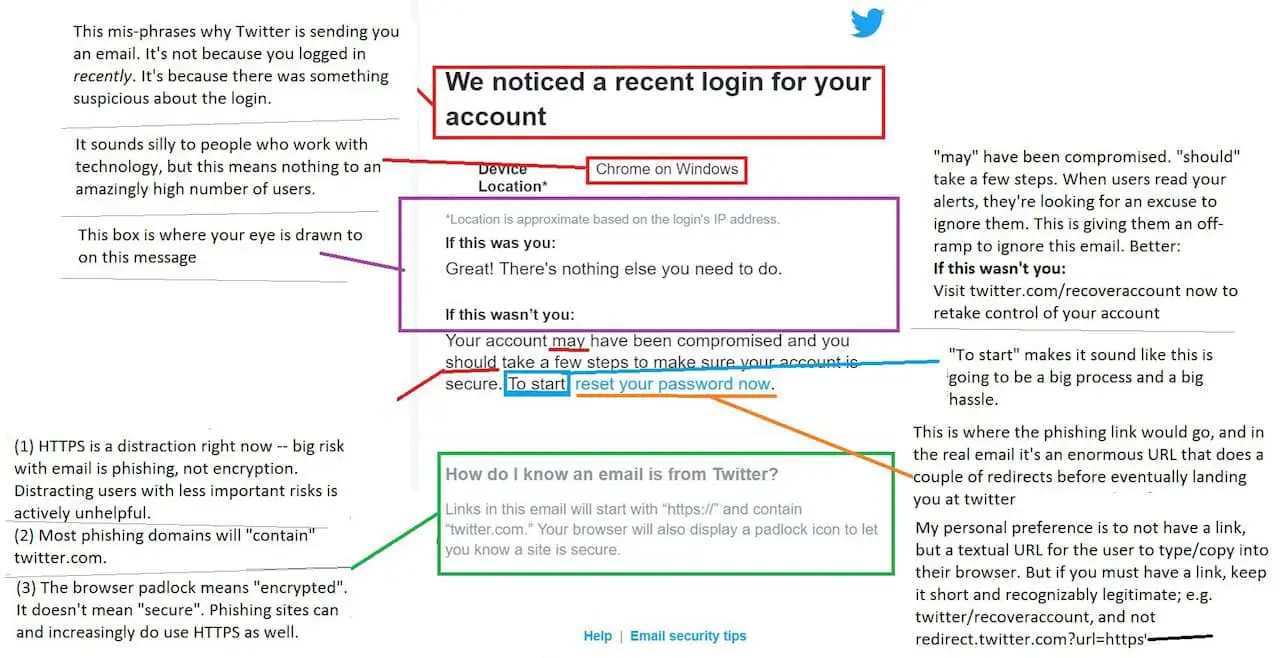
One of the examples, that actually illustrate how not to communicate a possible account compromise is Twitters "someone is logging in to your account" e-mail that can (and should) be optimized/ fixed as [pwnallthethings described on Twitter](https://twitter.com/pwnallthethings/status/817923705993043968)... well done!
That's it for now, so have fun reading and stay secure!
================================================================================
# Single-Use JWT: Unlocking the Power of Stateless One Time Token
- URL: https://www.janbrennenstuhl.eu/single-use-jwt/
- Type: essay; topics: tokens-jwt
- Published: 2016-12-30; modified: 2025-06-01; reviewed: 2016-12-30 (on publication)
Self-contained JWTs can be used as one time tokens. A quick guide on single-use JWT.
## Understanding JSON Web Tokens
Welcome to the future of authentication! In a world where digital security is paramount, the need for robust and reliable authentication methods has never been more crucial. [JSON Web Tokens](https://www.janbrennenstuhl.eu/topics/tokens-jwt/ "More about JWTs") are the new and fancy de-facto standard in the web. JWTs are the tool of choice when it comes to authentication in an stateless environment. That has two direct implications:
1. You should definitely go and get some proper introduction on [the purpose of JSON Web Tokens](https://www.janbrennenstuhl.eu/jwt-stateless-authentication/ "Stateful vs Stateless Authentication") and some insights on how they work. It's worth to know as JWTs are widely used for e.g. authentication against REST-APIs.
2. As JWTs are still comparably fresh, hot and simply fancy in contrast to traditional bearer token, some people think they are some kind of holy grail and can be used to solve every possible use-case … and guess what: They are not!
In this article, I will dive into the benefits of single-use JWTs, how they work, and best practices for implementing them in your application. Get ready to unlock the full potential of stateless authentication with single-use JWTs!
### What are JSON Web Tokens?
JSON Web Tokens are an industry standard method for exchanging claims securely between two parties. They are defined as an open standard in [RFC 7519](https://datatracker.ietf.org/doc/html/rfc7519) but only become truly powerful in combination with [RFC 7515](https://datatracker.ietf.org/doc/html/rfc7515), which describes JSON Web Signatures (JWS). In combination, the two standards allow the creation of a cryptographically signed json object that carries state and can get verified, which basically means that you have means to ensure that a JWT is valid and created by someone you have faith in before you trust it.
Being self-contained, stateless and signed, JWT tokens allow you to leverage so-called [stateless authentication](https://www.janbrennenstuhl.eu/jwt-stateless-authentication/ "Stateless Authentication, the purpose of JWT"), mostly in form of bearer tokens within an authorization header (access token), issued by an authorization server in context of OAuth 2.0 or OpenID Connect (OIDC).
But there are further information exchange use cases for standardised, signed tokens that can carry state between some other client side and a server or two servers. One example, I saw being discussed in the open wild and also within companies, is to use a JWT token as one-time token (OTT).
### The Power of JSON Web Token
While not being a Swiss army knife, the power of JSON Web Tokens lies in their ability to unlock a multitude of benefits especially for authorization servers, identity provider servers and system reliability. From my point of view, the key features that make JWTs a force to be reckoned with in the world of digital security, is their support of stateless architecture. Unlike traditional session-based authentication mechanisms, JWTs are stateless by design. This means that servers do not necessarily need to store any session-related information in their database, resulting in improved scalability and reduced server-side complexity.
Another side-effect of the general hype around these stateless tokens, is their interoperability. JWTs have gained widespread adoption and support across different programming languages, frameworks, and platforms. Every niche has their own JWT library. This interoperability ensures seamless integration into existing systems and promotes interoperability between various components of a distributed application. JWT token basically standardised the data format of access tokens or session token.
## What Is a One Time Use Token?
A One Time Use Token, also known as a single-use token, is a unique and disposable identifier that is generated for a specific transaction or interaction. Unlike traditional tokens or credentials that can be reused multiple times, a one-time use token serves a singular purpose and becomes invalidated or expired after its initial use.
The primary purpose of a one-time use token is to enhance security and reduce the risk of unauthorized access or fraudulent activities. By limiting the token's usability to a single instance, it significantly mitigates the chances of interception, replay attacks, or unauthorized reuse. This makes one-time use tokens an invaluable tool in various domains, including authentication systems, payment processing, and secure communication protocols.
### Advantages of Single-Use Token Validation
One-time use tokens are typically generated through a cryptographic algorithm or hash function, ensuring their uniqueness and tamper-resistant properties. Once generated, the token is associated with a specific transaction or user session, providing a temporary authorization credential that grants access to protected resources or validates an action. Once it fulfils its intended purpose, the token expires and becomes invalid, ensuring that any subsequent attempts to use or manipulate it are rendered ineffective.
The advantages of one-time use tokens extend beyond just security. They also offer enhanced traceability and auditability, as each token can be easily tracked and linked to a specific event or transaction. This attribute becomes particularly valuable in scenarios where accountability and compliance are crucial, such as financial transactions or regulatory environments.
## Implementing One-Time JWT Token
Let's talk about use-cases: Imagine you have a setup based on OAuth 2.0 that uses signed JWTs as bearer tokens for user-auth. Further imagine you want to provide [account recovery via password-reset](https://www.janbrennenstuhl.eu/knowledge-base/account-security/account-recovery/ "Account Recovery & Password Resets") by email with confirmation-link included. For that confirmation-link we would then need to have some kind of proof attached as query param to the URI. As the password-reset should work only once, the token is required to get invalided after successful usage. Hence, we would need the shared secret to have OTT characteristics.
One solution could be a storage holding issued tokens and validity information. Every incoming password-reset request for the protected resource that the reset-link is targeting would then be authorized by the receiving web application against that central list. This so-called *"stateful approach"* introduces a single point of truth. The token storage becomes the central bottleneck.
It would be great if another solution could leverage existing concepts. For example our stateless authentication system with its ability to create, sign and verify JWTs …
### Generating and Validating Tokens
The solution for our problem is actually straightforward as it is based on a simple trick. Although we can't (and don't want to) alter issued JWTs, our resource server is still the master of verification. We just need to look at JSON Web Token verification from another angle – for example by using app-state as input secret for the HMAC algorithm during JWS issuing!
To stay in the example use case of account recovery that means, that using the users current password hash as secret key for the signing algorithm guarantees single-usage of every issued reset token. This is because the salted hash naturally always changes with a new input, which at the same time concludes the password-reset procedure successfully. There is no way the same token can pass verification twice. The signature checks in case of a replay of signed tokens would always fail.
Using private, server-side state, sensitive data that changes as an outcome of a business operation, to sign a JSON Web Token that is used to authorize the very same business operation, results in the JWT effectively becoming a one-time token.

### User Experience and Usability Challenges
Especially in the context of email based password reset capabilities there is however technical risk attached: One of the drawbacks of JSON Web Tokens (JWTs) is their larger payload size compared to other token type. Since signed JWTs store information within the token itself, including metadata and a massive digital signature, the size can grow significantly. This can have implications, especially in scenarios where tokens are transmitted as query parameters.
Browsers impose a de-facto limit of 2000 characters for URIs and also email providers or clients appears to also struggle with large URIs. As many email links already include a zoo of e.g. tracking IDs, you definitely want to think and test twice before deciding to put a JWT into a query param.
### Security Issues & Risks
Besides the regular security issues of JSON Web Token that largely resided with insufficient implementations on the signature verification, combining JWT and OTT characteristics does not introduce any new attack vectors. Both, authorization server and resource server have to perform the same tasks, whether they implement JWT or not.
## Embracing the Future of Stateless One-Time Tokens
So let's sum up our findings on how to implement single-use tokens based on JWT:
1. There is no need to setup some kind of token-registry storage. This would counter the idea of stateless tokens anyway.
2. Instead, compose signature secrets based on values that change after each token usage. In other words: **Turn app state into HMAC-keys to guarantee one-time use of JWTs!**
Although in theory, this might also work for other use-cases like email verification or account confirmation, my thoughts took shape while reasoning about account recovery approaches. Furthermore, I do believe this to be a rather academical exercise and that we won't see this getting widely adapted in the open wild.
What do you think? Let me know [via Mastodon](https://infosec.exchange/@jbspeakr) and also make sure to share your exotic use cases for JSON web tokens and one-time token approaches with me. I also appreciate feedback and further discussion, thanks!
================================================================================
# AWS DynamoDB: Backup & Recovery Strategy
- URL: https://www.janbrennenstuhl.eu/dynamodb-backup/
- Type: essay; topics: engineering-practice
- Published: 2016-01-18; modified: 2025-06-08; reviewed: 2016-01-18 (on publication)
Orchestrating AWS DynamoDB with Datapipelines, S3 & AWS Lambdas
_"Amazon DynamoDB is a fully managed NoSQL database service [...]"_. That's what Amazon states in the [DynamoDB FAQs](https://aws.amazon.com/dynamodb/faqs/). However, their definition is not quite what I would understand as fully managed. It's missing counter-measures against the human error. For that reason, we need a DynamoDB backup and recovery solution, our DynamoDB safety-net...
## DynamoDB Threat Scenario
Imagine your entire AWS infrastructure, including your DynamoDB tables, is defined and set up via AWS Cloudformation (btw, make sure to read [why Cloudformation sucks](https://www.janbrennenstuhl.eu/aws-cloudformation/ "Abusing JSON: Why AWS CloudFormation sucks!")) or even worse by hand. Further imagine you actually use your tables to store more or less important data. And finally imagine someone deleting your tables and/ or stacks by accident or your software behaving somehow unexpected, dropping tables. See?! DynamoDB does not ship with built-in backup and recovery implementations, so we had to set up our own protective strategy.
The solution we came up with basically orchestrates AWS DynamoDB with Datapipelines, S3 and Amazons Lambdas to establish not just a daily backup mechanism but also to allow simple staging (production to testing environment) and recovery possibilities. This is how it works:

## DynamoDB w\ AWS Datapipeline & Lambda
In addition to the table definitions, our Cloudformation-based infrastructure setup also describes Datapipelines for the tables in our production environment which nightly backup DynamoDB tables to S3. Furthermore, these Datapipelines' ObjectCreated-Events trigger a small AWS Lambda function we also have in place, which is responsible for deletion and recreation of the corresponding tables in our testing environment. Separated in time, additional Datapipelines refill these empty tables with the productive backups created earlier.
In that way, we established a battle-proven backup and staging solution for AWS DynamoDB. But is this of any help when we have to deal with a real DynamoDB disaster, e.g. accidental table deletion or data corruption? Yes, it is:
Due to the infrastructure as code approach, we can easily recreate entire stacks of DynamoDB tables and Datapipelines (yes, we run tables and pipelines in separated stacks) and use our latest backups to recreate a stable state. Everything with just two or three commands.
However, we don't have any automation in disaster recognition yet as in my eyes it's quite hard to identify possible disasters and (especially) distinguish those from intentional table changes. Also, with this setup we don't have any chance to properly react on DynamoDB (region, AZ, etc.) not reachable/ available issues.
Further downsides: Our approach is heavily dependent on Datapipelines (I already have a 'Why I hate AWS Datapipelines' post in my pipeline ;D) and due to the orchestration of four Amazon Web Services it is not as simple nor cost-efficient as I would want a proper solution for this common problem to be.
Hope you got some inspiration for your future DynamoDB setup. If you have any questions or improvement suggestions make sure to leave a comment or contact me directly.
================================================================================
# Evolution of a Microservice: A Git History Visualisation
- URL: https://www.janbrennenstuhl.eu/microservice-evolution/
- Type: essay; topics: engineering-practice
- Published: 2015-05-21; modified: 2023-04-21; reviewed: 2015-05-21 (on publication)
A deep dive into the evolution of a microservice, from its inception as a small, independent module to its growth into a complex kraken
Microservices have revolutionized the way we develop and deploy software applications. But with great power comes great complexity. As microservices become more and more ubiquitous, developers must grapple with new challenges, such as managing dependencies, ensuring scalability, and maintaining consistency across services. In this article, I take a deep dive into the evolution of a microservice, from its inception as a small, independent module to its growth into a complex kraken…
Following the common pendulum theory, every tech debate oscillates between at least two currently trending topics. The same is true when it comes to micro-services (vs. integrated systems). One of my former teams decided to follow a radical microservices approach, favoring the benefits of smallest possible deployment units over integration (and its advantages) and preferring infrastructure as well as communication complexity over tight coupling. Why we chose to do so and how we make sure to keep our services micro, I'm going to explain in more detail...
## Microservices, Self-contained Systems & Integrated Applications
Back then my team was responsible for parts of one a core selling flows. With thousands of customers-to-be every day and direct major business impact, we not just need to be reliable as well as always up-and-running, but also fairly flexible and (even more important) fast, allowing product improvements, bug fixes and multi-variant tests to be rolled out in near-realtime. Helping us to achieve those goals are our continuous live deployment (CLD) infrastructure, our near-realtime monitoring as well as alarming setup and most importantly our constantly evolving, stateless micro-services...
The [micro-services architecture](http://microservices.io/patterns/microservices.html) I am referring to in this article is the probably most remote antipole of what is commonly known as monolithic, integrated system (or what some companies call legacy, heritage or mothership). Between those two extrema, there is a whole bunch of manifestations, variations and adoptions like the so-called [Self-contained System](http://scs-architecture.org/index.html) (SCS) architecture. However, I am usually not a big fan of some technical middle courses as in my experience they often combine not the intended advantages but the downsides of two radical different ideas. Furthermore, if a framework (and an architecture is nothing else) allows people to implement their first gut feelings instead of understanding the greater ideas, concepts and reasons, they tend to do so.
On the other hand, sticking with and optimizing your infrastructure for one clean approach (not in a religious but explaining manner) generally helps creating easy repeatable and comprehensible software architecture - as long as you can handle possible drawbacks. Having implemented a strict microservices-based deployment architecture in our core business, we now benefit from a couple of great possibilities even our business people find it great to work with:
[Watch the accompanying video on YouTube](https://www.youtube.com/watch?v=12IU4m16bJM) (external).
## Microservices, Don't let'em grow!
We have tiny, decoupled applications that are deployed independently. Due to their small footprint, each of them is easier to understand (even by new colleagues) and can be cloned and built in almost no time, which speeds up not just our dev productivity but also our deployments. Additionally, our microservices enable us to exchange parts of our tech stack pretty easy and make us in that way eager to try out new things. Whether it's about server-side vs. client-side rendering, SQL vs. NoSQL databases, Play vs. Spring or any other major design decision, we don't need to compromise, we can use whatever fits best and helps us to solve the microservices single purpose. It's a great feeling and even better: It helps us reducing complexity and dependencies in each of our deployment units. However, to be able to enjoy these advantages you need to be beware of its drawbacks...
In my eyes the major challenge of a microservices architecture is not that shifted complexity of its distribution, but that you need to cut. It's a big drawback, because every software tends to grow bigger - it's just a matter of time until a single-purpose microservice becomes a multi-purpose legacy app. There's no way to prevent your software from doing so. Whether you cut your services functional or by following business use-cases, you have no other chance than to be fully-aware of that fact, and you need to cut carefully and (most importantly) you need to cut often.
The video above visualizes the evolution of one of our microservices on a source-code level. As almost every green field software, it starts fairly simple but quickly outgrow its originally intended size and (even worse) its single-purpose approach. Although fighting back with more or less effective refactorings, the service grew from 5k up to 15k lines-of-code (LoC) within a year until we started to actively enforce our microservice-policy. As the [Gource](http://gource.io/) visualization shows, we started to decouple our service's back- and frontend functionality by migrating from server- to client-side rendering and by introducing a separate, Grunt-based build-process for our frontend-resources (see 01:30).
Next, we where able to identify further decoupling possibilities more easily and started moving major backend functionality to a new, separately created microservice, shrinking down the code-base of this particular service (which basically serves a couple of public webpages) back to round about 5k LoC (see 01:50). Being done with that, our service now is in a state where we can directly benefit from all the advantages we discussed before. Furthermore, we ended up with a clean decoupling between mainly enduser-centric code and a more business-administration REST-API.
## tl;dr - Take a radical approach!
When it comes to tech decisions, going all-in and optimizing for one strict approach (one pole of the spectrum) and being aware of its possible drawbacks is always better than mixing contradictory ideas, patterns or philosophies. Although in theory, combining contradictory approaches might sometimes sound like a great idea (_"hey, let's combine the best of'em all!"_), in practice they're usually not.
Whether it's about server-side vs. client-side rendering, [serverless](https://aws.amazon.com/blogs/compute/microservices-without-the-servers/) vs. servers-as-cattle, or the red vs. blue pill, you want to settle for exactly one extrema. However, you need to know and understand the drawbacks. Establishing and maintaining e.g. an microservices architecture is continuous work. Evaluating the actual size as well as purpose of your services (and service landscape) is essential and cutting down your services regularly is a must if you want to benefit from your architectural decision for microservices.
================================================================================
# Abusing JSON: Why AWS CloudFormation sucks?!
- URL: https://www.janbrennenstuhl.eu/aws-cloudformation/
- Type: essay; topics: engineering-practice
- Published: 2015-05-21; modified: 2025-06-22; reviewed: 2015-05-21 (on publication)
Infrastructure as code is great but AWS Cloudformation is not! Learn why JSON-based Cloudformation is bad and what alternatives exist. Devops ✓ AWS ✗ JSON ✗
[AWS CloudFormation](https://aws.amazon.com/cloudformation/) (CFN) is a file-based interface for provisioning AWS resources and in that way is Amazons answer on the '[Infrastructure as Code](http://www.thoughtworks.com/insights/blog/infrastructure-code-reason-smile)' paradigm. I am a huge fan of this approach and CFN is a big step into the right direction as it supports not just common DevOps ideas, by allowing devs to create, update and delete the operational infrastructure they need with their own tools (a text editor, version control and tests).
It also enables you to think different about your IT infrastructure and how to work with it (e.g. just think about immutable stacks). However, I see some issues that become more important if you work with CloudFormation on a daily basis ...
## JSON Lang, WTF?!
CloudFormation templates are simple JSON-formatted text files that (in theory) can easily be created and maintained by hand as nowadays every dev (and/ or ops) should be able to read and write valid JSON. However, AWS CloudFormation uses the originally static *[lightweight data-interchange format](https://www.json.org/json-en.html)* as a scripting language, allowing e.g. the definition and usage of parameter and (somehow crazy) [intrinsic function](https://docs.aws.amazon.com/AWSCloudFormation/latest/UserGuide/intrinsic-function-reference.html) references.
In my eyes, this is a heavy misusage that leads to several problems regarding complexity and comprehensibility. You can find several deterrent examples that illustrate this right in the official AWS developers guide. If you still don't think JSON is a syntax-bloated, hard-to-read data format just have a look on how to define [DataPipelines using CloudFormation](https://docs.aws.amazon.com/AWSCloudFormation/latest/UserGuide/aws-resource-datapipeline-pipeline.html#d0e32425) and tell me you like it and that you are able to easily understand all the definitions as well as their interactions. It took me some time...
But that's not even the worst part. JSON also lacks some feature substance that some devs would regard heavily essential. In contrast to its technical superset YAML, JSON is not aware of e.g. comments or user defined data types. In my eyes, this is a huge downside and a massive argument against Amazons classical CloudFormation design.
All in all I don't quite get the whys and reasons which made Amazons engineers believe that the abuse of JSON for scripting would be a better and more innovative idea than go for something like an established scripting language like Python or JavaScript.
But enough JSON-bashing for now. Let's solve at least some of our AWS CloudFormation issues.
## CFN-Sphere
Currently there are a couple of tools around that sit on top of CFN as an abstraction layer and offer not just a YAML-based config approach, but also further functionality that comes in handy if you work with infrastructure as code during your everyday business.
One of those tools is [CFN-Sphere](https://github.com/cfn-sphere/cfn-sphere), a lightweight Python-tool that aims to simplify AWS CloudFormation handling not just for infrasturcture automation but also for human interaction. Initially built by [Marco Hoyer](https://github.com/marco-hoyer) (a former colleague and friend of mine) CFN-Sphere comes with fundamental support for e.g. cross stack parameter references and automatic stack dependency resolution including circular dependency detection. Both are amazing features also for smaller AWS infrastructure definitions like the backup and staging environment for DynamoDB tables I am currently working on (More on that topic in one of the upcoming posts).
So if you are struggling with your with your CloudFormation config or if you have a certain feeling that CFN files having around several hundred lines of code are almost unmaintainable, make sure to check out CFN-Sphere and its stack template feature. And help making it even greater by becoming a contributor!
================================================================================
# Python Docopt: Convert Tuple List to Dictionary
- URL: https://www.janbrennenstuhl.eu/python-tuples-to-dict/
- Type: essay; topics: engineering-practice
- Published: 2015-04-28; modified: 2023-04-15; reviewed: 2015-04-28 (on publication)
Python Docopt: How to convert a list of tuples into a dictionary in Python. A quick and easy solution for beautiful command-line interfaces …
Using [Python Docopt](https://github.com/docopt/docopt) (for beautiful command-line interfaces) I recently had the problem of converting a list of tuples into a dictionary. In this post I'd like to document [the solution](https://gist.github.com/jbspeakr/c7c4fcb9ee143cf7e9eb)…
```python
"""
usage:
mytool [options]
options:
--foo-bar=PARAM1,PARAM2,... params to do stuff with
[default: key1.value1,key1.value2,key2.value2]
"""
from docopt import docopt
from collections import defaultdict
def run():
params = [tuple(param.strip().split('.')) for param in arguments["--foo-bar"].split(",")]
params = convert_tuple_list_to_dictionary(ignored_resources)
def convert_tuple_list_to_dictionary(list_of_tuple):
dictionary = defaultdict(list)
for k, v in list_of_tuple:
dictionary[k].append(v)
return dictionary
if __name__ == "__main__":
run()
```
This code is able to convert the parameter value string `key1.value1,key1.value2,key2.value2` into the following dictionary:
```bash
{
'key1': ['value1', 'value2'],
'key2': ['value2']
}
```
If you know a leaner solution to solve this problem, let me know!
================================================================================
# How to Migrate SVN to GIT with History?
- URL: https://www.janbrennenstuhl.eu/svn-to-git/
- Type: essay; topics: engineering-practice
- Published: 2015-04-15; modified: 2025-06-01; reviewed: 2015-04-15 (on publication)
Version Control System (VCS) Migration: A short guide on how to migrate SVN to GIT while preserving source code authors and commit history.
Today I'd like to share my solution for a common problem a lot of IT companies experience when finally moving from Subversion (SVN) to Git as their central version control system (VCS): Converting a SVN repository into a Git repo including its commit history and authors.
To achieve this, I decided to split this issue into smaller pieces:
1. Extracting all authors of the SVN repository,
2. Creating a proper authors file mapping SVN users to Git users,
3. Converting SVN repo to Git including its history and authors.
Here is what I did:
## Converting SVN to GIT w/ History & Authors
Checkout your SVN repository.
```bash
svn co SVN_REPO_URL
```
Go into the repo directory and extract authors from the SVN repo [using this statement](http://stackoverflow.com/questions/2159567/what-is-the-format-of-an-authors-file-for-git-svn-specifically-for-special-char).
```bash
svn log --xml | grep author | sort -u | perl -pe 's/.>(.?)<./$1 = /'
```
Using this information, create an authors.txt file like this:
```bash
# SVN_AUTHOR_HANDLE = GIT_AUTHOR_HANDLE
jbrennenstuhl = janbrennenstuhl
...
```
Using this file you now can start converting your SVN repo into a Git repo.
```bash
git svn clone -A authors.txt SVN_REPO_URL
```
This will convert the old SVN repo into a new Git repo including the complete SVN history and mapping its authors following the mapping in authors.txt. Depending on the dimension of the SVN repo history, this can take several minutes or even hours!
If you don't want to have the entire SVN history you could choose to start from a specific revision like this:
```bash
git svn clone -rSVN_REVISION:HEAD -A authors.txt SVN_REPO_URL
```
Still using SVN? Start converting to Git now!
================================================================================
# How to Check Github Licenses
- URL: https://www.janbrennenstuhl.eu/github-license-checker/
- Type: essay; topics: engineering-practice
- Published: 2015-03-25; modified: 2017-04-17; reviewed: 2015-03-25 (on publication)
Github Licker is a Github License Checker command line tool that helps you to keep an overview over your organisations OSS licenses. Try it out now!
On Github, every organization with a fast growing open-source codebase quickly figures out a couple of shortcomings regarding the Github web interface. Especially, when it comes to Github organizations that are already around for some time, you often find some information missing that could probably help managing and controlling your organizations repositories...
## Github & Licenses
For months now, Github addresses in particular the often discussed license-problematic by implementing the [License Picker](https://help.github.com/articles/open-source-licensing/) feature and introducing the [choosealicense.com](http://choosealicense.com/) information page. That's great if you start with new projects and repositories, but what's missing is some kind of license overview and maintaining functionality that allows dealing with licenses of already existing repos.
For that reason, I just built a small Python tool to help you getting an overview of your repos licenses: [Github-Licker](https://github.com/jbspeakr/github-licker), a Github License Checker!
## Github License Checker
Using the [Github API v3](https://developer.github.com/v3/) including the [Licenses API](https://developer.github.com/v3/licenses/) developer preview, Licker is able to check licenses of all repositories in your Github organization. It searches all your own repositories (no forks!) and especially helps identifying repos without license files.
```bash
pip install github-licker
licker -h
usage:
licker [TOKEN] [options]
options:
-o, --organisation=ORGANIZATION the Github organization you want to check [default: ImmobilienScout24]
```
Github-Licker itself is licensed under [Apache License, Version 2.0](https://github.com/ImmobilienScout24/aws-monocyte/blob/master/LICENSE.txt), for what reason you can easily [help me to improve it](https://github.com/jbspeakr/github-licker)!
================================================================================
# AWS Monocyte: Let's Build a Cloud Immune System
- URL: https://www.janbrennenstuhl.eu/aws-cloud-immune-system/
- Type: essay; topics: engineering-practice
- Published: 2015-03-18; modified: 2025-06-22; reviewed: 2015-03-18 (on publication)
Monocyte: A AWS Immune System. Comply to EU regulations by finding and deleting AWS resources in regions outside of Europe with AWS Monocyte!
With Ireland and Frankfurt being available as AWS regions nowadays, Amazon (more or less) tried to extinguish EU and especially German legal concerns regarding storage and processing of privacy-related data. However, for European companies it remains difficult to prevent (accidental) usage of services and resources outside the EU, as there is still no standardized way to restrict AWS-account rights on this region-level. Especially in open, [DevOps](https://en.wikipedia.org/wiki/DevOps)-inspired company cultures this becomes a major issue:
## AWS & YBIYRI
The majority of European companies my colleagues and I recently interviewed about their AWS infrastructure, implemented (or plan to implement) some kind of multi-account setup, meaning that single product teams own their own accounts (which usually are aggregated via [consolidated billing](http://docs.aws.amazon.com/awsaccountbilling/latest/aboutv2/consolidated-billing.html)). One reason for this decision is (in addition to hard AWS API limits) that they try to implement the so-called *"You built it; You run it"*-approach, which is also [propagated by Amazon](https://www.safaribooksonline.com/library/view/programming-amazon-ec2/9781449303617/ch01s03.html). This trending approach implies that every AWS account is managed entirely and autonomously by its corresponding development team, which eventually is not anymore just responsible for building software components and products but also becomes responsible for operating the required infrastructure.
This (of course!) leads to several conflicts of goals. On the one hand companies often want their teams to work with AWS independently and manage their own accounts mostly autonomously. On the other hand they are usually bound to legal frameworks (e.g. the [EU Data Protection Directive](https://en.wikipedia.org/wiki/Data_Protection_Directive) and/ or German privacy laws) and for that reason want to search and destroy non-EU AWS resources relentlessly.
## A Cloud Immune System
To accomplish that, we built our own base-layer of what we call a cloud immune system: [AWS Monocyte](https://github.com/ImmobilienScout24/aws-monocyte). The name Monocyte is related to a [type of white blood cells](https://en.wikipedia.org/wiki/Monocyte) that are part of e.g. a human's innate immune system, the first line of defense being responsible for searching and destroying alien organisms to prevent unwanted infections.
As [Arne Hilmann](https://arnehilmann.github.io/) and I explained during the [AWS UserGroup Meetup](http://www.meetup.com/AWS-Berlin/events/220609022/) this March at the Immobilien Scout HQ in Berlin, our tool is (in that biological sense) able to find and delete AWS resources in regions outside the EU. This allows companies to make sure that (accidentally) created non-EU resources are destroyed on a regular basis and helps in that way to (unfortunately reactively) enforce legal requirements.
Right now, AWS Monocyte is able to handle just a subset of the plenty Amazon Services, including Cloudformation Stacks, EC2 Instances, EC2 Volumes, RDS Instances, RDS Snapshots, DynamoDB Tables and S3 Bucket. Implementing support for further Amazon Web Services is pretty easy and I hereby ask you to [fork our project](https://github.com/ImmobilienScout24/aws-monocyte) and help extending its power!